
Beetlejuice Black and White Clipart Halloween SVG for Shirts, Mugs and Stickers
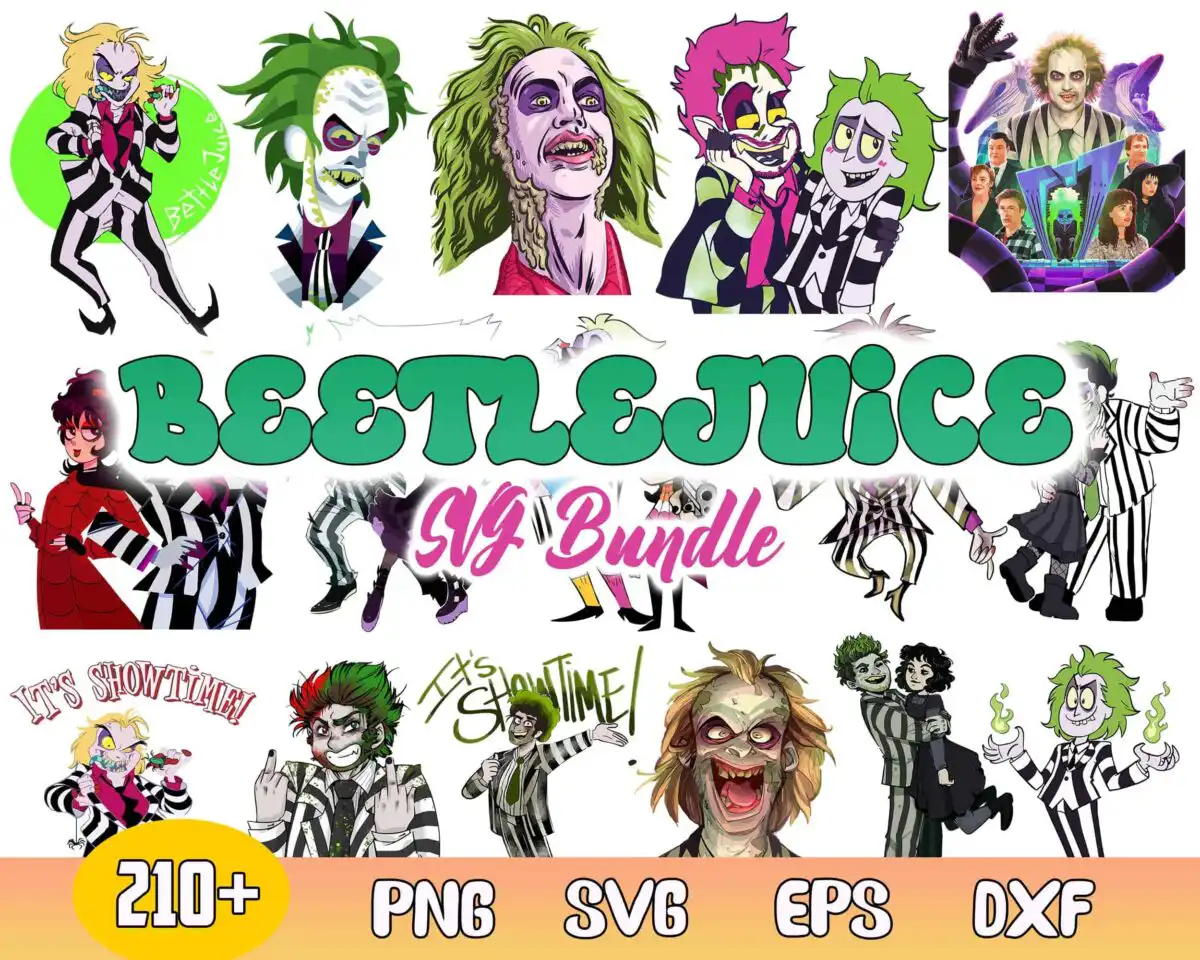
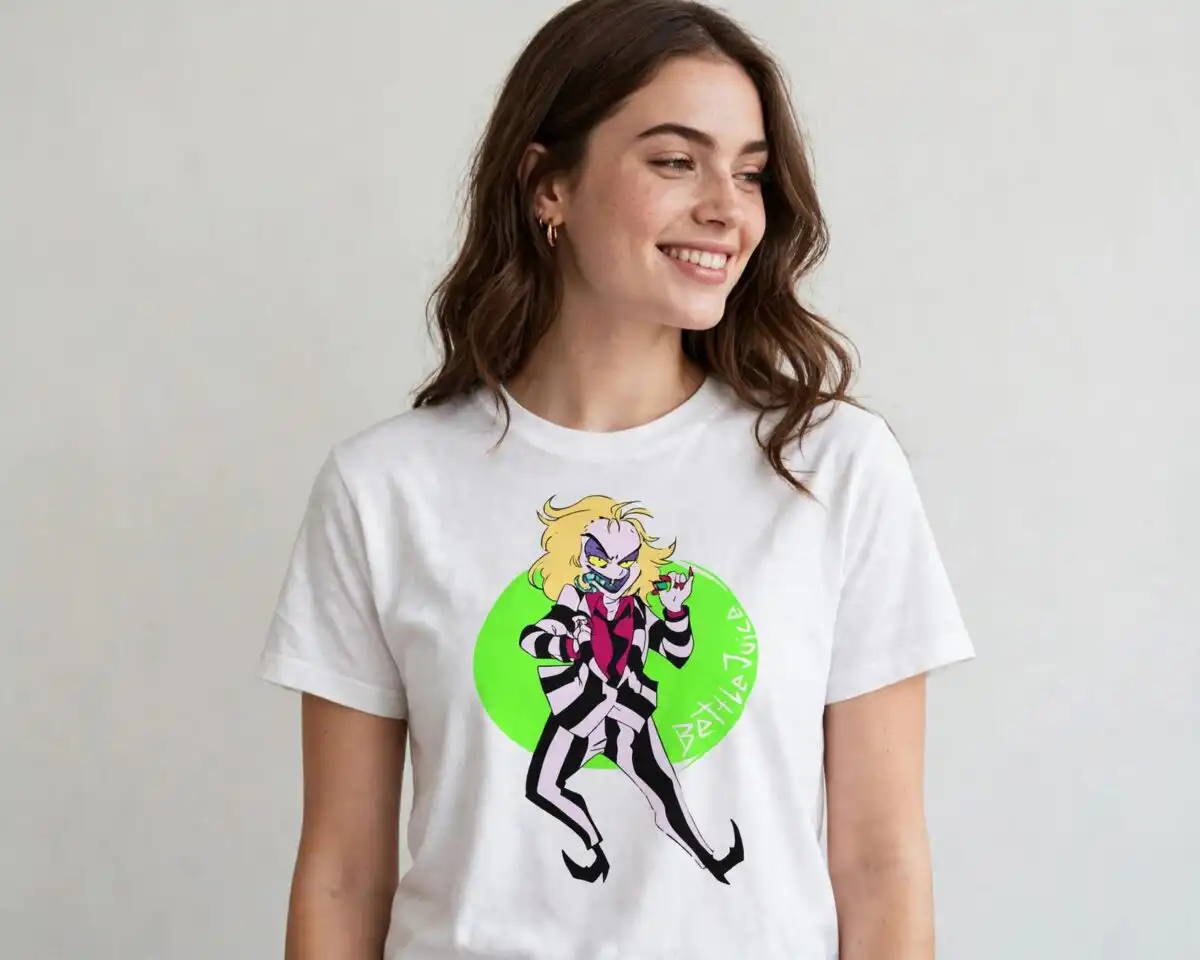
This Beetlejuice clipart in black and white is a multi-character SVG collage, with PNG, DXF, EPS and PDF files alongside it, made for shirts, mugs, stickers, tumblers and vinyl cutting. Beetlejuice appears again and again in varied poses and expressions, each wearing the black-and-white striped suit and bright green wild hair that make him recognisable. The artwork is cartoon and pop-art in style, with a movie-poster scene, a green circle backdrop and a yellow badge carrying the 210+ label. Pink and magenta accents add a playful touch, and the “It’s Showtime!” and “BEETLEJUICE” lettering gives each piece a clear theme. A red-jacketed Lydia-style character also appears, so you can mix the figures on a single project. The files suit Halloween decorating and Beetlejuice fan merchandise, with a spooky but fun mood throughout.
Design breakdown
The preview sheet is a collage of 16 distinct designs, and the full set is cut in 12 layers using six colours: bright green, pink, magenta, white, black and yellow. Beetlejuice’s striped suits are drawn in black and white, his hair in bright green, and the pink and magenta accents sit around the characters. The movie-poster scene, the green circle backdrop and the yellow 210+ badge are separate pieces that can be cut or left out. The lettering, including “It’s Showtime!” and “BEETLEJUICE”, is bold and suits vinyl cutting. Several of the designs include fine details, so cut them at 4 inches or larger for the best result. Example designs visible in the preview include the Beetlejuice character illustrations, a Lydia-style character in a red jacket, the movie-poster cast scene, and the file-format icons for PNG, SVG, EPS and DXF.
| Layers | 12 |
|---|---|
| Colours | 6 — bright green (#2BB673), pink (#F4A6C8), magenta (#E0307A), white (#FFFFFF), black (#1A1A1A), yellow (#F7C52B) |
| Lettering | BEETLEJUICE / It’s Showtime! / 210+ / PNG / SVG / EPS / DXF |
| Background | white |
| Cut complexity | high |
| Orientation | landscape |
What’s included
- SVG
- PNG (300 dpi, transparent)
- DXF
- EPS
Works with
- Cricut Design Space
- Silhouette Studio (Designer Edition)
- Brother ScanNCut
- Adobe Illustrator
- Inkscape
- CorelDRAW
How to use
Download the zip file and unzip it on your computer before you do anything else. Open the SVG file in Cricut Design Space, Silhouette Studio, Brother ScanNCut or Inkscape, then import it onto your canvas. Ungroup the layers if you want to separate the colours for vinyl or a multi-colour print. For sublimation or printing on a shirt, use the PNG file, which has a transparent background at 300 dpi.
Licence
Personal and small-business commercial use. Sell finished physical items; do not resell or redistribute the files themselves.
FAQ
What files do I get with this Beetlejuice clipart?
You get SVG, PNG, DXF, EPS and PDF files. The PNG files are 300 dpi with a transparent background.
Can I use this Beetlejuice design on a 20oz tumbler?
Yes, the design works on a 20oz tumbler when printed as a sublimation wrap or cut as vinyl. Choose the PNG file for printing and the SVG file for cutting.
Which machines and programs does this work with?
It works with Cricut Design Space, Silhouette Studio (Designer Edition), Brother ScanNCut, Adobe Illustrator, Inkscape and CorelDRAW. It also opens in any program that reads SVG, PNG, EPS, DXF or PDF files.
Can I resize this file and sell what I make with it?
Yes, you can resize the SVG without losing quality. The licence covers personal and small-business commercial use for finished physical items, but you may not resell or redistribute the files themselves.


