
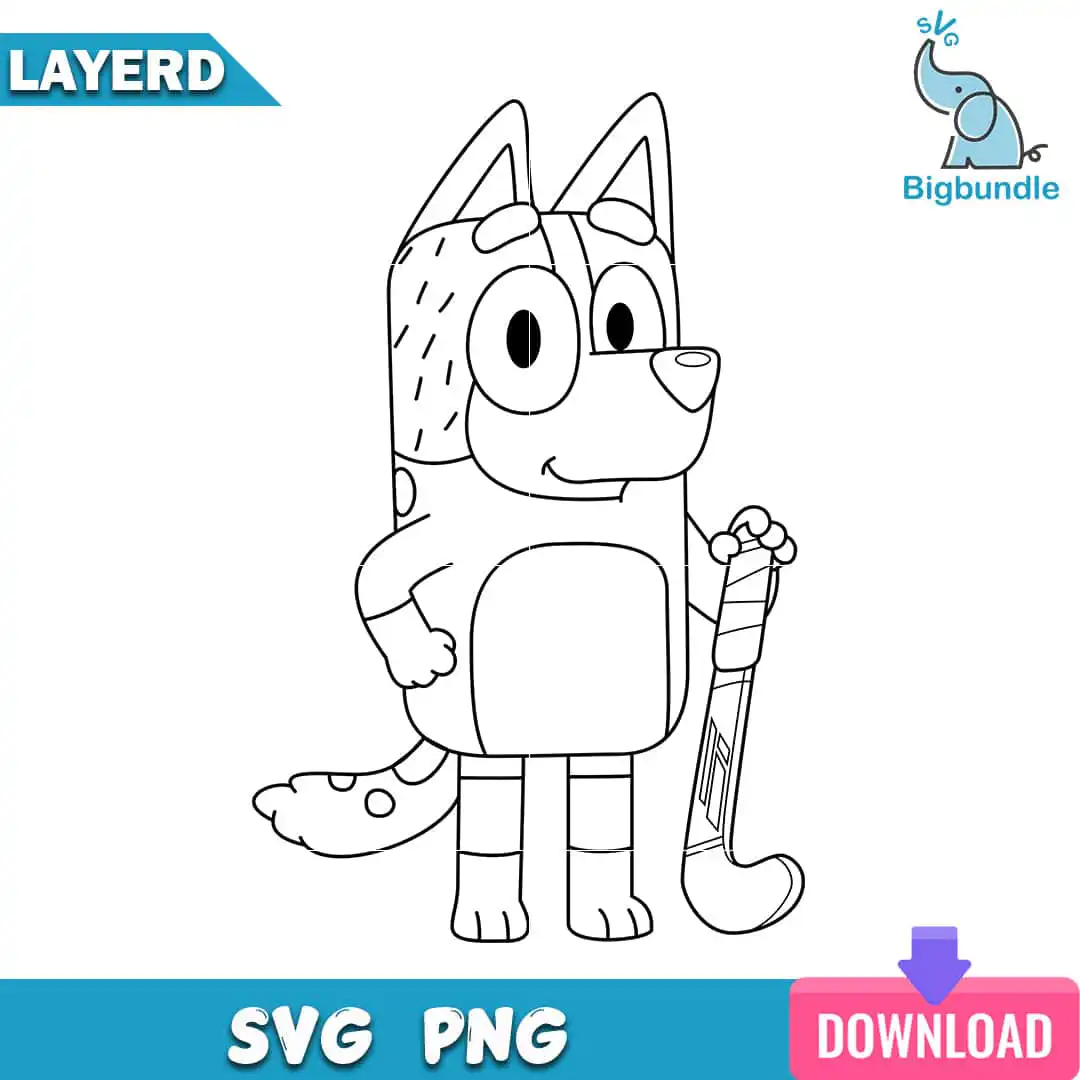
Bluey Coloring Page SVG Birthday Design: Black Outline Dog With Hockey Stick for Kids
This Bluey coloring page SVG is a single black outline cartoon dog in the Bluey style, standing with a hockey stick, and it comes as a ready-to-use digital file. You get SVG and PNG (300 dpi, transparent) versions, plus DXF, EPS and PDF, so the design works for printing, cutting and crafting. The artwork is drawn as clean line art on a white background, with the dog’s spotted tail, dashed fur markings, paw and striped legs all in black. Because it is pure outline, you can print it as a coloring sheet for a birthday table, a kids party activity or a rainy afternoon at home. The same lines also suit iron-on or vinyl cutting for a birthday shirt, a tote, or a scrapbook page. Parents and teachers often pick it for party favours because children can colour it in with crayons, markers or paint. Whatever you make, the bold black lines stay sharp at any size.
Design breakdown
The design is one black outline image on a white background, drawn in a coloring-page style with no fill colours. It shows a cartoon dog character standing with a hockey stick, with a spotted tail, dashed fur markings, a paw and legs with stripe bands. The file is cut in one layer, so it can be cut or printed as a single piece. The cut is of medium complexity; fine details such as the dashed fur markings and the stripe bands are best cut at 4 inches or larger. Colours in the artwork are black lines on white, and the lettering “LAYERD”, “SVG PNG”, “DOWNLOAD” and “SVG” appears within the preview image but is not part of the coloring artwork itself.
| Layers | 1 |
|---|---|
| Colours | 5 — black (#000000), white (#FFFFFF), blue (banner and logo) (#1E9BD7), pink (download button) (#E0457B), purple (download arrow) (#7B4FD1) |
| Lettering | LAYERD / SVG PNG / DOWNLOAD / svg |
| Background | white |
| Cut complexity | medium |
| Orientation | portrait |
What’s included
- SVG
- PNG (300 dpi, transparent)
- DXF
- EPS
Works with
- Cricut Design Space
- Silhouette Studio (Designer Edition)
- Brother ScanNCut
- Adobe Illustrator
- Inkscape
- CorelDRAW
How to use
Download the zip file from your order and unzip it to a folder on your computer. For cutting, open the SVG in Cricut Design Space or Silhouette Studio (Designer Edition) and import it, then resize it before cutting. For a coloring sheet, open the PNG or PDF and print it at the size you need on plain paper. Printing or cutting a test piece first is a good idea for fine details.
Licence
Personal and small-business commercial use. Sell finished physical items; do not resell or redistribute the files themselves.
FAQ
What files are included with this Bluey coloring page SVG?
You get SVG, PNG (300 dpi, transparent), DXF, EPS and PDF files. The SVG and DXF suit cutting machines, while the PNG and PDF suit printing.
Can I use this Bluey design on a kids birthday shirt?
Yes, the outline works well for iron-on or vinyl on a kids birthday shirt. Cut it in black vinyl at 4 inches or larger so the spotted tail and striped legs stay clear.
Which machines and programs work with this SVG file?
It works with Cricut Design Space, Silhouette Studio (Designer Edition), Brother ScanNCut, Adobe Illustrator, Inkscape and CorelDRAW. Any of these will open the SVG directly.
Can I resize this design and sell finished items made with it?
Yes, you can resize the file freely. The licence covers personal and small-business commercial use for selling finished physical items, but you may not resell or redistribute the files themselves.


