A Wreath of Franklin Christmas Wreath SVG Cut File for Holiday Shirts, Mugs and Cards
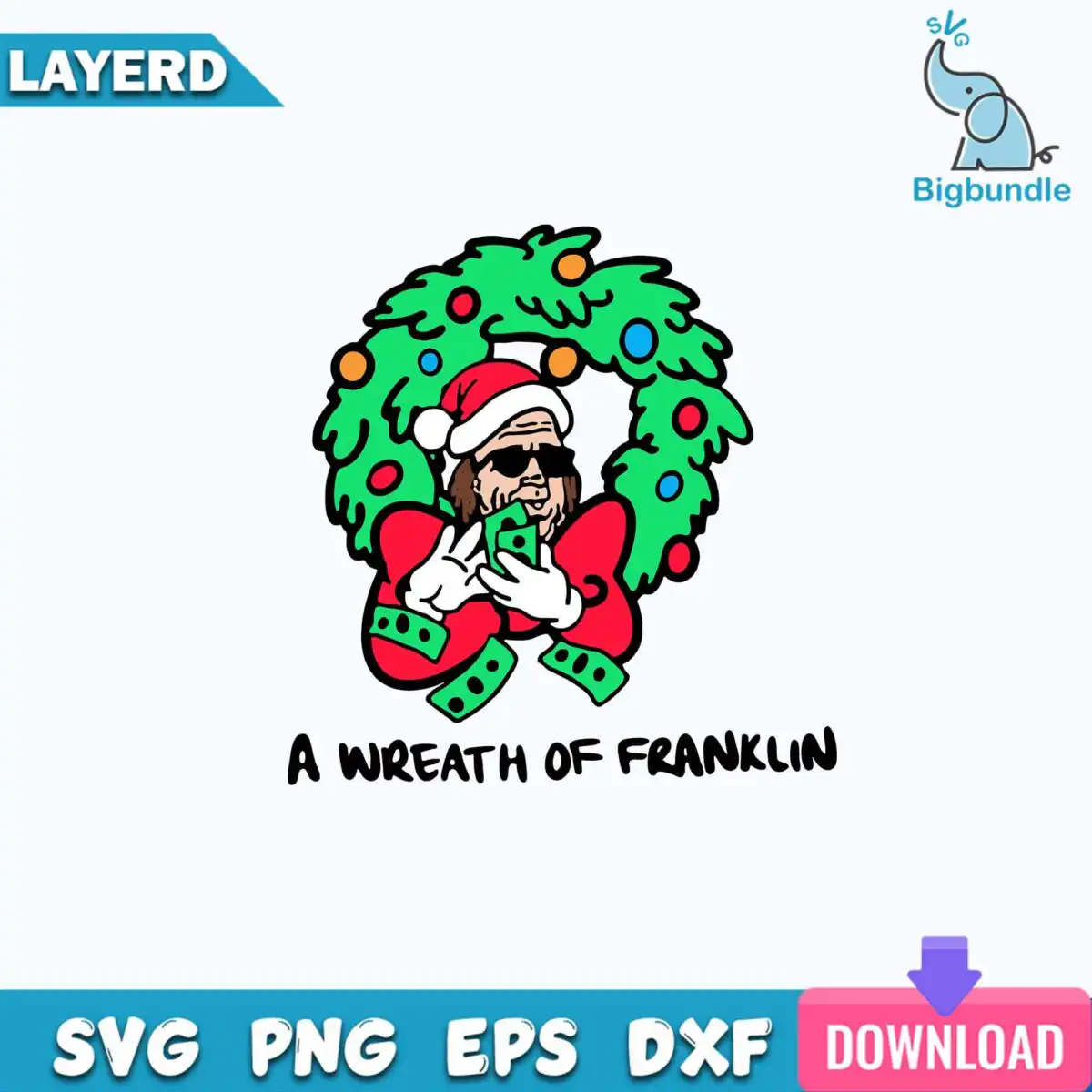
This A Wreath of Franklin design is a single square Christmas wreath badge, delivered as a digital cut file with SVG, PNG, DXF, EPS and PDF versions. It is made for shirts, mugs, holiday cards, stickers and vinyl decals. The artwork shows a green holly-style wreath with a red bow and ornaments in orange, red, blue and yellow, with a cartoon man in a red Santa hat and sunglasses holding green dollar bills. The lettering A WREATH OF FRANKLIN runs across the badge in black. Its bold black outline and hand-drawn look give it a playful, humorous holiday feel, so it works well for gifts for friends who enjoy a joke with their seasonal decorations. Because the design uses wreath green, Santa red and white gloves and hat trim, it reads clearly on light and dark fabrics once cut or printed.
Design breakdown
The design is cut in 5 layers and uses six colours: wreath green, Santa red, white for the gloves and hat trim, light blue and orange for the ornaments, and black for the outline and lettering. It contains a green holly-style wreath, a red bow, a Santa hat, sunglasses, green dollar bills, white gloves and ornaments in orange, red, blue and yellow. The lettering A WREATH OF FRANKLIN is part of the badge. The cut complexity is medium, with fine details around the gloves, sunglasses and bills, so cut it at 4 inches or larger for the best results.
| Layers | 5 |
|---|---|
| Colours | 6 — wreath green (#1E9E4A), Santa red (#D92B2B), white gloves and hat trim (#F5F5F5), light blue ornament (#2BA6C9), orange ornament (#F2A33A), black outline and lettering (#000000) |
| Lettering | A WREATH OF FRANKLIN |
| Background | white |
| Cut complexity | medium |
| Orientation | square |
What’s included
- SVG
- PNG (300 dpi, transparent)
- DXF
- EPS
Works with
- Cricut Design Space
- Silhouette Studio (Designer Edition)
- Brother ScanNCut
- Adobe Illustrator
- Inkscape
- CorelDRAW
How to use
Download the zip file from your order and unzip it to a folder on your computer. Open Cricut Design Space, Silhouette Studio, Brother ScanNCut or your design software, then choose Upload and import the SVG file. Check the layers in the layer panel, group them by colour if needed, and size the badge to your project. For printing, use the PNG file, which is 300 dpi with a transparent background.
Licence
Personal and small-business commercial use. Sell finished physical items; do not resell or redistribute the files themselves.
FAQ
What files come with this Christmas wreath SVG?
You get SVG, PNG, DXF, EPS and PDF files. The PNG is 300 dpi with a transparent background, which suits printing and sublimation.
Can I use this design on a 20oz tumbler?
Yes, the design works on a 20oz tumbler when you use the PNG for sublimation or the SVG for vinyl. Size it to fit the wrap area and check the fine details on the sunglasses and dollar bills at that size.
Which machines and programs does this work with?
It works with Cricut Design Space, Silhouette Studio (Designer Edition), Brother ScanNCut, Adobe Illustrator, Inkscape and CorelDRAW. The DXF and EPS files also open in many other cutting and design programs.
Can I resell the finished items made with this file?
Yes, you can sell finished physical items made with it for personal and small-business commercial use. You may not resell or redistribute the digital files themselves.