

Skeleton Meditating Amid Circular Wreath Halloween SVG Cut File, PLANTS NOT PEOPLE Design
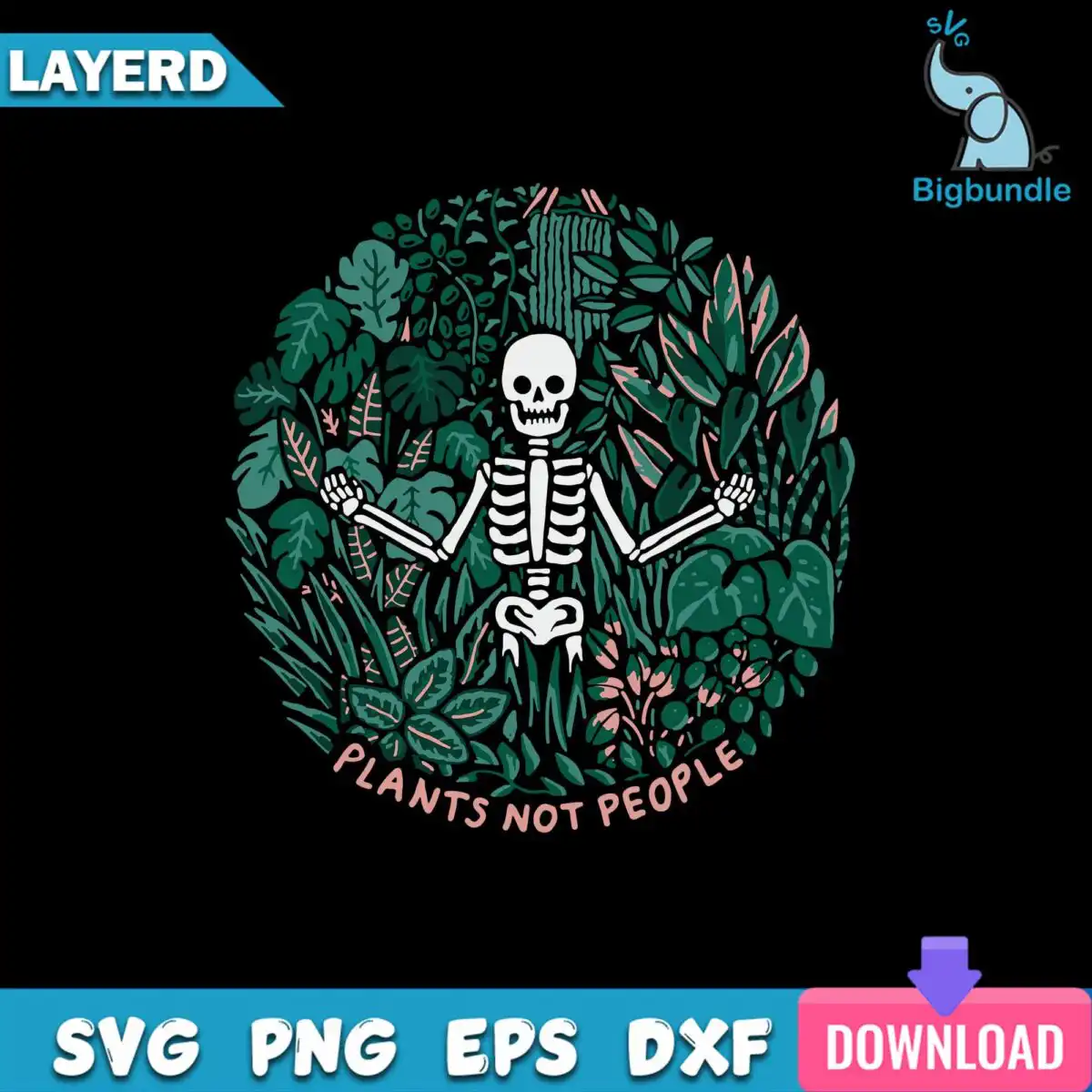
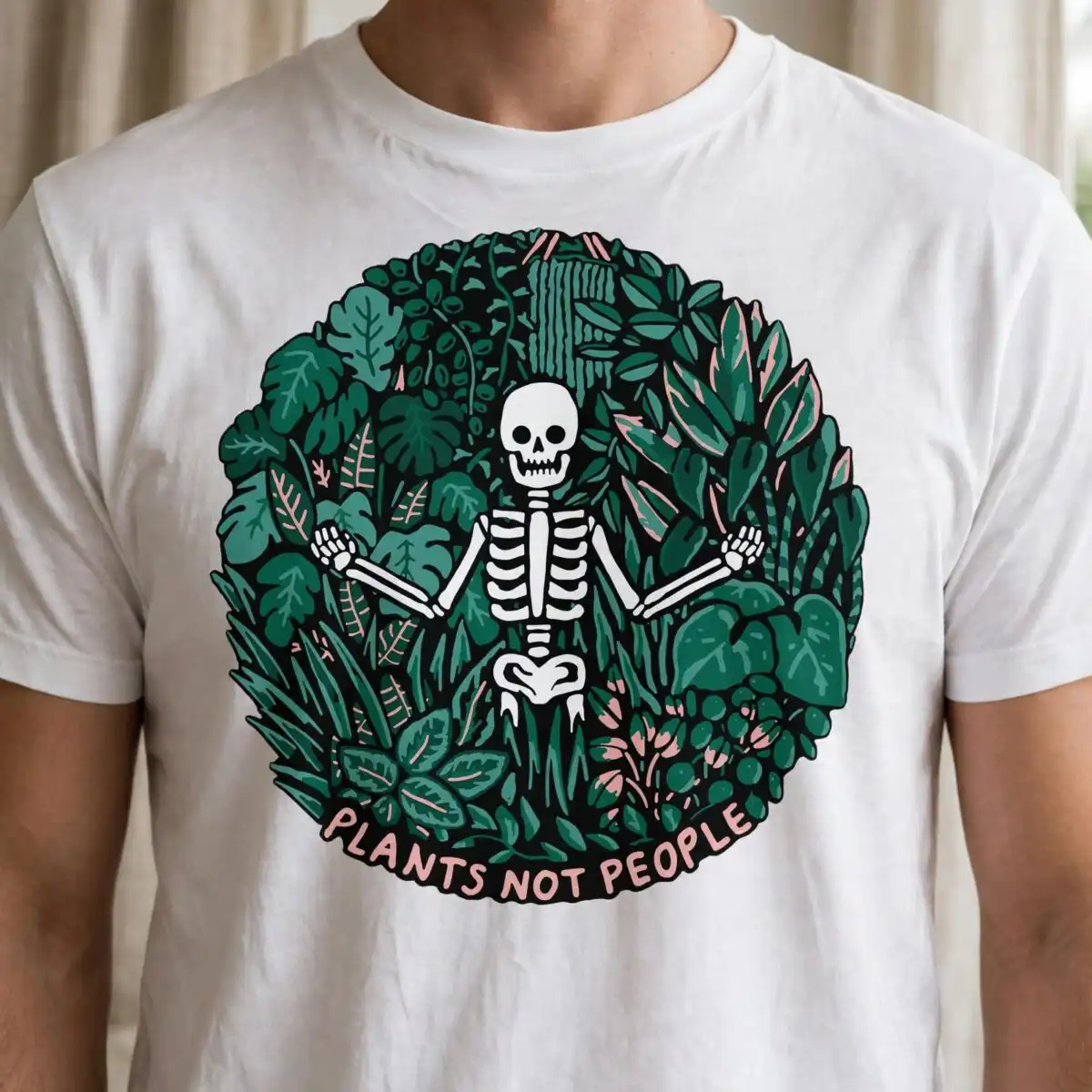
This skeleton meditating amid circular wreath design shows a calm skeleton seated inside a round frame of monstera leaves, ferns, grasses and pink flowers, with the words PLANTS NOT PEOPLE across the bottom. You get one design as SVG, PNG, DXF, EPS and PDF files, made for shirts, tote bags, mugs, tumblers, stickers and vinyl decals. The palette is deep forest green, medium green, sage green, bone-coloured off-white and dusty pink, all set on a dark background, so the artwork reads clearly on dark-coloured fabric or vinyl. The piece is hand-drawn in a flat, botanical style with a playful, slightly humorous mood, which makes it a good pick for plant lovers, gardeners and anyone wanting a quirky Halloween or everyday design. It works in Cricut Design Space, Silhouette Studio, Brother ScanNCut and common illustration software.
Design breakdown
The design is a square badge cut in 5 layers, drawn in black, deep forest green, medium green, sage green, bone-coloured off-white and dusty pink. The skeleton, the circular wreath frame, the monstera and tropical leaves, the grasses, ferns, pink flowers and berries each sit on their own layers, and the PLANTS NOT PEOPLE lettering is a separate element. The cut complexity is high, with fine details in the leaves and the skeleton’s outline, so cut it at 4 inches or larger for the best results. The file is supplied as a single design on one sheet.
| Layers | 5 |
|---|---|
| Colours | 6 — black (#000000), deep forest green (#1F4D3A), medium green (#3E7D5A), sage green (#6FA287), off-white bone (#E8DCD0), dusty pink (#E0A59A) |
| Lettering | PLANTS NOT PEOPLE |
| Background | dark |
| Cut complexity | high |
| Orientation | square |
What’s included
- SVG
- PNG (300 dpi, transparent)
- DXF
- EPS
Works with
- Cricut Design Space
- Silhouette Studio (Designer Edition)
- Brother ScanNCut
- Adobe Illustrator
- Inkscape
- CorelDRAW
How to use
Download the ZIP file and unzip it to a folder on your computer. Open Cricut Design Space, Silhouette Studio or your chosen software, then use Upload or File, Open to import the SVG. Resize the design to the size you need, check the fine leaf details, and cut. For printing or sublimation, use the PNG file, which has a transparent background at 300 dpi.
Licence
Personal and small-business commercial use. Sell finished physical items; do not resell or redistribute the files themselves.
FAQ
What files are included with this skeleton meditating amid circular design?
You receive SVG, PNG, DXF, EPS and PDF files. The PNG is 300 dpi with a transparent background, and the SVG is the file to use for cutting machines.
Can I use this design on a 20oz tumbler?
Yes, the design suits a 20oz tumbler, since it is a square badge with a clear circular wreath that fits a wrap. Check the printed size on your tumbler template before you cut or print it.
Which cutting machines and programs does this file work with?
It works with Cricut Design Space, Silhouette Studio (Designer Edition), Brother ScanNCut, Adobe Illustrator, Inkscape and CorelDRAW. Open the SVG in any of these to cut or edit it.
Can I resize the design and use it for a small business product?
Yes, you can resize the design to suit your project. The licence covers personal use and small-business commercial use for selling finished physical items, but you may not resell or redistribute the files themselves.