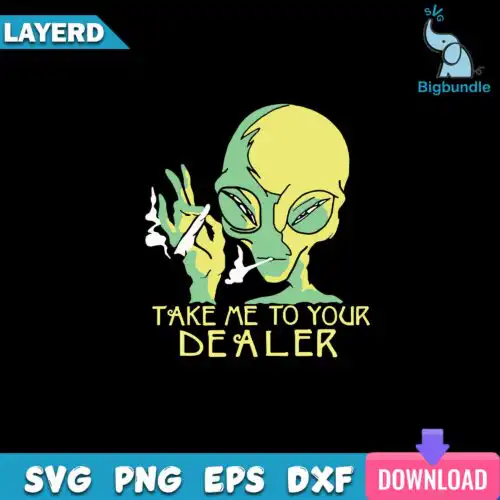
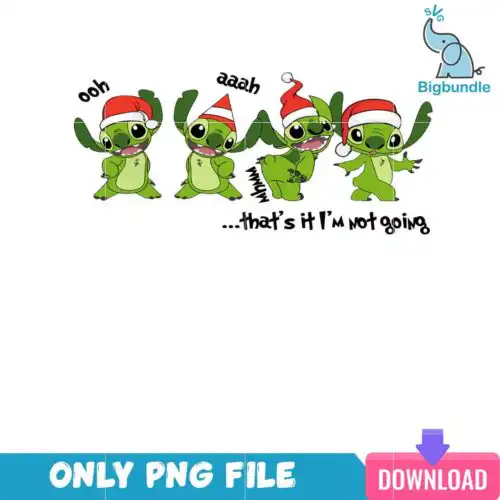
Alien SVG files are cartoon, flat cut files and print-ready PNGs for making Christmas shirts, mugs, tumblers, decals, cards, and party favors. These designs are united by a playful alien look – most show four green alien-like creatures wearing Christmas hats paired with funny text – all drawn in a clean cartoon, flat style that cuts and prints crisply. Made for Christmas makers, they work well for matching family shirts, gift mugs, stockings, and holiday decor where you want something cute, funny, and instantly readable from a distance.
Choosing the right design
All 13 designs here are single artwork files, so your choice comes down to mood, text, and how it will be made. For small items like mugs, ornaments, and baby onesies, pick the simpler, single-color or bold-outline versions with larger text – tiny inner details weeding poorly at 2 inches. For adult shirts and tote bags, the busier group of four aliens with hats fills the chest nicely and stays legible. Cut-file designs include SVG, PNG (300 dpi, transparent), DXF, EPS, and PDF, while PNG-only designs are for sublimation and printing, so check the file list on each design before you buy. If you cut layered vinyl, look for clear color separation; if you do print-and-cut, DTF, or sublimation, use the transparent PNG.
Alien SVG for shirts or mugs which is better
Shirts suit the bolder group designs with big Christmas hats and text, mugs suit the simpler single-alien versions. On a shirt you have a 10-11 inch wide area, so the four-character layout stays readable. On a mug or tumbler the wrap is curved and smaller, so choose less text and thicker lines to avoid weeding issues and to keep the print sharp after pressing.
Alien SVG file do I need svg or png
You need SVG for vinyl cutting and PNG for printing. Cut-file designs include SVG, PNG (300 dpi, transparent), DXF, EPS, and PDF for Cricut Design Space, Silhouette Studio, ScanNCut and more, while PNG-only designs are for sublimation and DTF or print-and-cut only. Each design lists its own files, so if you only cut vinyl, pick designs that include SVG, DXF and EPS.
How to cut layered Alien SVG on Cricut?
Cut layered Alien SVG by color, not by whole image, for clean results. Open the SVG in Cricut Design Space or Silhouette Studio Designer Edition, ungroup, and hide colors to cut one at a time on matching vinyl. Use 65 lb cardstock test cuts to check size of Santa hats and small text before using heat-transfer vinyl, and mirror for HTV.
What size Alien SVG for adult youth baby shirts?
Scale Alien SVG by shirt size to keep the four green aliens and text balanced. For adult shirts cut 10-11 inches wide, youth 8-9 inches, baby 5-6 inches, toddler 6-7 inches. Keep Christmas hat details at least 0.25 inches thick, and if the text becomes thinner than 0.2 inches at small sizes, use the included 300 dpi PNG for DTF or sublimation instead of tiny vinyl letters.
What file formats come with these Alien SVG designs?
Cut-file designs include SVG, PNG (300 dpi, transparent), DXF, EPS, and PDF. PNG sublimation designs include PNG (300 dpi, transparent background) only, for sublimation printers, DTF and print-and-cut workflows. Every design lists its exact files, so check before you buy.
Do these work with Cricut, Silhouette and sublimation?
Yes. SVG, DXF, EPS and PDF work with Cricut Design Space, Silhouette Studio (Designer Edition), Brother ScanNCut, Illustrator, Inkscape and CorelDRAW. The transparent PNGs work with Epson and Sawgrass sublimation printers, DTF and print-and-cut workflows, Canva and Photoshop. Cut files need a cutter, PNGs need a printer.
Can I sell shirts and mugs I make with these?
Yes, for small-business commercial use. You can sell finished physical items like shirts, mugs, tumblers, decals and cards that you make yourself. You cannot resell, share, or redistribute the digital files themselves as files, templates, or part of another digital product.