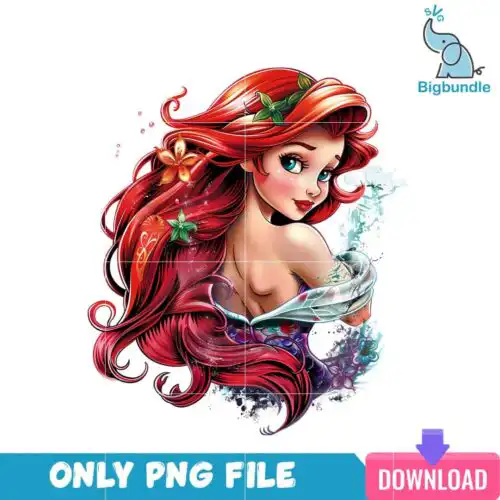
Ariel SVG files are mermaid-themed cut and print graphics that come as cut-file sets with SVG, PNG (300 dpi, transparent), DXF, EPS, PDF or as PNG-only (300 dpi, transparent) designs for sublimation, for making shirts, tumblers, mugs, stickers and party decor. These designs are united by the same red-haired mermaid inspiration but spread across mixed subjects and mixed styles, from cute baby and chibi looks to starfish accents, Halloween trick-or-treat, Easter and 3D inflated tumbler wrap effects. Made for year-round use, they work for crafters making gifts for kids, birthdays, holidays and everyday wear who want that under-the-sea character style without hunting for one specific artwork.
Choosing the right design
Look at how these Ariel SVG options are built before you pick. Single-layer silhouettes cut fastest and weed cleanly, which is ideal for small decals, onesies and left-chest logos. Layered versions with hair, tail and starfish separated by color give you dimension on larger shirts and tote bags but need more time to layer and align. Inflated or tumbler wrap styles are made for all-around sublimation, not vinyl layering, so choose those when you are printing rather than cutting. For tiny items like mugs, pick bolder lines and less fine detail. Always check the file list on each design — cut-file designs include SVG, PNG, DXF, EPS and PDF, while PNG-only designs are for sublimation and print-and-cut workflows.
Are Ariel SVG better for shirts or tumblers?
Both work, but pick the art style for the surface. Ariel SVG in clean, single-color or layered cut-file form presses best on shirts, hoodies and tote bags with HTV or print-and-cut. The inflated tumbler warp versions are built for full-wrap sublimation on skinny tumblers and mugs. If you make both, keep a simple cut version for apparel and a PNG wrap version for drinkware.
Do I need SVG or PNG for Ariel SVG on Cricut?
Use SVG for vinyl cutting and PNG for printing. Ariel SVG cut-file designs include SVG plus DXF, EPS, PDF and a transparent PNG, so you can cut layered vinyl in Cricut Design Space or Silhouette Studio. PNG-only designs are high-res 300 dpi files with transparent background for sublimation, DTF and print-then-cut. Each design page lists exactly which files it includes.
What size should Ariel SVG be for adult and kids shirts?
Size Ariel SVG at 9-11 inches wide for adult shirts, 7-8 inches for youth, and 4-5.5 inches for baby and toddler shirts. Keep a 0.5 inch margin from seams and test a small decal first if the design has thin starfish or script details. For chest logos or pocket designs, scale down to 3-3.5 inches regardless of shirt size.
Can you add a name to Ariel SVG?
Yes, you can add a name easily. Open the Ariel SVG in Cricut Design Space, Silhouette Studio, Illustrator or Canva and place a text box below or inside the negative space of the tail or hair area. Use a bold offset or background shape so the name stays readable after pressing. For sublimation PNGs, add the name in Photoshop or Canva before printing so it prints as one transfer.
It depends on the design type. Cut-file Ariel SVG designs include SVG, PNG (300 dpi, transparent), DXF, EPS and PDF. PNG sublimation designs are PNG only (300 dpi, transparent background). Each product page shows its exact file list, so check there before cutting or printing.
What machines work with Ariel SVG?
Cut-file versions work with Cricut Design Space, Silhouette Studio Designer Edition, Brother ScanNCut, Adobe Illustrator, Inkscape, CorelDRAW and any cutter that opens SVG or DXF. PNG versions work for sublimation printers like Epson and Sawgrass, DTF and print-and-cut workflows, plus Canva and Photoshop.
Can I sell what I make with Ariel SVG?
Yes, for small-business commercial use. You can sell finished physical items like shirts, tumblers, mugs and party favors made with these Ariel SVG designs. You cannot resell, share or redistribute the digital files themselves as files, bundles or templates.