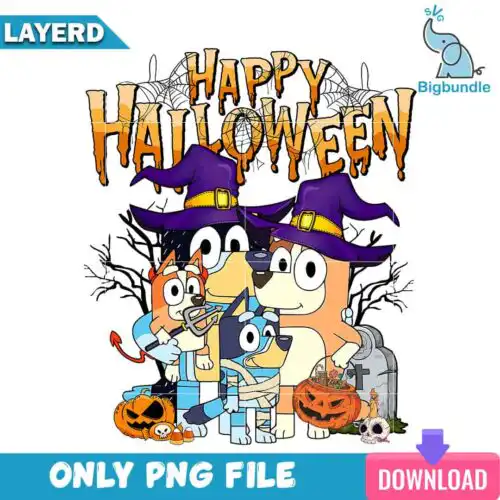
Bluey and Bingo SVG files are cut and print-ready artwork of the two sisters together, with cut-file designs including SVG, PNG (300 dpi, transparent), DXF, EPS and PDF and PNG-only designs as PNG (300 dpi, transparent background) for shirts, tote bags, tumblers, stickers, party decor and handmade gifts. These designs focus on the pair as a duo, so you get hugging poses, side-by-side standing poses, and playful outlines and silhouettes that work as a single focal point. The styles stay mixed, from clean layered cuts to simple outlines, which makes them easy to match to year-round projects for kids, siblings and family crafting. Each design lists its own files, so you can pick layered or one-color looks without guessing.
Choosing the right design
These 17 designs split into two main make-types, so start there. If you want vinyl, choose layered or outline and silhouette versions — they cut clean in one or two colors and scale well for small spots like pocket logos, bibs, and tumblers. If you want print, choose the PNG-forward versions made for sublimation and DTF. Next, match detail to size: fine outlines and hug-line art stay readable at 3 to 5 inches for baby onesies and mugs, while fuller filled duo poses fill a kids tee front or tote better at 8 to 11 inches. Before you cut, check the design for included files, decide if you need mirrored HTV, weed small counters in the letters, and do a test cut at your final size to keep the sisters' ears and tails from lifting.
Are Bluey and Bingo SVG better for shirts or tumblers?
Shirts get the most from them, tumblers work best with simpler versions. For shirts, layered and solid duo poses fill the chest area and press clean with HTV or DTF. For tumblers and mugs, pick outline or silhouette hug poses because they wrap without tiny weeding and stay readable on a curve. Keep tumbler decals under 3.5 inches tall and use permanent vinyl.
Should I use svg or png for Bluey and Bingo SVG?
Use SVG for vinyl cutting and PNG for printing. Cut-file designs include SVG, PNG (300 dpi, transparent), DXF, EPS and PDF for Cricut, Silhouette and other cutters, so you can resize without blur and layer colors. PNG-only designs are 300 dpi transparent PNGs made for sublimation, DTF and print-and-cut, and they list only PNG files. Each design shows its exact files before you buy.
How to cut layered Bluey and Bingo SVG on Cricut?
Cut layered versions by color in Cricut Design Space. Upload the SVG, ungroup by color, size the pair together to keep proportions, mirror only for HTV, then cut each layer on its mat. Weed the small gaps around paws and tails, press the base layer for 3 to 5 seconds to tack, then add the next layer and do a full press. Silhouette Studio Designer Edition works the same way.
What size should Bluey and Bingo SVG be for adult and kids shirts?
Size them by shirt area, not by file default. For adult tees, 10 to 11 inches wide for a full front and 3.5 to 4 inches for a pocket. For youth, 8 to 9 inches wide for a full front. For baby onesies, 5 to 6 inches wide keeps outline hugs legible. Keep outline and silhouette versions at least 3 inches tall so ears and tails do not break during weeding.
It depends on the design type. Cut-file designs include SVG, PNG (300 dpi, transparent background), DXF, EPS and PDF for cutting and printing. PNG-only sublimation designs include PNG (300 dpi, transparent background) only. Each design lists its own included files on its product page, so check before you choose.
Will these work with Cricut, Silhouette and sublimation?
Yes. SVG, DXF, EPS and PDF work with Cricut Design Space, Silhouette Studio Designer Edition, Brother ScanNCut, Illustrator, Inkscape and CorelDRAW. The PNGs are 300 dpi with transparent background and work with sublimation printers like Epson and Sawgrass, DTF and print-and-cut workflows, Canva and Photoshop.
Can I sell what I make with these files?
Yes for finished physical items. The licence is personal and small-business commercial use, so you can sell shirts, mugs, bags and other handmade physical products you make. You cannot resell, share or redistribute the digital files themselves as files, bundles or templates.