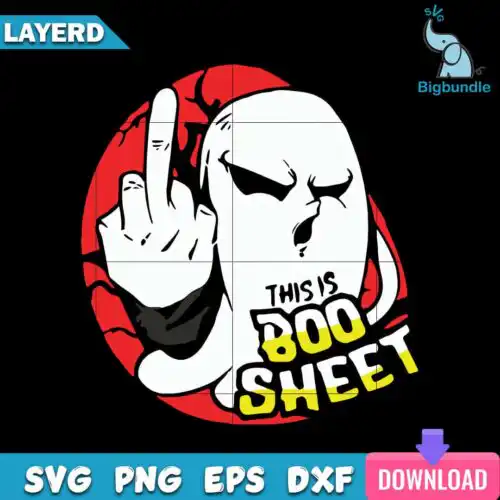
Boo SVG files are cut-ready and print-ready designs that come as SVG cut-file designs with SVG, PNG, DXF, EPS and PDF, or as PNG sublimation designs with a 300 dpi transparent PNG, used to make shirts, mugs, tote bags, signs and other handmade physical items. These designs are united by that one playful word — boo — but the art behind it is wide open. You'll find cute ghosts, pumpkins, owls, funny nurse crew puns, retro groovy lettering, spooky sayings and year-round jokes that work far beyond October. Because subjects and styles are mixed, it's a good fit if you want the boo vibe in different ways, not just one look, for family shirts, work crew shirts, party decor and giftables.
Choosing the right design
These designs are all single-piece artworks but they vary a lot in detail, so match the detail to your blank. Fine lines, distressed texture and thin script need more weeding and work best at 10 inches or wider on adult shirts, wood signs and door hangers. Bold, chunky ghosts and bubble letters cut clean at 3-4 inches for baby onesies, small tumblers and left-chest logos. If you love layered looks, look for designs with separate color layers you can stack in vinyl, then check the design to see if it includes SVG, PNG, DXF, EPS and PDF for cutting or PNG-only for sublimation and printing. Before you cut, mirror only HTV, size for the actual press area, and do a test cut for small text.
Are Boo SVG better for shirts or tumblers?
Both work, choose by art style. Bold, single-color boo designs press clean on shirts with HTV or screen-print transfer and stay readable after wash. Designs with lots of small dots, watercolor ghosts or distressed texture look best printed as 300 dpi transparent PNG for sublimation tumblers, mugs and baby bodysuits where fine detail won't need weeding.
Should I use SVG or PNG for Boo SVG?
Use SVG when you want to cut vinyl and PNG when you want to print. SVG cut-file designs here include SVG, PNG, DXF, EPS and PDF so you can resize without loss and cut in Cricut Design Space or Silhouette Studio. PNG sublimation designs are PNG only at 300 dpi with transparent background, made for sublimation, DTF and print-and-cut where color and shading matter more than cut lines.
How to cut layered Boo SVG with Cricut?
Ungroup the file in Cricut Design Space and cut each color on its own mat. Keep the design at 9 inches wide or larger for adult shirts so small ghost eyes and thin lines don't lift, use standard grip mat for HTV and light grip for 65 lb cardstock. Weed the inside of letters first, press the base layer for 2-3 seconds to tack, then add the next layer to avoid shrinkage.
What size should Boo SVG be for shirts?
Size by garment, not by file. For adult unisex shirts use 11 to 12 inches wide, for youth 9 to 10 inches, for toddler and baby 6 to 7 inches, and for onesies and bibs 4 to 5 inches. If the design has a small boo crew graphic with nurse icons, keep it at least 4 inches wide on tumblers and 6 inches on tote bags so tiny elements stay legible after pressing.
Cut-file designs include SVG, PNG at 300 dpi transparent, DXF, EPS and PDF for cutting and printing. PNG sublimation designs are PNG only at 300 dpi with transparent background for sublimation, DTF and print-and-cut. Each product page lists its exact files, so check there before buying.
Do Boo SVG work with Cricut and Silhouette?
Yes. The SVG and PNG files work with Cricut Design Space, Silhouette Studio Designer Edition, Brother ScanNCut, Adobe Illustrator, Inkscape, CorelDRAW, Canva and Photoshop, plus sublimation printers like Epson and Sawgrass and DTF workflows. Use SVG or DXF for cutting machines and PNG for printing.
Can I sell what I make with Boo SVG?
Yes, for personal and small-business commercial use. You can sell finished physical items like shirts, mugs, bags and signs you make with these designs. You cannot resell, share or redistribute the digital files themselves as files, and you cannot claim to be official or licensed.