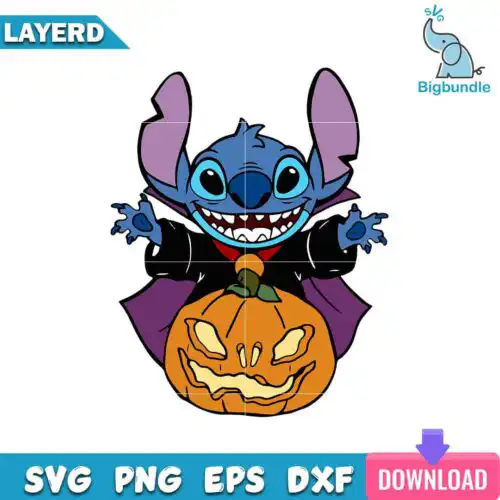
Devil SVG files are cut-ready vector designs that typically include SVG, PNG, DXF, EPS and PDF formats for making shirts, stickers, mugs, tumblers and party decor. These designs are united by the classic devil motif but span a wide mix of subjects and art styles, from cute and funny to dark and horror-inspired, so the same theme can work year-round. You'll find playful takes for Halloween costumes and kids' tees alongside bold, edgy looks for streetwear, biker style, and alternative gifts, all made for personal projects and small-business products.
Choosing the right design
Think about how you will use the art before you pick. Single-layer silhouettes cut fastest, weed in seconds, and hold up at small sizes for onesies, caps, left-chest logos, and stickers. Layered versions give you that dimensional look for hoodies and tote bags but need color sorting and alignment. For style matching, cute, thick-lined cartoons stay readable on small items and glitter vinyl, while detailed, sketchy or horror-inspired lines need a larger surface like an adult tee back or a 20oz tumbler wrap to avoid losing points and horns. Always check each design's file list, mirror for HTV, do a test cut on horns and tails, and size up 10-15% if you are using puff or textured vinyl.
Which Devil SVG designs work best for shirts vs mugs and tumblers?
Bold, single-color silhouettes work best for mugs and tumblers, while detailed and layered versions shine on shirts. Small curved surfaces distort fine lines, so for cups pick chunky shapes with solid fills that wrap cleanly. For shirts you have room for horns, tails, tridents and text layers, and you can stack HTV colors for extra pop.
SVG vs PNG for Devil SVG which should I use
Use SVG for vinyl cutting and PNG for printing. SVG, DXF, EPS and PDF are cut-file designs that let your machine cut each color as a separate layer. PNG at 300 dpi with transparent background is for sublimation, DTF and printable stickers where you want shading and gradients. Cut-file designs include SVG and friends, PNG-only designs are for sublimation and printing, each design lists its own files.
How to cut layered Devil SVG on Cricut Design Space?
Ungroup the layers in Design Space, assign each layer a vinyl color, and cut by color on a light mat. Cut-file designs open ready to cut with SVG, use mirror on for HTV, weed small interior pieces like eyes and fangs first, then press bottom layers for 2-3 seconds to tack before adding top layers. Keep the final full press to 15 seconds for HTV.
What size should Devil SVG be for adult youth baby shirts?
Size it at 11-11.5 inches wide for adult tees, 8-9 inches for youth, and 5-5.5 inches for baby and toddler. That keeps details like horns and tails legible without hitting seams. For left-chest or pocket logos, drop to 3.5-4 inches regardless of age. If the design has tiny text or thin pitchfork lines, add 0.5 inch or choose a bolder version for baby sizes.
Most cut-file designs include SVG, PNG with transparent background at 300 dpi, DXF, EPS and PDF, all in one zip. Some designs are PNG-only for sublimation and printing. Each product page lists exactly what is included, so you know before you buy whether you are getting cut layers or just print files.
Do Devil SVG files work with Cricut and Silhouette?
Yes. SVG works natively in Cricut Design Space, Silhouette Studio Designer Edition and higher, Brother ScanNCut, Adobe Illustrator, Inkscape and CorelDRAW. PNG works everywhere for print-then-cut, sublimation and DTF. DXF is there for older Silhouette Basic Edition users.
Can I sell shirts and mugs made with Devil SVG?
Yes, under personal and small-business commercial use. You can sell finished physical items like shirts, mugs, tumblers, stickers and decor made with these designs. You cannot resell, share, or redistribute the digital files themselves as files, blanks or templates.