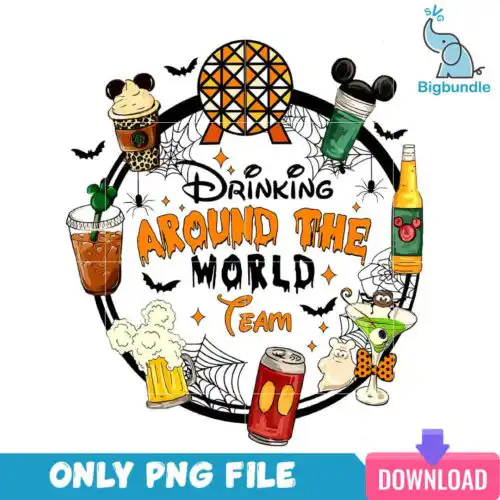
Drinking SVG files are ready-to-cut and print designs that include cut-file designs with SVG, PNG (300 dpi, transparent), DXF, EPS, PDF and PNG-only sublimation designs with transparent PNG, made for shirts, mugs, tumblers, and party decor. These designs are united by drink humor and celebration, from christmas themed quotes with festive elements to a green furry creature wearing a beanie and jacket holding various alcoholic beverages. Styles stay flat and cartoon for clean cuts and bold prints, so they read well at small and large sizes. Use them year-round and for christmas parties, family gatherings, and funny gifts for friends who love a good pour.
Choosing the right design
Start with how many colors you want to handle. Single-layer flat and cartoon designs cut fastest and weed easily, which makes them ideal for bulk shirts, baby onesies, and small logos on mugs. Layered looks give you that festive depth but take more time to align, so save those for front-of-shirt statements or large tote panels. For tiny items like wine glass decals, coasters, and shot glasses, pick bold silhouettes with thick lines and no tiny negative space. For big surfaces like sweatshirts or yard signs, you can use the busier quote layouts. Always check each design design for its included files — cut-file designs include SVG, PNG, DXF, EPS, PDF and PNG-only designs are PNG for sublimation and printing. Check if the PNG is distressed, mirrored, or sized for sublimation before you press.
Which Drinking SVG is best for shirts vs mugs and tumblers?
Shirts want bold, single-color-friendly silhouettes and tumblers want compact badges that wrap clean. For shirts and sweatshirts, choose flat christmas themed quotes and the beanie-wearing creature with fewer small details so the design survives wash and stretch. For mugs, tumblers, and wine glasses, pick tighter, circular or badge-style layouts that fit a 3 to 4 inch panel without losing the punchline.
Should I use SVG or PNG for Drinking SVG designs?
Use SVG for vinyl and PNG for sublimation and full-color prints. SVG, DXF, and EPS are for Cricut, Silhouette, ScanNCut and other cutters to cut heat-transfer vinyl or adhesive vinyl. Transparent PNG at 300 dpi is for sublimation printers, DTF, and print-and-cut workflows in Canva, Photoshop, or Illustrator. Each design lists its own files, so cut-file designs include the cutter formats and PNG-only designs are for printing.
How to cut layered Drinking SVG on Cricut or Silhouette?
Cut by color, press low to high, and use a weeding box for small letters. Import the SVG into Cricut Design Space or Silhouette Studio Designer Edition, ungroup by color, and size to your blank before cutting. Mirror for HTV, cut matte vinyl at standard pressure, weed the festive elements carefully, and press each layer for a short tack then a final full press. Flat cartoon styles in this group layer cleanly because the shapes are simple.
What size should Drinking SVG be for adult youth baby shirts?
Use 11 to 12 inches wide for adult unisex, 8 to 9 inches for youth, and 4 to 5 inches for baby shirts. Keep christmas themed quote designs at the larger end so small letters stay readable, and scale the green creature designs proportionally to keep the beanie and beverage details intact. Always do a test cut on paper, measure chest width, and leave at least one inch of margin from collar and seams.
It depends on the design type listed on each product. Cut-file designs include SVG, PNG with 300 dpi transparent background, DXF, EPS, PDF and work with Cricut Design Space, Silhouette Studio Designer Edition, Brother ScanNCut, Illustrator, Inkscape, CorelDRAW and sublimation, DTF, Canva and Photoshop workflows. PNG-only sublimation designs include a transparent 300 dpi PNG for sublimation and printing.
Will these Drinking SVG files work with Cricut and Silhouette machines?
Yes, when the design includes cutter files. Cut-file designs with SVG and DXF work with Cricut Design Space for Maker, Explore and Joy, Silhouette Studio Designer Edition, and Brother ScanNCut. For print methods, use the transparent PNG in sublimation printers like Epson and Sawgrass, DTF or white toner, and print-and-cut in Canva or Photoshop. Check each design for its exact files.
Can I sell shirts and mugs I make with Drinking SVG files?
Yes, personal and small-business commercial use is allowed for finished physical items. You can sell shirts, mugs, tumblers, signs and other handmade physical goods you produce. You cannot resell, share, or redistribute the digital files themselves as-is, as bundles, or as part of templates. Check the licence note on each design before you produce.