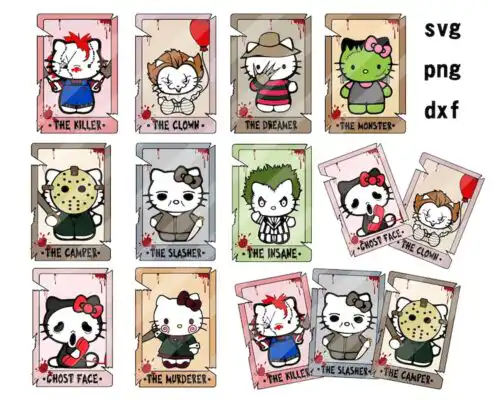
Kawaii SVG files are cute, cartoon-style cut files that come as SVG, PNG, DXF, EPS and PDF for making shirts, mugs, tumblers, stickers, cards and party decor. These designs share the same soft, round, big-eyed kawaii look that cuts cleanly at small sizes and presses well on fabric and paper. You get sweet cats, friendly characters, holiday outfits, bows, hearts and horror-cute details that work year-round for birthdays, Valentine's, Halloween and Christmas. They are made for crafters, small shops and anyone who loves pastel, playful art for kids and adults.
Choosing the right design
These designs are mostly single-layer, so you can cut them fast with one color of vinyl or print them directly as stickers and sublimation. If you want that layered, dimensional look, choose a design with separate color pieces and cut each layer in a different vinyl or cardstock shade. For small surfaces like baby onesies, mugs and favor cards, stick to simpler silhouettes with thicker lines so tiny details do not lift. Larger cuts like adult shirts and tote bags can handle more hearts, text and costume details. Before cutting, check each design's file list, ungroup layers in Cricut Design Space or Silhouette Studio Designer Edition, mirror for heat-transfer vinyl, and do a test cut on inexpensive vinyl to confirm size and weeding.
Are Kawaii SVG better for shirts or mugs?
Both work, but choose the layout for the blank. Shirts look best with wider, centered designs that can be sized to 9 to 11 inches for adults and 5 to 7 inches for youth and baby. Mugs, tumblers and small cups need compact, low-detail art under 3.5 inches so fine lines do not peel when you wash them.
Should I use SVG or PNG for Kawaii SVG?
Use SVG for vinyl and paper cutting because it stays sharp at any size and keeps layers editable. Use PNG for sublimation and printable vinyl because the 300 dpi transparent background prints soft gradients and blush details that vinyl cannot. Cut-file designs include SVG, DXF, EPS, PDF plus PNG, while PNG-only designs are for printing and each design lists its own files.
How to cut layered Kawaii SVG on Cricut or Silhouette?
Import the SVG, ungroup and assign each color to a layer, then hide the print PNG. In Cricut Design Space set material to Everyday Iron-On or Premium Vinyl, mirror for HTV, and cut. In Silhouette Studio Designer Edition use the SVG import and cut by fill color. Press or layer from back to front and tack each layer for 3 to 5 seconds.
What size Kawaii SVG for adult youth baby shirts?
Size by chest width, not by the screen preview. Adults: 10 to 11 inches wide for unisex, 8.5 to 9.5 for fitted. Youth medium: 7 to 8 inches. Toddler and baby: 4.5 to 5.5 inches. Keep small bows, eyes and whiskers at least 0.25 inches thick or use the PNG version for tiny sizes.
Most cut-file designs include SVG for Cricut and Silhouette, plus PNG at 300 dpi with transparent background, DXF, EPS and PDF. Some designs are PNG-only for sublimation and printing. Each product description lists exactly what is included, so check before you buy.
Do these work with Cricut, Silhouette, and ScanNCut?
Yes. SVG works in Cricut Design Space, Silhouette Studio Designer Edition and higher, and Brother ScanNCut. DXF works in the basic Silhouette Studio edition. EPS, PDF and PNG work in Adobe Illustrator, Inkscape, CorelDRAW and for direct printing.
Can I sell what I make with Kawaii SVG files?
Yes, for personal and small-business commercial use you can sell finished physical items like shirts, mugs, cards and stickers made from these designs. You may not resell, share, or redistribute the digital files themselves as files or as part of another bundle.