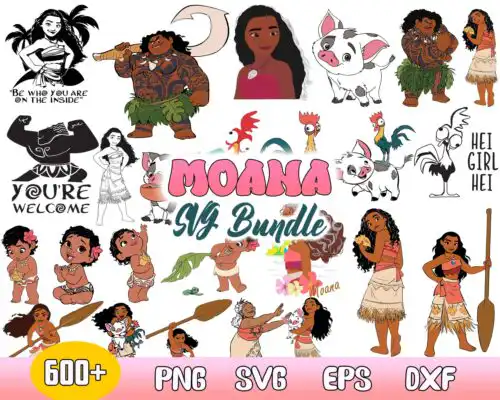
Moana SVG files are cut files and 300 dpi transparent PNGs for making shirts, tumblers, mugs, stickers, party decorations, and gifts with Cricut Design Space, Silhouette Studio, and sublimation printers. These designs share a tropical island adventure look with waves, flowers, and ocean-inspired lettering, made to work year-round for birthdays, summer projects, and everyday wear. Styles across the group are mixed, from bold single-layer silhouettes to layered chibi and inflated looks, so you can match a minimal tee or a detailed tumbler. Cut-file designs include SVG, PNG, DXF, EPS, and PDF, while PNG-only designs are 300 dpi with transparent backgrounds for sublimation and print-and-cut, and each design lists its own included files.
Choosing the right design
Choose by how you plan to make it. For vinyl, look for layered versions that separate colors cleanly and single-layer silhouettes when you want a fast one-color cut. For sublimation or DTF, pick PNG designs that are already 300 dpi with transparent backgrounds so you avoid tracing. Think about scale: bold, simple shapes read best on small items like baby onesies, mugs, and stickers, while detailed layered or chibi styles need more room on adult shirts and full tumbler wraps. Before you cut, check the file list on the design, confirm mirrored or unmirrored needs for your material, and test size on a shirt template. These designs work with Cricut Design Space, Silhouette Studio Designer Edition, Brother ScanNCut, Illustrator, Inkscape, and sublimation printers, with personal and small-business commercial use for finished physical items.
Are Moana SVG files good for shirts and tumblers?
Yes, Moana SVG files work well for both shirts and tumblers when you match style to surface. Use clean single-layer or layered SVG for HTV on cotton and glitter vinyl, and use high-resolution transparent PNG for sublimation tumblers, mugs, and polyester shirts. For tumblers, choose wraps or centered designs with extra bleed, and for shirts, keep small text above 0.5 inch tall so weeding stays easy.
Moana SVG vs png which should I use
Use SVG for vinyl cutting and PNG for printing. SVG, DXF, EPS, and PDF are cut-file formats that let Cricut and Silhouette cut layered colors and resize without losing quality, while PNG is best for sublimation, DTF, and print-then-cut because it preserves shading and color blends. Cut-file designs include SVG plus PNG, DXF, EPS, and PDF, while PNG-only designs are 300 dpi transparent images for sublimation and each design lists its own files.
How to cut layered Moana SVG on Cricut?
Cut layered Moana SVG on Cricut by uploading the SVG, ungrouping by color, and assigning each layer to its vinyl color in Design Space. Cut mirror off for HTV and mirror on for some adhesive vinyls depending on brand, set material to Everyday Iron-On or Glitter, and use light grip for small details. Press layers from largest background to smallest detail, tacking each for 5-10 seconds and doing a final full press with parchment.
How to size Moana SVG for baby and adult shirts?
Size Moana SVG by shirt width, not just height. For baby 0-12M, aim 4 to 5 inches wide on the chest, toddler 5 to 6 inches, youth 7 to 8 inches, adult small to large 9 to 10 inches, and XL plus 10.5 to 11.5 inches. Keep fine details above 0.25 inch and use single-layer versions below 5 inches so tiny pieces do not lift. Always test with a paper print before cutting vinyl.
Cut-file designs include SVG plus PNG 300 dpi transparent, DXF, EPS, and PDF for cutting and printing, while PNG-only designs are PNG 300 dpi with transparent background made for sublimation and DTF. Each design page lists exactly which files are included so you can confirm before you buy.
Will Moana SVG work with Cricut and silhouette?
Yes. SVG works natively in Cricut Design Space, and SVG and DXF work in Silhouette Studio Designer Edition and higher, plus Brother ScanNCut, Illustrator, Inkscape, CorelDRAW, Canva, and Photoshop for editing. PNG 300 dpi works with Epson and Sawgrass sublimation printers and DTF and print-and-cut workflows.
Can I sell what I make with Moana SVG?
Yes, for personal and small-business commercial use you can sell finished physical items like shirts, tumblers, mugs, and party decor made with these files. You cannot resell, share, or redistribute the digital files themselves as files, bundles, or templates. Check each design's license note for any quantity guidance.