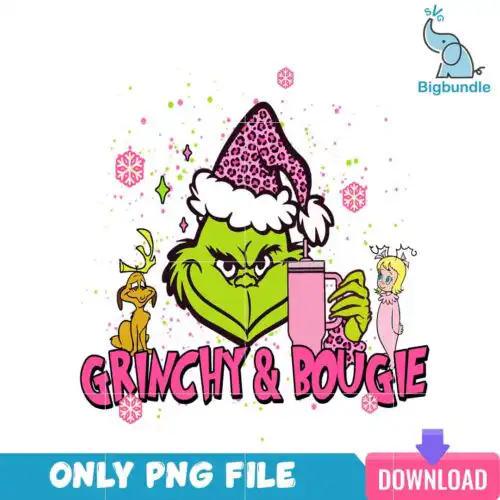
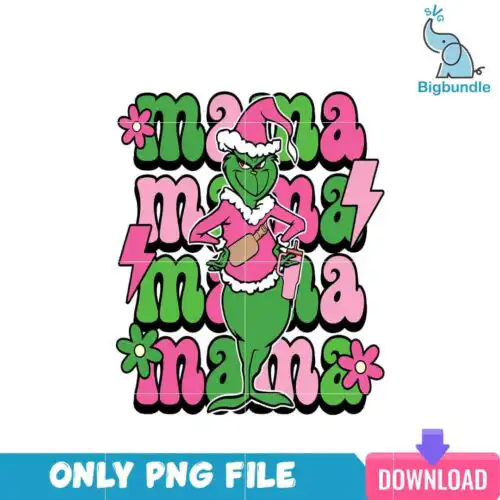
Discover a delightful collection of Pink Grinch SVG cut files, perfect for adding a touch of mischievous charm to your crafting projects. These versatile designs, offered in SVG, PNG, DXF, and EPS formats (check individual listings for specifics), are ideal for creating custom apparel, festive home decor, and personalized gifts. Whether you're crafting for Christmas or adding a playful twist to everyday items, these charming designs are ready to bring your creative vision to life with popular cutting machines like Cricut and Silhouette, as well as for sublimation and print-and-cut workflows.
Choosing the right design
Choosing the perfect Pink Grinch design depends on your project and desired aesthetic. For intricate details and multi-color projects, consider layered designs, often featuring separate color elements for easy vinyl application. Flat or line-art styles are excellent for quick, single-color cuts or for adding your own embellishments. If you're working on smaller items like mugs or ornaments, simpler designs with fewer fine lines will translate best. Always double-check the included file types for each design to ensure compatibility with your chosen crafting method, whether it's cutting vinyl, sublimation, or print-and-cut. Think about the overall style – cartoon, retro, or glitter – to match your project's vibe.
What kind of shirts can I make with Pink Grinch SVG files?
You can create a wide variety of shirts with these Pink Grinch SVG files, from adult tees to youth and baby onesies. Many designs are perfect for heat transfer vinyl (HTV) applications, allowing you to customize t-shirts, sweatshirts, and hoodies. Consider designs with bold outlines for easy cutting and weeding on larger garments, while more intricate designs can add a unique flair to smaller items or specific areas of a shirt. Look for cartoon and flat styles that are generally easier to apply to fabric.
Are Pink Grinch SVG designs good for tumblers and mugs?
Yes, Pink Grinch SVG designs are fantastic for personalizing tumblers and mugs. Many of the designs, particularly the flat, line-art, or retro styles, scale down beautifully for smaller surfaces. You can use permanent adhesive vinyl for tumblers and mugs, or explore sublimation printing for a durable, integrated design if the listing includes a high-resolution PNG. Ensure the design details are not too fine if you are working with smaller scales to avoid difficult weeding.
How do I layer a Pink Grinch SVG design with my Cricut machine?
Layering a Pink Grinch SVG design with your Cricut machine is straightforward. Most layered designs come with separate SVG files or distinct color layers within a single SVG. In Cricut Design Space, you'll typically load the SVG, then separate the layers by color. Cut each color layer from its corresponding vinyl, then carefully align and press them onto your blank item, starting with the largest background layer and building up to the smallest details for a precise finish.
Can I use these Pink Grinch SVG files for sublimation?
Yes, many Pink Grinch designs are suitable for sublimation, especially if the listing includes a high-resolution PNG file with a transparent background. Sublimation is ideal for creating vibrant, full-color designs that are permanently infused into compatible substrates like polyester shirts, mugs, and tumblers. Always verify that the specific design you choose includes a PNG (300 dpi, transparent) for the best sublimation results, as SVG files are primarily for cutting.
What file formats are included with these designs?
Our cut-file designs typically include SVG, PNG (300 dpi, transparent background), DXF, and EPS formats, while sublimation-specific listings provide PNG (300 dpi, transparent background) files. Each individual design listing will clearly state the exact file types you will receive, ensuring compatibility with your crafting needs. Please check the product details before purchasing to confirm the available formats for your chosen design.
What cutting machines and software are compatible with these files?
These versatile designs are compatible with a wide range of popular cutting machines and software. You can use them with Cricut Design Space, Silhouette Studio (Designer Edition), Brother ScanNCut, Adobe Illustrator, Inkscape, and CorelDRAW. For sublimation and print-and-cut workflows, they work seamlessly with sublimation printers (Epson, Sawgrass), DTF setups, Canva, and Adobe Photoshop, giving you flexibility for various creative projects.
What is the usage license for these designs?
All designs come with a personal and small-business commercial use license. This means you are welcome to create and sell finished physical items, such as t-shirts, mugs, or decals, using these designs. However, the license explicitly prohibits reselling, redistributing, or sharing the digital files themselves in any format. Please respect these terms to support independent designers and maintain the integrity of our creative community.