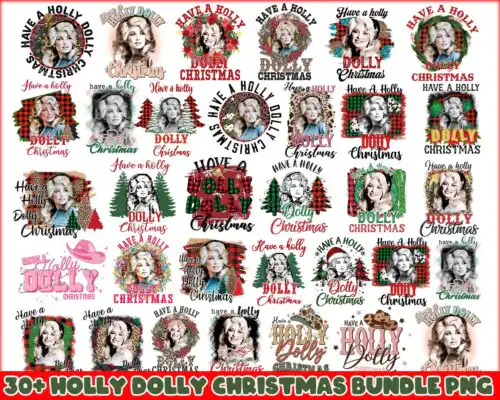
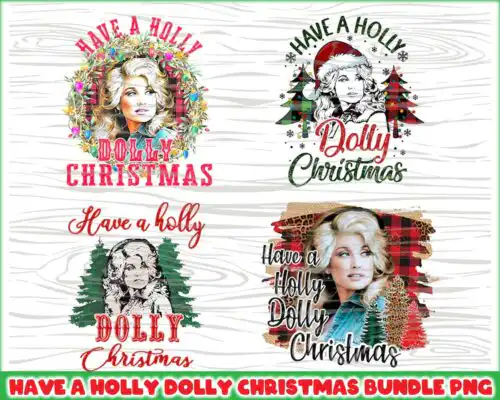
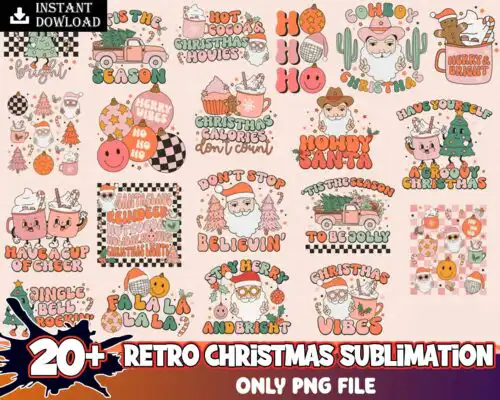
Retro Christmas SVG files are vintage-inspired holiday graphics offered as cut-file designs with SVG, PNG, DXF, EPS, PDF and as PNG-only sublimation designs, made to create t-shirts, sweatshirts, mugs, tumblers, ornaments, signs and gift wrap. What ties these together is the retro attitude: cartoon and flat art with distressed textures, layered looks, groovy lettering and string lights. You will see familiar motifs like the Grinch in a pink Santa hat, three characters riding in a car with Christmas text, two green hands with red cuffs forming a heart, movie-themed collages with cars and cassette tapes, and funny Christmas quotes with little characters in red outfits. They are built for makers who love playful, nostalgic Christmas projects with a bold, cheeky edge.
Choosing the right design
Choose by how you plan to make it. Layered retro versions give you separate color pieces to cut in vinyl, ideal for big, bold shirt fronts and wooden signs where you want that true retro stack. Single-layer distressed versions cut once and press fast, better for small left-chest logos, baby onesies, mug wraps and ornaments where tiny pieces would be hard to weed. Cartoon and flat styles stay clean at any size; distressed textures look best when you keep them large enough for the texture to show. Before cutting, check the file list on the design you like. Cut-file designs include SVG, PNG, DXF, EPS and PDF, while PNG-only designs are 300 dpi transparent files for sublimation and printing. If you use Cricut or Silhouette, mirror only for HTV and keep the pink hat and flower details at 10 inches wide or more.
Are Retro Christmas SVG better for shirts or tumblers?
They work for both, just pick the right version for the surface. Use layered or single-layer distressed cut files for shirts, sweatshirts and tote bags because they weed and press cleanly on fabric. Use PNG sublimation files with the full distressed and cartoon detail for tumblers, mugs and ornaments where you print the whole design at once and do not want to layer vinyl around a curve.
Should I use SVG or PNG for Retro Christmas SVG?
Use SVG for vinyl and use PNG for printing. SVG, DXF, EPS and PDF are vector cut files for Cricut, Silhouette and laser cutters, so you can resize without losing quality and cut by color layer. PNG is a 300 dpi transparent raster file for sublimation, DTF and print-then-cut. The designs here come in both types, so check the file list: cut-file options include SVG family files and PNG, PNG-only options are for sublimation and printing.
How to cut layered Retro Christmas SVG on Cricut?
Layered retro designs cut easiest if you ungroup by color and cut one color at a time. Import the SVG into Cricut Design Space or Silhouette Studio, keep size at 10 to 11.5 inches wide for adult shirts so small elements like stars, lights and flower accents stay weeded, turn on bleed for print-then-cut PNG, and mirror the mat only for HTV. Press bottom layers first at low tack so the distressed texture stays aligned.
Sublimation vs htv for retro christmas designs
Choose sublimation for all-over color and vintage texture, choose HTV for solid vinyl looks. Sublimation needs the PNG, a light polyester shirt or sublimation-coated tumbler and an Epson or Sawgrass printer, and it captures distressed, flat and cartoon shading in one press. HTV needs the SVG layers, works on cotton and dark shirts with Siser or similar, and gives you that classic raised retro lettering with the Grinch characters and car motifs.
It depends on the design type. Cut-file designs include SVG, PNG 300 dpi transparent, DXF, EPS and PDF for cutting and printing. PNG-only sublimation designs include PNG 300 dpi transparent only, made for sublimation, DTF and print-and-cut. Every design lists its exact included files on its product page, so you can confirm before you buy.
Will these work with Cricut, Silhouette and sublimation printers?
Yes. The SVG family works with Cricut Design Space, Silhouette Studio Designer Edition, Brother ScanNCut, Illustrator, Inkscape and CorelDRAW. The PNG files are 300 dpi with transparent backgrounds and work with sublimation printers, DTF workflows, Canva and Photoshop. Just match the file type to your method: SVG/DXF for blades, PNG for printers.
Can I sell shirts and mugs I make with these Retro Christmas SVG?
Yes for finished physical items under personal and small-business commercial use. You can sell t-shirts, sweatshirts, mugs, tumblers, ornaments and signs you make with them. You cannot resell, share or redistribute the digital files themselves as files, bundles or templates.