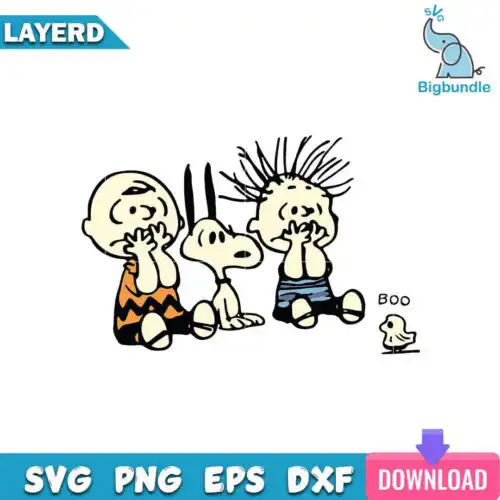
Snoopy SVG files are cut and print designs of the classic beagle character, available as SVG cut files with PNG, DXF, EPS, PDF and as PNG sublimation designs with transparent backgrounds, made for custom shirts, mugs, tumblers, stickers and home decor. These designs bring together that familiar, lovable Peanuts charm in mixed subjects and mixed styles, so you get everything from funny attitude quotes and peace-love graphics to holiday moments with the gang. They are built for year-round making — birthday gifts, everyday dog-lover tees, classroom items, and seasonal projects — and they work whether you are cutting vinyl, doing print-and-cut, or pressing sublimation.
Choosing the right design
Think about how you want to make it. Single-layer designs cut fastest and weed cleanest, which makes them ideal for small items like baby onesies, left-chest logos, mugs and ornaments where fine detail gets lost. Layered versions give you that classic stacked vinyl look but need more space — save them for adult tees, hoodies, tote bags and wood signs. For mixed styles, check the line weight: bold, chunky outlines hold up on textured fabrics and small tumblers, while detailed or distressed looks shine on larger, flat surfaces. Before you cut, look at what files each design lists — cut-file designs include SVG, PNG, DXF, EPS and PDF, while PNG-only designs are for sublimation and printing. Mirror for HTV, size a test cut at 3 inches to check small letters, and keep a high-res PNG version for mugs and cards.
Are Snoopy SVG better for shirts or mugs?
Both work, just pick the right version for the surface. For shirts, use SVG cut files for vinyl or a 300 dpi transparent PNG for DTF and print-and-cut, because they layer cleanly and stay soft. For mugs and tumblers, choose the PNG sublimation version or a single-layer SVG sized small, since wrap curves and small text weed poorly. If you press on dark fabric, go DTF or printable vinyl from PNG; light cotton loves HTV from SVG.
Snoopy SVG vs png which should I use
Use SVG when you are cutting vinyl and PNG when you are printing. Cut-file designs include SVG, DXF, EPS, PDF plus a 300 dpi transparent PNG, so you can cut in Cricut Design Space or Silhouette Studio. PNG-only designs are made for sublimation and printing and do not include SVG, DXF or EPS. Each design lists its own files, so check the design. SVG scales without losing sharpness, PNG keeps photo-like detail for mugs, tumblers and cards.
How to cut layered Snoopy SVG on Cricut?
Ungroup the layers in Cricut Design Space and cut by color. Cut-file designs include SVG with pre-separated colors, so import the SVG, check the layers panel, set the correct vinyl colors, mirror only for HTV, and use a light tack mat for small pieces. Press or stack from the background forward, tacking each layer for 2-3 seconds then full press at the end. For tiny letters or whiskers, turn on bleed for print-and-cut PNG or use the single-layer version.
What size should Snoopy SVG be for shirts?
Size by garment, not just by design. For adult shirts, cut 10 to 11.5 inches wide for a full front, 3.5 to 4 inches for left chest, and 8 to 9 inches for youth. Baby and toddler work best at 5 to 6 inches wide with a single-layer version to avoid heavy layering. Always measure the shirt flat, leave 2 to 3 inches from the collar, and do a quick paper template before cutting vinyl so funny quotes and hearts stay readable.
Cut-file designs include SVG, PNG at 300 dpi with transparent background, DXF, EPS and PDF, ready for Cricut Design Space, Silhouette Studio Designer Edition, Brother ScanNCut, Illustrator, Inkscape, CorelDRAW and Canva. PNG sublimation designs include PNG at 300 dpi with transparent background for sublimation printers, DTF and print-and-cut. Each design lists its exact files — SVG, DXF and EPS are not promised for every design.
Do these work with Cricut and silhouette?
Yes. These files are made for Cricut Design Space, Silhouette Studio Designer Edition, Brother ScanNCut, Adobe Illustrator, Inkscape, CorelDRAW, Adobe Photoshop, Canva and sublimation workflows with Epson and Sawgrass printers. Cut with SVG, DXF or PDF, print with PNG. For Silhouette, use Designer Edition or higher to open SVG directly, or use DXF in the free basic edition.
Can I sell what I make with Snoopy SVG?
Yes, for personal and small-business commercial use. You can sell finished physical items you make — shirts, mugs, tumblers, signs, cards and other handmade goods. You may not resell, share, or redistribute the digital files themselves as files, templates, or in a download. The designs are not official or licensed products, they are fan-inspired artwork for crafting.
Instant Download Download immediately after successful payment
Secure Payment Experience 100% secure payments, ensuring your transactions are safe.
Outstanding Support Service beyond compare with our exceptional team.
Premium Quality We are meticulous in every detail, ensuring unparalleled excellence.