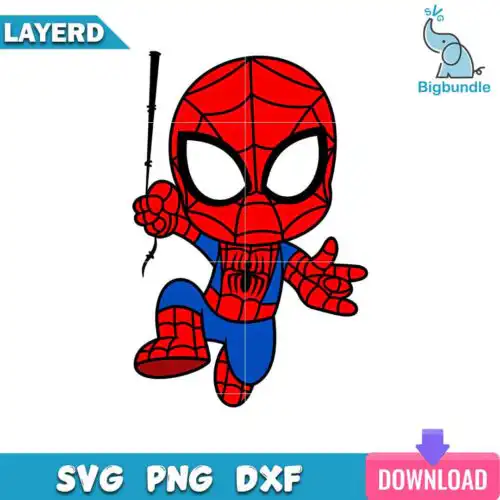
Spiderman SVG files are ready-to-cut and ready-to-print designs that typically include SVG, PNG, DXF, EPS and PDF for making shirts, tumblers, mugs, stickers, party decorations and gifts. These designs pull together a mixed range of subjects and styles built around the same web-slinging hero, so you get everything from cute chibi and baby versions to splash effects, watercolor, valentine and birthday looks. Because they are year-round favorites, they work for everyday fan gear as well as birthdays, holidays and school events. They are made for crafters, parents, and small shops who want bold, recognizable graphics that cut clean on vinyl and print crisp for sublimation.
Choosing the right design
Start by checking the file list for each design. Cut-file designs include SVG, PNG (300 dpi, transparent), DXF, EPS and PDF for vinyl, paper and laser workflows, while PNG-only designs are 300 dpi transparent PNGs made for sublimation and print-and-cut. For layering, single-color silhouettes cut fastest and weed cleanest for small items like onesies, favor bags, or mug decals. Layered or multi-color versions need careful alignment and work better large on shirts, hoodies and tote bags. Bold, chunky lines suit small sizes; detailed chibi, watercolor and splash styles need to stay bigger to keep details sharp. Before cutting, check if it is mirrored for HTV, if inner pieces need to be attached or welded, and whether you need transfer tape for intricate webs.
Spiderman SVG for shirts vs tumblers
Use bold single-color and layered vinyl versions for shirts and classic HTV that needs to stretch and wash. For tumblers, mugs and cups, pick 300 dpi transparent PNGs and wrap-friendly graphics like splash, watercolor, and chibi styles that print edge-to-edge without weeding. If you do vinyl on tumblers, choose designs with thicker lines so small webs do not lift.
Do I need svg or png for Cricut Spiderman SVG?
You need SVG for vinyl cuts in Cricut Design Space and PNG for printing. SVG cuts in layers and scales without losing quality, so it is best for HTV, adhesive vinyl and paper. PNG at 300 dpi with a transparent background is best for sublimation, DTF and print-then-cut. Cut-file designs here include SVG, PNG, DXF, EPS and PDF, while PNG-only designs are for printing only, so check the file list on each design.
How to size Spiderman SVG for baby youth and adult shirts?
Size by chest width, not by age. For baby and toddler shirts keep the graphic 6-7 inches wide, youth 7-8.5 inches, adult small to large 10-11 inches. Keep small details above 0.25 inches so they weed and press cleanly. If the design has lots of tiny webs or faces, go up half an inch or use the PNG version for print instead of layered vinyl.
How to layer Spiderman SVG on Cricut?
Layer from background to foreground in Cricut Design Space. Cut all colors, weed, then press or stick the largest base layer first. Use parchment or a clear carrier to align the next layer and press for 3-5 seconds per layer to tack it, then do a final full press. For 3+ colors, turn on registration marks in your head or use the PNG as a guide. Thin pieces need low-temp and less pressure to avoid shrinkage.
What file formats come with Spiderman SVG designs?
It depends on the design type listed. Cut-file designs include SVG plus PNG at 300 dpi with transparent background, DXF, EPS and PDF for Cricut, Silhouette, Brother and other cutters. PNG sublimation designs are PNG at 300 dpi with transparent background for sublimation, DTF and print-and-cut. Each product page lists exactly which files you get.
Will these work with Cricut and Silhouette?
Yes. The SVG, DXF and PNG files work with Cricut Design Space, Silhouette Studio (Designer Edition), Brother ScanNCut, Adobe Illustrator, Inkscape, CorelDRAW, sublimation printers like Epson and Sawgrass, DTF and print-and-cut workflows, Canva and Photoshop. For Silhouette vinyl cutting, use SVG in Designer Edition or higher, or use DXF in the basic edition.
Can I sell shirts and tumblers I make with these?
Yes for finished physical items. The license is personal and small-business commercial use. You can sell shirts, tumblers, mugs, stickers and other physical goods you make. You cannot resell, share, or redistribute the digital files themselves as cut files, prints or bundles.