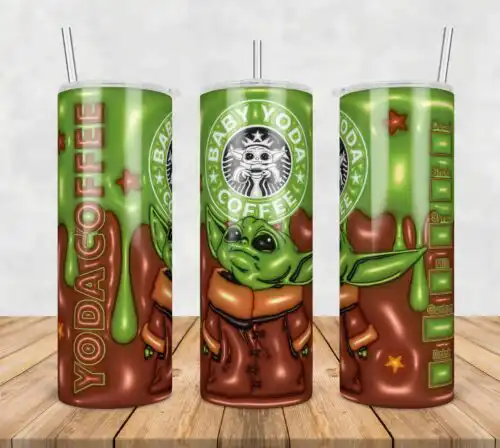
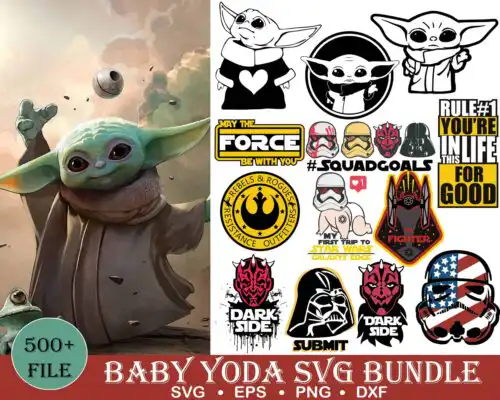
Star Wars SVG files are cut and print designs featuring characters, icons, and themed lettering from that galaxy, offered as cut-file designs with SVG, PNG, DXF, EPS, PDF and PNG-only designs with transparent PNG for sublimation, made to create shirts, tumblers, mugs, decals, nursery decor and party favors. These designs bring together mixed subjects and mixed styles in one year-round group, so you will find clean silhouettes for small decals, layered character art for shirts, and bold graphics made for full wraps. Each design lists its own included files, so you can match what you have — Cricut, Silhouette, sublimation printer, or print-and-cut — to what you want to make.
Choosing the right design
Choosing comes down to how you want to build it. For vinyl, pick layered designs if you like solid color blocking and easy weeding, or single-layer silhouettes if you want one quick cut in black, white, or glitter. For tumblers and sublimation, look for PNG-focused artwork with detailed shading that is made to print rather than layer. Think about scale: small, clean shapes hold up on baby onesies, mugs and car decals, while larger, more detailed artwork shines on adult tees, hoodies and 20oz wraps. Before you cut, check each design's file list — cut-file designs include SVG, PNG, DXF, EPS and PDF, while PNG-only designs are for sublimation and printing — plus whether it is layered, what the final size will need to be, and if you will mirror for HTV or wrap a curved surface.
Star Wars SVG for shirts vs tumblers which to choose
Use layered or bold single-layer Star Wars SVG for shirts and flat graphics for tumblers. Shirts need designs that weed cleanly and read from a distance, so choose solid silhouettes, layered character builds, and text-based graphics. Tumblers need continuous art that wraps without seams, so look for full-wrap PNG artwork, distressed textures and sublimation-ready layouts sized for 20oz skinny tumblers.
Should I use svg or png for Star Wars SVG?
Use SVG for vinyl cutting and PNG for printing. SVG, DXF, EPS and PDF give you scalable cut lines for Cricut and Silhouette with no pixelation. Transparent PNG at 300 dpi is for sublimation, DTF and print-and-cut where you want shading, gradients and vintage textures. Each design lists its own files, so check if you are getting a full cut-file set or a PNG-only print design.
How to cut layered Star Wars SVG on Cricut?
Ungroup the layers in Cricut Design Space and cut by color on matching vinyl. Import the SVG, size it for your blank, then mirror only if you are using heat-transfer vinyl. Cut the base layer first, weed, then press or layer from largest to smallest using parchment to protect previous layers. For small details, use a sharp blade, reduce pressure, and use the weeding box included in many files.
What size should Star Wars SVG be for shirts?
Size Star Wars SVG by garment, not by the artboard. For adult tees use 10 to 11 inches wide for chest graphics, 3.5 to 4 inches for pocket or youth fronts, and 2 to 2.5 inches for baby onesies and sleeves. Tumbler wraps are usually sized around 9.3 x 8.2 inches for 20oz skinny. Always do a test cut in paper or cheap vinyl and measure against the actual blank before your final press.
What file formats come with these Star Wars SVG designs?
It depends on the design type. Cut-file designs include SVG plus PNG (300 dpi, transparent), DXF, EPS and PDF for cutting and printing. PNG-only designs are built for sublimation and DTF and include transparent PNG at 300 dpi. Every product lists its exact files on its page, so you know whether you are getting a full cut set or a print-only set.
Will these work with Cricut, Silhouette, and sublimation printers?
Yes. SVG, DXF and PNG work with Cricut Design Space, Silhouette Studio Designer Edition, Brother ScanNCut, Illustrator, Inkscape, CorelDRAW, Canva and Photoshop. PNG designs work with sublimation printers like Epson and Sawgrass and with DTF and print-and-cut workflows. Check your edition — Silhouette needs Designer Edition or higher to open SVG directly.
Can I sell what I make with these designs?
Yes for finished physical items under personal and small-business commercial use. You can sell shirts, tumblers, decals, signs and other handmade products you make. You cannot resell, share, or redistribute the digital files themselves as-is, as bundles, or as part of another digital product. Each design's license details are listed with its files.