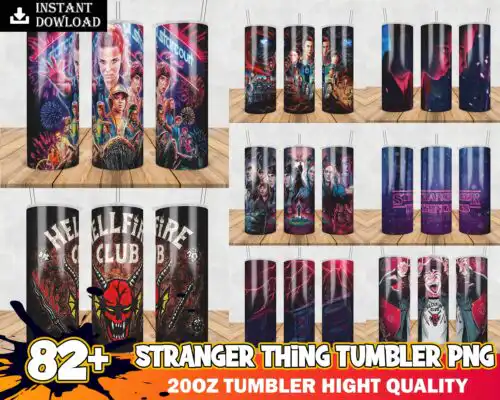
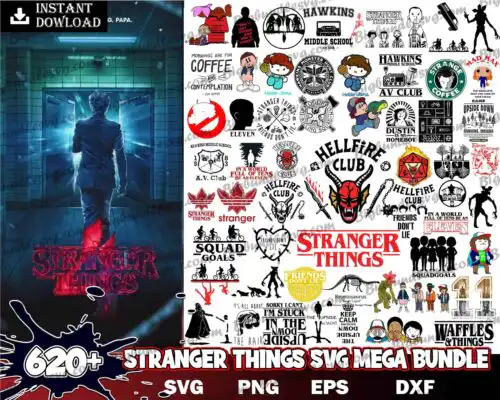
Stranger Things SVG files are cut files and 300-dpi transparent PNGs for making shirts, tumblers, decals, stickers, and party decor with Cricut, Silhouette, and other machines. These designs are united by the same retro sci-fi theme but cover mixed subjects and mixed styles, so you get options for bold statement pieces and smaller, cleaner accents. They are built for year-round use, from everyday tees and hoodies to gifts and event decor. Cut-file designs include SVG, PNG (300 dpi, transparent), DXF, EPS, and PDF, while PNG-only designs are for sublimation and printing, and each design lists its own files.
Choosing the right design
Look at layering and scale first. Single-layer designs cut and weed fastest and hold up well at small sizes for baby onesies, hats, sleeves, and tumbler decals. Layered or distressed versions give more depth on adult shirts, sweatshirts, and tote bags but need more weeding and registration. If you need clean edges on small items, choose simpler silhouettes and thicker lines; save fine details and heavy textures for large fronts or back prints. Check what files you need before you cut: cut-file designs include SVG, DXF, EPS, PDF plus transparent PNG, while PNG-only designs are for sublimation, DTF, and print-and-cut. For vinyl, mirror and weed carefully. For sublimation, use the included 300-dpi PNG.
Stranger Things SVG for shirts or tumblers which is better
Pick by size and detail level, not just look. These designs work for both, but simpler single-layer versions are better for tumblers, mugs, and small decals because they weed clean and wrap without cracking. More detailed, layered versions shine on shirts, hoodies, and tote bags where you have room to show texture. If you plan both, choose a pack that includes the SVG for vinyl and a 300-dpi transparent PNG for mug wraps and tumbler printing.
Stranger Things SVG vs png which file should I use
Use SVG for vinyl and PNG for printing. Cut-file designs include SVG, PNG, DXF, EPS, PDF, and you want SVG in Cricut Design Space, Silhouette Studio Designer Edition, Brother ScanNCut, Illustrator, Inkscape, and CorelDRAW for clean cutting and resizing. PNG-only designs are 300-dpi transparent PNGs made for sublimation printers, DTF, and print-and-cut with Canva or Photoshop. Each design lists its own included files, so check the design.
How to cut layered Stranger Things SVG on Cricut?
Ungroup, check colors, and cut by layer for layered versions. Open the SVG in Cricut Design Space, ungroup to see each color layer, size the whole group at once to keep proportions, then cut on appropriate vinyl settings and press or layer in order from base to top. Use transfer tape for precise alignment, and weed small interiors before lifting. Single-layer designs cut in one pass and are faster for bulk shirts.
What size should Stranger Things SVG be for adult youth baby shirts?
Size by shirt width, not just height. For adult shirts, 10 to 11 inches wide fits most fronts, 9 to 9.5 for fitted styles. For youth, use 7.5 to 9 inches, and for baby and toddler, 5 to 6 inches so details stay readable. For chest logos and pocket areas, go 3 to 4 inches. Test with a paper print first, and keep simpler mixed-style versions for the smallest sizes to avoid losing detail when weeding.
What file formats come with Stranger Things SVG designs?
It depends on the design type. Cut-file designs include SVG plus PNG (300 dpi, transparent), DXF, EPS, and PDF. PNG sublimation designs are PNG (300 dpi, transparent background) for printing, not cutting. Each design lists exactly what files you get, so check the file list before you buy.
What machines work with these Stranger Things SVG files?
These work with Cricut Design Space, Silhouette Studio Designer Edition, Brother ScanNCut, Adobe Illustrator, Inkscape, CorelDRAW, sublimation printers like Epson and Sawgrass, DTF and print-and-cut workflows, Canva, and Adobe Photoshop. SVG, DXF, and EPS are for cutters; transparent PNG is for sublimation, DTF, and printing.
Can I sell shirts I make with Stranger Things SVG?
Yes, for small business use. The license is personal and small-business commercial use. You can sell finished physical items like shirts, tumblers, and decals you make. You cannot resell, share, or redistribute the digital files themselves as files, bundles, or templates.