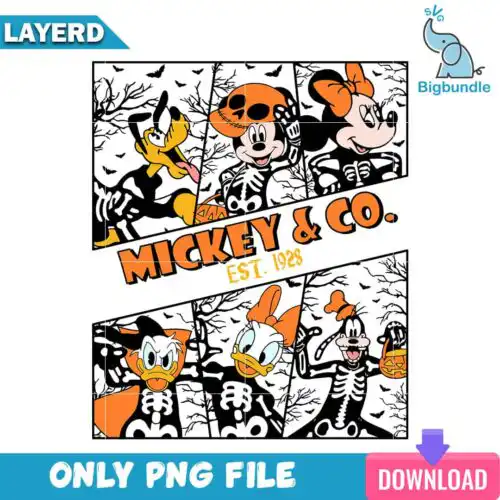
Trick or Treat SVG files are cut-ready and print-ready Halloween graphics that come as SVG cut-file sets with SVG, PNG, DXF, EPS and PDF, or as PNG sublimation files with 300 dpi transparent backgrounds, used to make shirts, trick-or-treat bags, signs, tumblers and party decor. These designs share the same phrase but cover a wide mix of subjects and styles, so you will find cute, funny, spooky, retro, and character-inspired takes that work for the whole season. They are picked by makers who want that classic candy-night wording without hunting for one specific artwork, and they cut and press cleanly for family matching looks, kids costumes, classroom treats and last-minute porch setups.
Choosing the right design
Start by deciding how you want to make it. If you cut vinyl, look for layered or single-layer cut-file designs that include SVG, PNG, DXF, EPS and PDF — each design shows its own files. PNG-only designs are for sublimation and print-and-cut and will not include cutter formats. For shirts, simple bold lettering presses faster and weeds easier than heavily detailed illustrations. For small items like candy bags, mugs and tumblers, choose chunkier letters and less fine distressing so details hold at 3-4 inches. Check before you cut: whether it is one color or layered, if a distressed texture is cuttable or print-only, and what size your blank needs for adult, youth and toddler cuts. That keeps weeding, layering and pressing predictable.
Trick or Treat SVG for shirts vs tumblers
Use bold, single or two-layer designs for shirts and intricate, smaller lettering for tumblers and mugs. Shirts need clean weeding and room for HTV layering, while tumblers and cups need designs that stay legible when wrapped and pressed in a smaller area. For tumblers, choose smoother edges and avoid ultra-thin distressing that can lift during sublimation or vinyl application.
Trick or Treat SVG vs png which should I use
Use SVG, DXF and EPS when you are cutting vinyl with Cricut or Silhouette, and use PNG when you are printing for sublimation or DTF. Cut-file designs in this group include SVG plus PNG, DXF, EPS and PDF, while PNG-only designs are made for sublimation and printing and list only PNG. Each design page shows exactly which files you get, so match the file to your machine.
How to cut layered Trick or Treat SVG on Cricut?
Layered Trick or Treat SVG files cut best by color in Cricut Design Space or Silhouette Studio Designer Edition. Ungroup, cut each color on its own mat, mirror for HTV, and press from bottom layer up with a low tack for alignment. If a design has distressing, check if it is a separate cut layer or part of the PNG texture — texture is often print-only and should not be cut as vinyl.
What size should Trick or Treat SVG be for shirts?
Size Trick or Treat SVG at 10 to 11 inches wide for adult shirts, 8 to 9 inches for youth, and 5 to 6 inches for baby and toddler. That keeps the phrase readable without cracking across seams. Test the width against your actual blank and leave a half-inch margin from collars and side seams, and shrink tumbler versions to 3 to 4 inches wide for a clean wrap.
What file types come with Trick or Treat SVG designs?
SVG cut-file designs include SVG, PNG at 300 dpi with transparent background, DXF, EPS and PDF. PNG sublimation designs include PNG only at 300 dpi with transparent background for sublimation and print-and-cut. Each design lists its own included files, so check that before you buy.
Will these work with Cricut, Silhouette and sublimation printers?
Yes. Cut-file designs work with Cricut Design Space, Silhouette Studio Designer Edition, Brother ScanNCut, Adobe Illustrator, Inkscape and CorelDRAW. PNG files work with sublimation printers like Epson and Sawgrass, DTF and print-and-cut workflows, Canva and Adobe Photoshop for printing on shirts, bags, mugs and signs.
Can I sell what I make with these Trick or Treat SVG files?
Yes, you can use them for personal and small-business commercial use to sell finished physical items like shirts, bags, signs and tumblers. You cannot resell, share or redistribute the digital files themselves as files, templates or new cut files. The licence covers the finished product you make, not the artwork as a product.