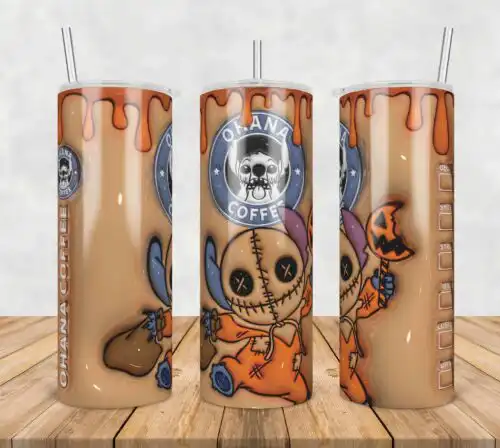
Tumbler SVG files are cut and print-ready artwork, with cut-file designs including SVG, PNG, DXF, EPS and PDF and PNG-only designs as 300 dpi transparent PNG for sublimation, made to decorate tumblers, skinny tumblers, cups and mugs. These designs are united by a focus on all-over tumbler coverage, with two main directions inside: seamless geometric and abstract patterns that wrap cleanly, and flat cartoon work centered on a green, furry Christmas character in Santa hats, with ornaments, presents and dogs, plus leopard print accents. You'll also find repeating pumpkin and gourd patterns with fall quotes. With styles ranging from flat and cartoon to geometric, abstract, patterned and line-art, they suit makers creating holiday gifts, seasonal drinkware, and year-round bestsellers for Christmas, autumn, Thanksgiving and everyday use.
Choosing the right design
Start with how you want to make it. If you cut vinyl, choose single-layer line-art and flat cartoon designs — they weed fast and read well on a curved surface. If you print, pick patterned and seamless geometric designs made as 300 dpi transparent PNG for sublimation. For layered looks, check whether the design is truly layered SVG or a flat print; layered files need color sorting and transfer tape, flat files need a sublimation printer or print-and-cut. Small elements like tiny leopard spots or thin quotes struggle on 20 oz skinny curves, so save detailed versions for larger wraps and pick bolder shapes for lids and small zones. Before you cut, check each design's file list, mirror only HTV, size the wrap to your tumbler template, and do a test print to check seam alignment.
Tumbler SVG vs png which should I use
Use SVG for vinyl and use PNG for sublimation. SVG, DXF, EPS and PDF cut cleanly on Cricut, Silhouette and other cutters for vinyl wraps and decals, while 300 dpi transparent PNG is for direct sublimation printing on tumblers and mugs. These designs include both types, so cut-file options list SVG, PNG, DXF, EPS and PDF and PNG-only options list PNG for printing, and each design shows its exact files.
How to cut layered Tumbler SVG on Cricut?
Cut layered Tumbler SVG files by color, one layer at a time. Ungroup the SVG in Cricut Design Space, assign each color to its own mat, cut permanent vinyl, weed, then stack with transfer tape starting from the base layer. Keep flat cartoon elements like the green furry character separate from small quote text so you can press text last. Use the PNG preview as a layer guide.
Tumbler SVG for shirts vs tumblers
Tumbler SVG files work for both, but pick the right style for the surface. Seamless geometric, abstract and patterned wraps are built for tumblers and skinny tumblers where coverage matters. Flat cartoon character poses and line-art quotes with Christmas, autumn and Thanksgiving themes transfer easily to shirts, but resize for the chest area and simplify tiny details that get lost on fabric.
Can you personalize Tumbler SVG with name?
Yes, you can personalize most Tumbler SVG designs with a name or quote. Add your text in Design Space, Silhouette Studio, Illustrator, Inkscape or Canva, weld script names into one shape for cutting, or place the name over a PNG wrap for sublimation and DTF workflows. Keep names off the seam line and avoid covering the main character or pattern repeat so the original design stays readable.
Cut-file designs include SVG plus PNG 300 dpi transparent, DXF, EPS and PDF for vinyl, paper and laser workflows. PNG-only designs are 300 dpi transparent PNG for sublimation and DTF / print-and-cut. Each design lists its own included files, so check the file list before you buy.
What machines work with these Tumbler SVG files?
Cut-file versions work with Cricut Design Space, Silhouette Studio Designer Edition, Brother ScanNCut, Adobe Illustrator, Inkscape, CorelDRAW and Canva. PNG versions work with sublimation printers like Epson and Sawgrass, DTF / print-and-cut workflows and Photoshop for 20 oz skinny tumbler wraps.
Can I sell tumblers I make with these files?
Yes, personal and small-business commercial use is included. You can sell finished physical tumblers, cups, mugs and other items you make. You cannot resell, share or redistribute the digital files themselves as files, templates or bundles.