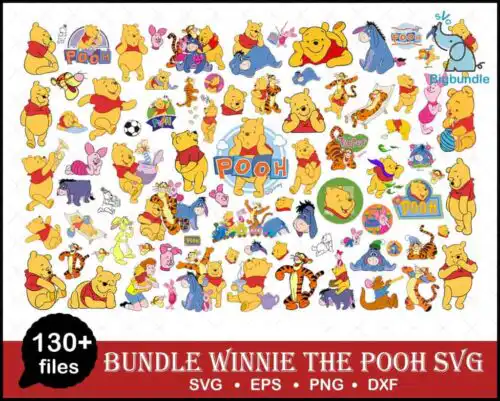
Winnie the Pooh SVG files are cut files and printable artwork featuring cute green baby characters in animal costumes surrounded by honey jars, cookies, and bees, supplied as SVG, PNG (300 dpi transparent), DXF, EPS and PDF for making shirts, tumblers, birthday decor and more. These designs are united by a soft, cartoon, flat style that stays cute at any size and works year-round, with extra love for birthday makes. Cut-file designs include SVG, PNG, DXF, EPS, PDF and print-ready PNG, while PNG-only designs are for sublimation and printing — each design lists its own files on its product page. If you craft for babies, kids, or anyone who loves sweet honey-themed characters, this group gives you mix-and-match looks that coordinate easily.
Choosing the right design
These designs come in two main builds, so choose by how you want to make. Single-layer silhouettes cut fastest and hold up best at small sizes like onesies, baby bibs, and cookie bag toppers where fine details get lost. Layered flat-color versions give you that cute cartoon depth for larger fronts, tote bags, and birthday banners, but check how many colors are stacked before you cut. For tiny cuts under 3 inches, pick designs where the bees, honey jars and cookies sit close together with thicker outlines. For big presses, you can use the busier poses with more props. Always check the file list, mirror only if using HTV, and do a test cut on the smallest element first.
Winnie the Pooh SVG for shirts or tumblers
Tumblers want simpler, compact shapes and shirts want wider, layered shapes. For tumblers and mugs, pick designs where the baby character, honey jar and bees form a tight cluster so it wraps without tiny floating pieces. For shirts, especially birthday shirts, choose designs with spread-out cookies, honey jars and costume details that fill the chest area. Both work as flat cartoon styles, just scale the complexity to the surface.
Should I use SVG or PNG for Winnie the Pooh SVG?
Use SVG for vinyl and use PNG for sublimation and print-then-cut. SVG, DXF, EPS and PDF are vector cut files for Cricut, Silhouette and other cutters to cut layered HTV or vinyl. PNG at 300 dpi with transparent background is for sublimation, DTF and direct printing where you want the full flat-color cartoon look without layering. Cut-file designs include both types, PNG-only designs are for printing — each product page shows exactly what is included.
What size should Winnie the Pooh SVG be for shirts?
Size by garment, not by design. For baby onesies and toddler shirts, scale the design to 5 to 7 inches wide so the costume details and little honey jars stay readable. For youth shirts, go 7 to 9 inches wide. For adult shirts, 10 to 11.5 inches wide keeps the cute green baby character, cookies and bees balanced on the chest. If you are pressing a small left-chest logo, choose a single-character version without extra props.
How to layer Winnie the Pooh SVG with Cricut?
Layer by color from background to foreground. Import the SVG into Cricut Design Space, ungroup, and cut each color on its own mat — green costume base first, then face, honey jars, cookies and tiny bees last. Use registration with a light tack mat and weed small bee wings before pressing. For flat designs, a 2-3 second tack between HTV layers prevents shifting, and a final full press seals everything.
Cut-file designs include SVG plus PNG (300 dpi, transparent), DXF, EPS, PDF and a print-ready PNG for sublimation and DTF workflows. PNG-only sublimation designs include just the 300 dpi transparent PNG. Every design lists its exact files, so check that list before buying to match how you plan to make.
What machines work with these Winnie the Pooh SVG files?
SVG and DXF work with Cricut Design Space, Silhouette Studio Designer Edition, Brother ScanNCut, Illustrator, Inkscape and CorelDRAW for cutting vinyl and HTV. The high-resolution PNGs work for sublimation printers like Epson and Sawgrass, DTF and print-and-cut, plus Canva and Photoshop for cards and party printables. Each design page shows which formats are included.
Can I sell things I make with Winnie the Pooh SVG?
Yes, for finished physical items. The licence allows personal and small-business commercial use to make and sell physical shirts, tumblers, birthday decorations and other handmade goods made with these designs. You cannot resell, share or redistribute the digital files themselves as files, bundles or templates.
Instant Download Download immediately after successful payment
Secure Payment Experience 100% secure payments, ensuring your transactions are safe.
Outstanding Support Service beyond compare with our exceptional team.
Premium Quality We are meticulous in every detail, ensuring unparalleled excellence.