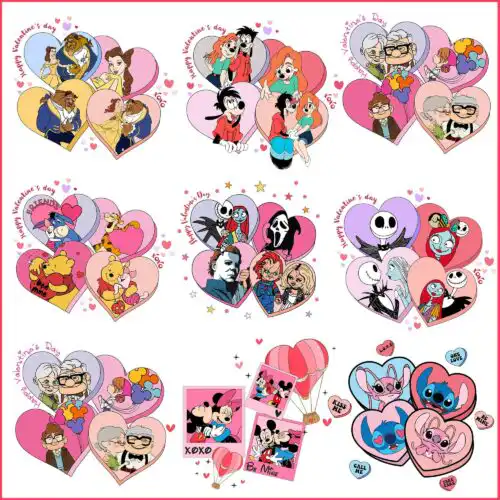
Xoxo SVG files are cut and print designs featuring hugs and kisses lettering mixed with gnomes, dinosaurs, pop-culture-inspired icons and holiday accents, available as SVG cut files with PNG, DXF, EPS, PDF and as PNG sublimation files (300 dpi, transparent) to make shirts, tumblers, cards, stickers and party decor. These designs are united by that XOXO message, but the art around it varies widely, from cute Valentine gnomes to sassy Halloween lettering and playful character mashups, so you can keep the same sentiment while switching the vibe. They work year-round for crafters making gifts, classroom treats, bachelorette favors, or everyday tees and mugs.
Choosing the right design
Look at layering first. Single-layer XOXO lettering cuts fastest for vinyl and small decals, while layered or distressed versions give dimension on larger shirts and totes. For tiny items like baby onesies or keychains, choose bold, chunky lettering without thin inner cutouts that snag or weed poorly. For sublimation and DTF, pick the PNG versions with clean edges and transparent backgrounds. Always check what each design lists for files: cut-file designs include SVG, PNG (300 dpi, transparent), DXF, EPS and PDF, while PNG-only designs are for sublimation and printing. Before cutting, mirror for HTV, test size on cardstock, and weed a small corner to see if thin loops need thickening in your software.
Xoxo SVG for shirts vs mugs what to pick
Pick bold single-color XOXO lettering for shirts and layered, distressed XOXO graphics for mugs and tumblers. Shirts need weeding-friendly lines and space for pressing, so simpler fills work best on cotton and HTV. Mugs, tumblers and flat sublimation blanks show off detailed fills, glitter effects and mixed character accents without weeding issues.
Xoxo SVG vs png which file should I use
Use SVG for vinyl cutting and PNG for sublimation or print-then-cut. SVG cut files include SVG, DXF, EPS, PDF and PNG for Cricut Design Space, Silhouette Studio, Brother ScanNCut and more. PNG designs (300 dpi, transparent background) are for sublimation printers, DTF, Canva and Photoshop. Each design lists its own included files, so check before you buy.
How to cut layered Xoxo SVG on Cricut?
Ungroup the layers in Cricut Design Space, assign colors, and cut by color on mat. Keep the base XOXO layer largest, then stack smaller accent layers on top and use a brayer for good contact. For HTV, mirror every layer and press bottom layer first for 2-3 seconds to tack, then full press after final layer to avoid shrinkage.
What size should Xoxo SVG be for shirts?
Size XOXO designs to 9.5-11 inches wide for adult shirts, 7-8.5 inches for youth, and 4-5.5 inches for baby onesies. Leave at least 0.5 inch margin from seams and collars. For left-chest or pocket prints, reduce to 3.5-4 inches. Always measure the blank and preview in your software, because script XOXO letters need extra width to stay readable after pressing.
Cut-file designs include SVG, PNG (300 dpi, transparent), DXF, EPS and PDF for cutting and print workflows. PNG-only designs are for sublimation and printing and include a 300 dpi PNG with transparent background. Each design lists its exact files on its product page, so you can confirm before you make.
Do these work with Cricut and Silhouette?
Yes. The SVG cut files work with Cricut Design Space, Silhouette Studio Designer Edition, Brother ScanNCut, Adobe Illustrator, Inkscape and CorelDRAW. The PNG files work with sublimation printers like Epson and Sawgrass, DTF and print-and-cut workflows, Canva and Photoshop.
Can I sell what I make with Xoxo SVG files?
Yes, you can sell finished physical items like shirts, mugs, cards and decor under the personal and small-business commercial use licence. You cannot resell, share or redistribute the digital files themselves as-is or as part of another digital bundle.