
Christmas Movie Watching Blanket PNG Sublimation Preview Sheet with 85+ Christmas Blanket
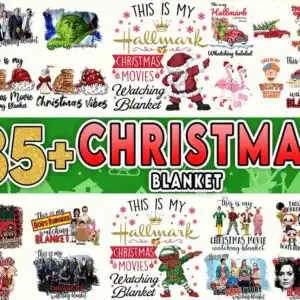
This Christmas movie design is a collage preview sheet of festive watching-blanket artwork, delivered as PNG files for sublimation, shirts, mugs and blankets. Built around a large “85+ CHRISTMAS BLANKET” banner in the centre, the sheet shows Christmas-movie clip art in red, gold, green, black, pink and white. You will see Santa dabbing, pink flamingos in Santa hats, red vintage pickup trucks carrying Christmas trees, the Grinch, and hot chocolate mugs. Lettering such as “This is my Christmas Movies” and “Watching Blanket” runs across the sheet, and the TV references include Bob’s Burgers, The Big Bang Theory and Chicago MED. Each illustration sits on a transparent background, so you can pull out the pieces you want for your own project.
Design breakdown
This is a preview sheet showing multiple Christmas movie watching designs in a collage layout, with a large “85+ CHRISTMAS BLANKET” banner in the middle. Among the designs shown are Santa Claus dabbing, pink flamingos wearing Santa hats, red vintage pickup trucks with Christmas trees, and the Grinch. Other designs on the sheet include hot chocolate mugs, cookies and milk, and Elf dabbing. The artwork uses white, gold, red, green, black and pink, with the sheet cut in 3 layers and set on a white background. Fine details such as the holly, snowflakes and small lettering are best cut at 4 inches or larger.
| Colours | 6 — white (#FFFFFF), gold (#D4A62A), red (#E53935), green (#1E7B34), black (#2E2E2E), pink (#F4A6C0) |
|---|---|
| Lettering | 85+ / CHRISTMAS / BLANKET / This is my / Hallmark / Christmas Movies / Watching Blanket / Christmas Vibes / Hot Chocolate / Christmas Movies / Bob’s Burgers / Chicago MED / The Big Bang Theory / Blacklist / Horror Movie / Whatching blanket |
| Background | white |
| Orientation | landscape |
What’s included
- PNG (300 dpi, transparent background)
Works with
- Sublimation printers (Epson, Sawgrass)
- DTF / print-and-cut workflows
- Canva
- Adobe Photoshop
How to use
Download the zip file and unzip it on your computer. Open the PNG files in Canva, Adobe Photoshop or your sublimation software, then import the design you want. Check the size against your blank before printing, and use a 300 dpi setting for crisp results. Print with a sublimation printer, or use the file in a DTF or print-and-cut workflow.
Licence
Personal and small-business commercial use. Sell finished physical items; do not resell or redistribute the files themselves.
FAQ
What files are included with this Christmas movie PNG?
You get PNG files at 300 dpi with transparent backgrounds. The download includes the preview sheet artwork, so you can choose the individual designs you need.
Can I use this Grinch design on a 20oz tumbler?
Yes, the Grinch is one of the designs on the sheet and can be sized for a 20oz tumbler wrap. Check the printed size against your tumbler before you print, since the artwork is sized for the sheet.
Which printers and software work with these files?
These files work with Epson and Sawgrass sublimation printers, DTF and print-and-cut workflows, Canva and Adobe Photoshop. They are PNG files, so you can open them in any of these programs.
Can I resize the designs and use them for my small business?
Yes, you can resize the PNG files to fit your blanks. The licence covers personal and small-business commercial use, so you can sell finished physical items, but you may not resell or redistribute the files themselves.