
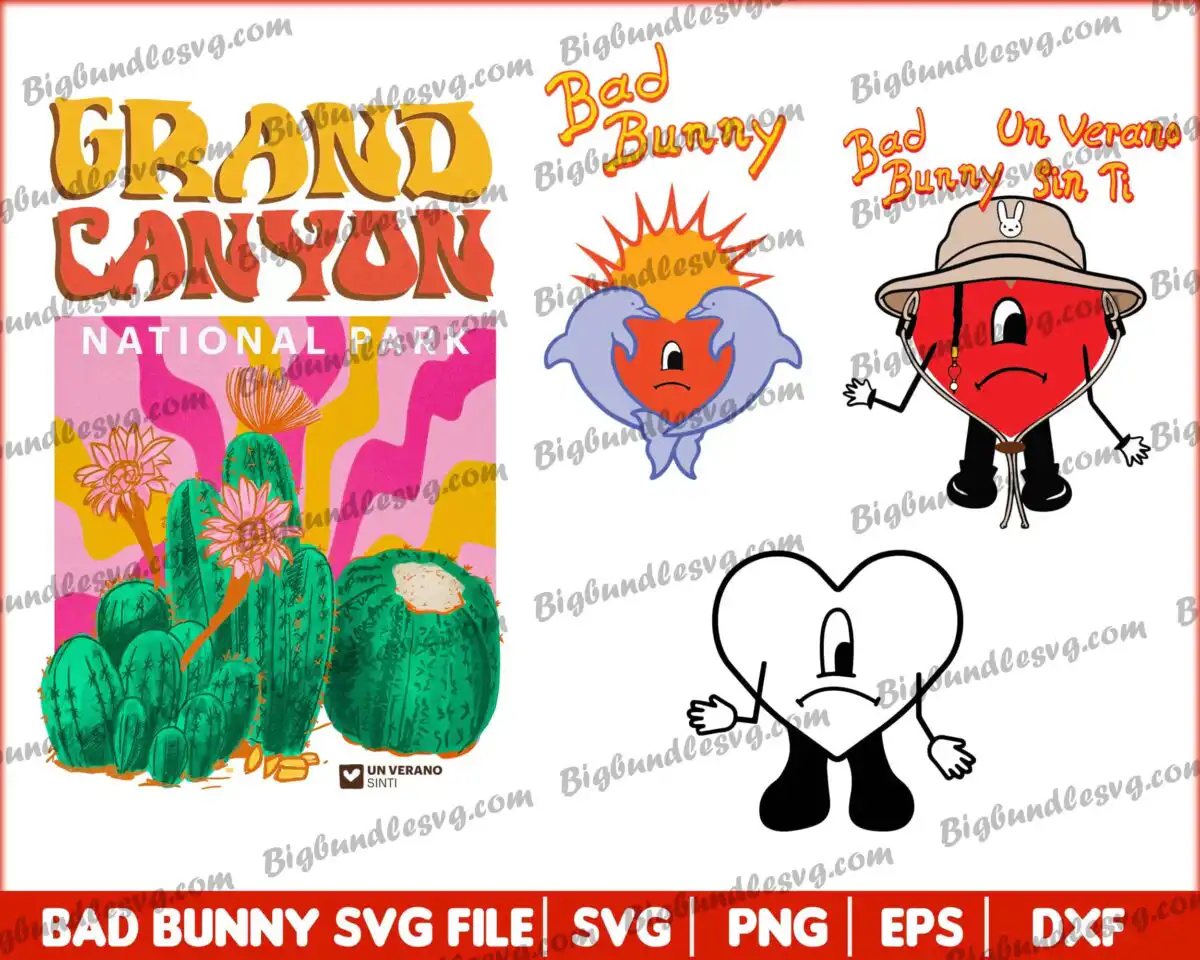
Bad Bunny Themed SVG Shirt Design: Grand Canyon Poster and Sad Heart Characters
This Bad Bunny themed SVG cut file is a preview sheet of retro-style artwork: a Grand Canyon National Park poster with a cactus illustration, plus three Bad Bunny sad-heart character designs and Un Verano Sin Ti lettering. You receive SVG, PNG, DXF and EPS files, made for shirts, stickers, mugs, tote bags and vinyl decals. The poster reads GRAND CANYON and NATIONAL PARK in bold lettering over a cactus cluster with pink flowers and a barrel cactus, set against golden orange, red-orange and cactus green. The hearts carry the summer mood of the piece: one sad red heart with arms and legs, one wearing a tan bucket hat, and one with a flame-like crown and lavender wings, all finished with a black outline. Because the artwork is flat vector with clean outlines, it suits both cutting machines and print-ready projects. Everything is delivered as digital download files, so you can open them in the cutting software you already use.
Design breakdown
The preview sheet shows five separate designs on a white background in a landscape collage: the Grand Canyon National Park poster with its cactus illustration, and the Bad Bunny sad-heart characters, including a red heart with arms and legs, a heart wearing a bucket hat, and a heart with a flame-like crown and lavender wings, along with an outline heart and the Un Verano Sin Ti bunny logo. The palette uses eight colours: golden orange, red-orange, pink, cactus green, heart red, lavender, tan hat and black outline. The artwork is cut in 12 layers, with medium cutting complexity, so plan on a sticker or decal size where the small outline details stay clear. Each design is separated so you can cut or print one at a time.
| Layers | 12 |
|---|---|
| Colours | 8 — golden orange (#F4A21E), red-orange (#E8573A), pink (#F26BA8), cactus green (#2E9E5B), heart red (#D93A3A), lavender (#B7B3E0) |
| Lettering | GRAND CANYON / NATIONAL PARK / Bad Bunny / Un Verano Sin Ti / BAD BUNNY SVG FILE / SVG / PNG / EPS / DXF |
| Background | white |
| Cut complexity | medium |
| Orientation | landscape |
What’s included
- SVG
- PNG (300 dpi, transparent)
- DXF
- EPS
Works with
- Cricut Design Space
- Silhouette Studio (Designer Edition)
- Brother ScanNCut
- Adobe Illustrator
- Inkscape
- CorelDRAW
How to use
Download the zip file and unzip it to a folder on your computer. Open the SVG file in Cricut Design Space, Silhouette Studio, Brother ScanNCut, Adobe Illustrator or Inkscape, then use the Ungroup or Layers panel to choose the colours and pieces you want. For printed projects, use the PNG file with a transparent background. Resize the artwork before cutting and check the layers before you send it to the machine.
Licence
Personal and small-business commercial use. Sell finished physical items; do not resell or redistribute the files themselves.
FAQ
What files are included with this Bad Bunny themed SVG cut file?
You get SVG, PNG, DXF, EPS and PDF files. The PNG is 300 dpi with a transparent background, and the other formats are ready for cutting machines and vector software.
Can I use this Bad Bunny heart design on a t-shirt?
Yes, the heart characters work well on shirts when you print them with heat transfer vinyl or a printer. Pick the design you want, cut or print it, and press it onto the fabric.
Does this work with Cricut and Silhouette machines?
Yes, the SVG files open in Cricut Design Space and Silhouette Studio (Designer Edition), and they also work with Brother ScanNCut, Adobe Illustrator, Inkscape and CorelDRAW.
Can I resize this file and sell products made with it?
Yes, you can resize the artwork to fit your project. The licence covers personal and small-business commercial use for finished physical items, but you may not resell or redistribute the files themselves.



