Bluey Indy Halloween Bluey SVG Witch Costume Design for Shirts, Decals and Tumblers
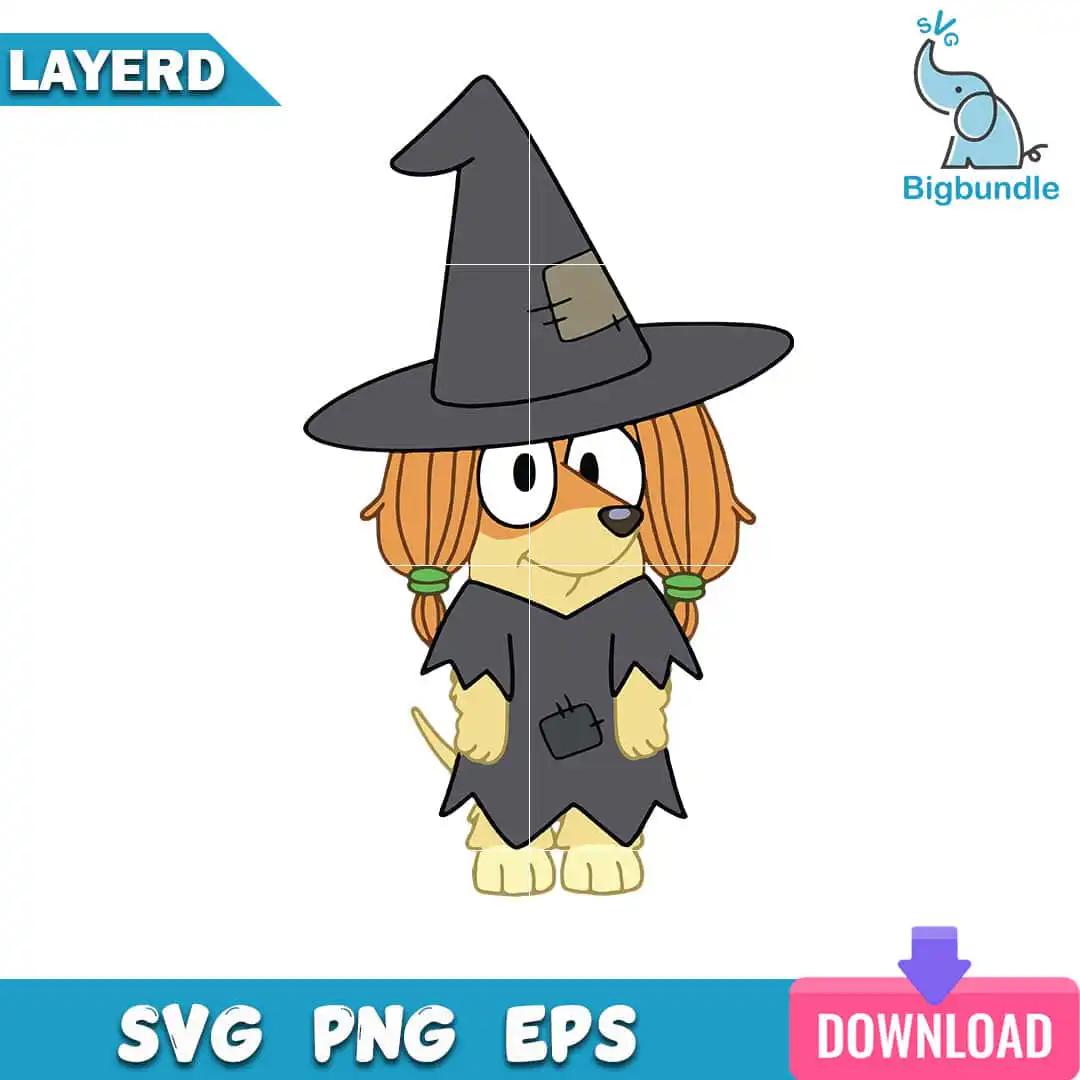
This Bluey Indy Halloween Bluey SVG design is a single cartoon dog character dressed as a Halloween witch, with a charcoal grey pointed hat, a ragged grey cape and orange pigtails tied with green hair ties. You get one flat-colour clip art design in SVG, PNG, DXF, EPS and PDF formats, made for iron-on shirts, vinyl decals, sublimation, tumbler wraps and scrapbook pages. The artwork uses six colours: charcoal grey, orange, pale yellow, green, white and blue. The yellow paws, the tail and the patch on the cape are all drawn with clean outlines, so the character reads clearly at any size. Its playful, spooky-cute mood suits kids, Bluey fans and crafters planning autumn party decor. Because it is a single layer, you can cut it in one pass and weed it without sorting pieces.
Design breakdown
This is a single-layer design in six flat colours: charcoal grey for the witch hat and cape, orange for the pigtails, pale yellow for the paws, green for the hair ties, white and blue for the detail areas. The character includes a witch hat with a patch, a ragged grey cape with a patch, orange pigtails with green hair ties, yellow paws and a tail. The design has a white background, so it is best cut on a machine with a clean outline and fine details, such as the hat edge and cape rags, cut at 4 inches or larger. The lettering SVG, PNG, EPS and DOWNLOAD appears in the preview sheet, not on the artwork itself.
| Layers | 1 |
|---|---|
| Colours | 6 — charcoal grey (#3A3A3C), orange (#E8A24A), pale yellow (#F3D98B), green (#5BAA4A), white (#FFFFFF), blue (#1B9AD6) |
| Lettering | LAYERD / SVG / PNG / EPS / DOWNLOAD |
| Background | white |
| Cut complexity | medium |
| Orientation | portrait |
What’s included
- SVG
- PNG (300 dpi, transparent)
- DXF
- EPS
Works with
- Cricut Design Space
- Silhouette Studio (Designer Edition)
- Brother ScanNCut
- Adobe Illustrator
- Inkscape
- CorelDRAW
How to use
Download the zip file from your order page and unzip it to a folder on your computer. Open Cricut Design Space, Silhouette Studio or Brother ScanNCut and use the Upload or Import option to select the SVG file. Resize the design to your project, check the cut lines, then cut and weed. For printing or sublimation, use the PNG file, which has a transparent background at 300 dpi.
Licence
Personal and small-business commercial use. Sell finished physical items; do not resell or redistribute the files themselves.
FAQ
What files are included with this Bluey Halloween design?
You receive SVG, PNG at 300 dpi with a transparent background, DXF, EPS and PDF files. Each format is in the zip download, so you can use whichever your cutting machine or printer needs.
Can I put this Bluey witch design on a 20oz tumbler?
Yes, the PNG and SVG files work for tumbler wraps and vinyl decals on a 20oz tumbler. Resize the design to fit the wrap, and check that the hat and cape edges still look clean at the final size.
Which machines and programs does this design work with?
It works with Cricut Design Space, Silhouette Studio (Designer Edition), Brother ScanNCut, Adobe Illustrator, Inkscape and CorelDRAW. Any of these can open the SVG, and the DXF works with older cutting software.
Can I resize the design and use it for my small business?
Yes, you can resize it to any size you need. The licence covers personal and small-business commercial use for finished physical items, but you may not resell or redistribute the files themselves.