



Cartoon Style Scene Small Christmas Design: Piano Player with Santa Hat, Music Fan Gift
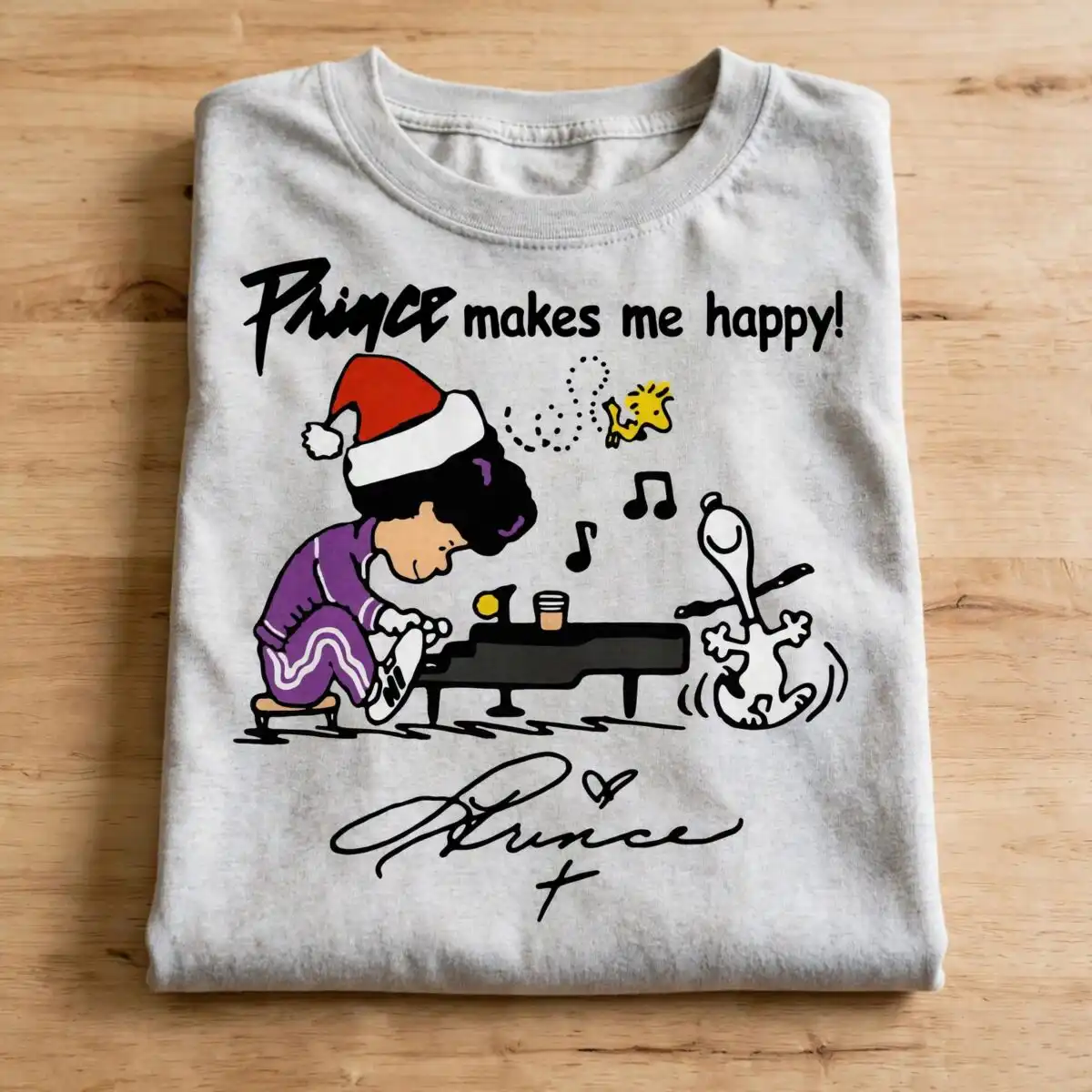
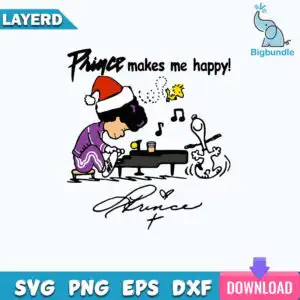
This Cartoon Style Scene Small design shows a curly-haired child in a red and white Santa-style hat playing a black grand piano, with a cartoon dog lying on its back beside the piano and a yellow bird above. You receive an SVG, PNG (300 dpi, transparent), DXF, EPS and PDF, made for shirts, mugs, decals, tote bags and sublimation prints. The artwork is built around the purple tracksuit, white stripes, and musical notes floating through the air, with the lettering “Prince makes me happy!” and a stylized handwritten signature below. Its flat colours are black, purple, red, white, yellow, teal blue, pink and violet, so it reads clearly on light fabric. It suits music fans and anyone shopping for a playful, festive holiday gift.
Design breakdown
This is a single square design on a white background, with no bundled extra designs. It is cut in 4 layers and uses 8 flat colours: black, purple, red, white, yellow, teal blue, pink and violet. The main elements are the black piano, the child figure with its red and white hat and purple tracksuit with white stripes, the cartoon dog, the yellow bird, the musical notes, a cup, a small yellow ball, a stool, a ribbon banner, a blue elephant logo, a cross-like mark, a heart-shaped mark, dotted swirl lines and the signature scribble. The lettering “Prince makes me happy!” appears on the ribbon banner. Cut complexity is medium, so fine details such as the dotted swirls and the notes are best cut at 4 inches or larger.
| Layers | 4 |
|---|---|
| Colours | 8 — black (#000000), purple (#7B3FA0), red (#D42A2A), white (#FFFFFF), yellow (#F5D21B), teal blue (#1E9FD6) |
| Lettering | LAYERD / Prince makes me happy! / Prince (handwritten signature) / SVG / PNG / EPS / DXF / DOWNLOAD / svg |
| Background | white |
| Cut complexity | medium |
| Orientation | square |
What’s included
- SVG
- PNG (300 dpi, transparent)
- DXF
- EPS
Works with
- Cricut Design Space
- Silhouette Studio (Designer Edition)
- Brother ScanNCut
- Adobe Illustrator
- Inkscape
- CorelDRAW
How to use
Download the ZIP file from your order and unzip it to a folder on your computer. Open Cricut Design Space, Silhouette Studio or Brother ScanNCut and choose Upload, then select the SVG file. For printing, use the PNG on a light fabric transfer or the sublimation file for your printer. Resize the design in the software before cutting, and keep the layers together so the colours line up.
Licence
Personal and small-business commercial use. Sell finished physical items; do not resell or redistribute the files themselves.
FAQ
What files are included with this Cartoon Style Scene Small design?
You get SVG, PNG (300 dpi with a transparent background), DXF, EPS and PDF files. The SVG is the best choice for cutting machines, and the PNG suits printing and sublimation.
Can I put this piano and Santa hat design on a 20oz tumbler?
Yes, the design works on a 20oz tumbler using the sublimation PNG or a vinyl decal cut from the SVG. Check that the printed size fits the wrap area of your tumbler before you press it.
Which machines and programs does this SVG work with?
It works with Cricut Design Space, Silhouette Studio (Designer Edition), Brother ScanNCut, Adobe Illustrator, Inkscape and CorelDRAW. The DXF file suits older cutting software that does not read SVG.
Can I resize this file and use it for a small business?
Yes, you can resize the file in your design software. The licence covers personal and small-business commercial use, so you can sell finished physical items made with it, but you may not resell or redistribute the files themselves.


