Thing 1 and Thing 2 Christmas Lights Cut File, Dr Seuss Holiday Design for Shirts and Mugs
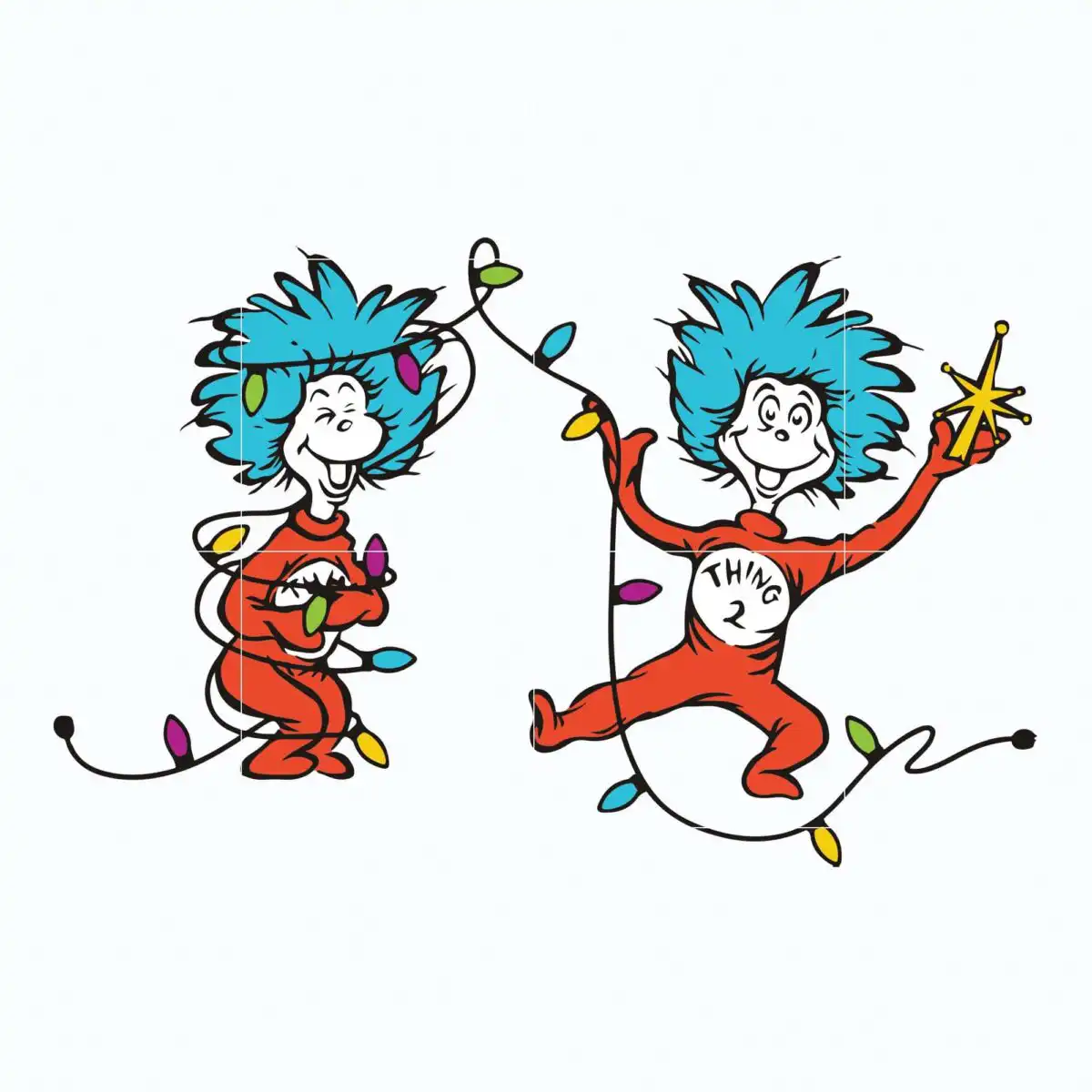
This Dr Seuss Christmas Thing design is a single cartoon illustration of Thing 1 and Thing 2 with blue spiky hair and red jumpsuits, and you receive it as SVG, PNG, DXF, EPS and PDF files. Thing 1 holds a string of colourful Christmas lights above his head, while Thing 2, in his red jumpsuit, holds a gold star tree topper. The lights carry bulbs in purple, green, yellow, pink and blue, giving the scene a bright holiday look. The lettering THING 2 is set into the artwork, so the character is easy to recognise. The flat vector style suits t-shirt printing, vinyl decals, sublimation, mugs, holiday signs and scrapbooking. Its turquoise blue, red-orange, gold yellow and black details keep the colours clear when you cut or print. You can use the artwork for Christmas decorating projects, family gifts and winter craft work at home.
Design breakdown
The artwork is a single flat vector illustration on a white background, with no separate mockups or extra designs included. It is cut in 6 layers, which cover the blue hair, red jumpsuits, string lights, gold star, black outlines and the THING 2 lettering. The palette uses turquoise blue, red-orange, white, black, gold yellow, purple and green, with the light bulbs in purple, green, yellow, pink and blue. The design has fine details, so it is best cut at 4 inches or larger. It is landscape in orientation and is set up for cutting, printing and sublimation use.
| Layers | 6 |
|---|---|
| Colours | 7 — turquoise blue (#2BB6D6), red-orange (#E0401F), white (#FFFFFF), black (#1A1A1A), gold yellow (#F2C230), purple (#8E3BB5) |
| Lettering | THING 2 |
| Background | white |
| Cut complexity | high |
| Orientation | landscape |
What’s included
- SVG
- PNG (300 dpi, transparent)
- DXF
- EPS
Works with
- Cricut Design Space
- Silhouette Studio (Designer Edition)
- Brother ScanNCut
- Adobe Illustrator
- Inkscape
- CorelDRAW
How to use
Download the zip file and unzip it on your computer before you start. For a vinyl cut, open the SVG in Cricut Design Space or Silhouette Studio and import it as a cut file. For a print project, open the PNG or EPS in your design software and size it to your product. Keep the layers grouped so that you can weed or print each colour where you need it.
Licence
Personal and small-business commercial use. Sell finished physical items; do not resell or redistribute the files themselves.
FAQ
What files are included with this Thing 1 and Thing 2 design?
You get SVG, PNG (300 dpi with a transparent background), DXF, EPS and PDF files. The SVG is the main cutting file, and the PNG works well for printing and sublimation.
Can I use this Thing 1 and Thing 2 design on a 20oz tumbler?
Yes, the design can be sized for a 20oz tumbler using the PNG or SVG file. Measure your wrap area first, then resize the artwork before you print or cut.
Which machines and software does this design work with?
It works with Cricut Design Space, Silhouette Studio (Designer Edition), Brother ScanNCut, Adobe Illustrator, Inkscape and CorelDRAW. Use the SVG for cutting machines and the PNG for printing.
Can I resize this design and sell items made with it?
You can resize the design for your project, and it is licensed for personal and small-business commercial use. You may sell finished physical items, but you may not resell or redistribute the files themselves.