Black Silhouette Peanuts Characters Shirt Design with FRIENDS Lettering for Mugs and
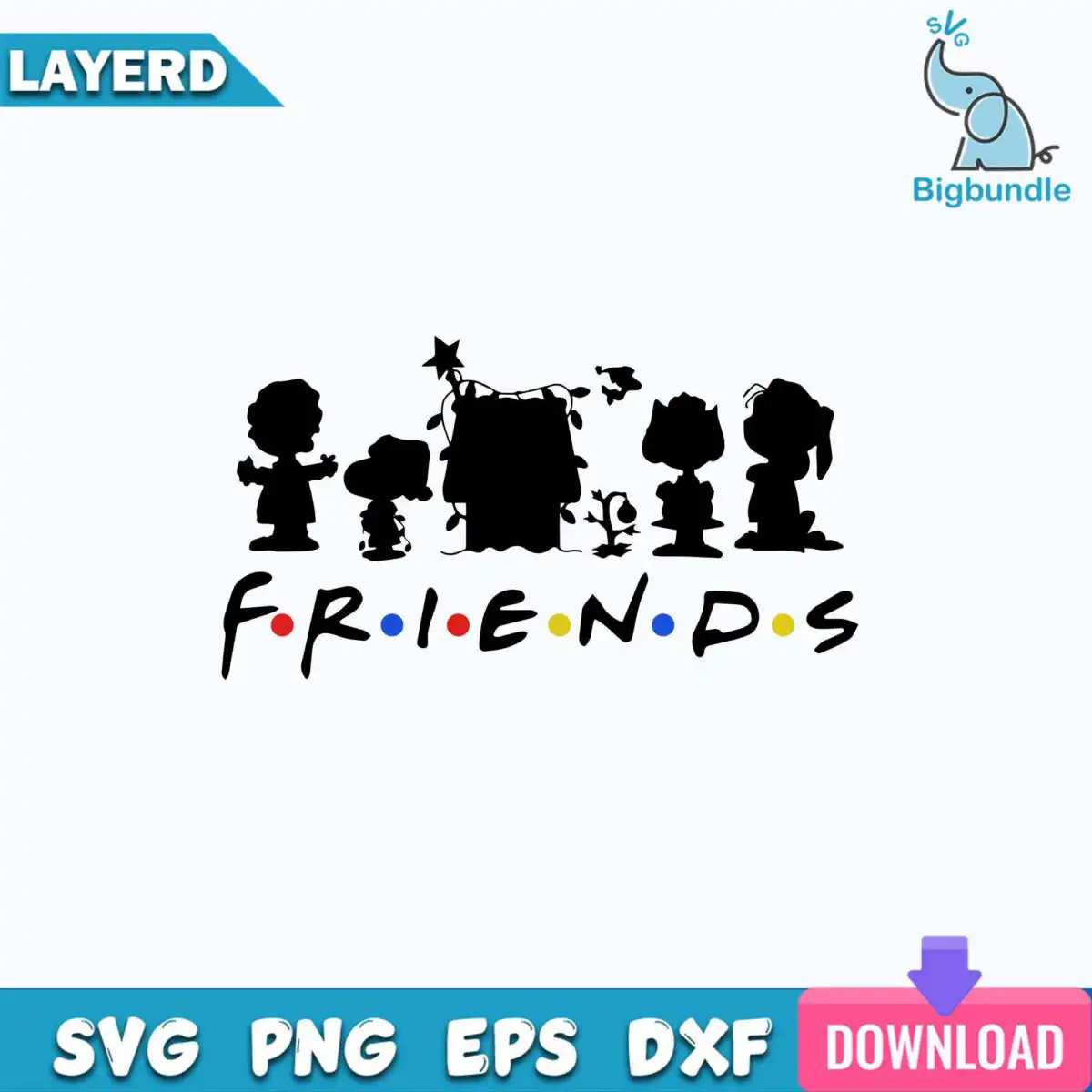
This black silhouette Peanuts characters design shows a kid, Snoopy, a girl with a hair bow, a small bird and a sprout, all cut in solid black above the word FRIENDS. The lettering uses a Friends-TV-style logo with red, blue and yellow dots, so it reads as a playful mashup of two favourite shows. You get SVG, PNG at 300 dpi with a transparent background, DXF, EPS and PDF, ready for sublimation, vinyl cutting and printing. Use it for t-shirts, mugs, tote bags, tumblers and decals, or give it as a gift to a friend who loves both Peanuts and Friends. The design is a single piece on a white background in landscape orientation, so you can place it on a shirt front, a mug wrap or a tote with little setup. Works well for everyday wear and for anyone who likes a nostalgic, friendly look.
Design breakdown
This is one design cut in 2 layers: a black silhouette layer for the characters, the star topper, the string of lights and the doghouse or tree shape, and a coloured dot layer for the FRIENDS lettering. The silhouette includes a child, a beagle, a dog with a floppy ear, a girl with a hair bow, a small bird and a small sprout. The dots are red, blue and yellow, and the letters are black. Cut complexity is medium: the thin light strands and small bird details need a fine blade setting, so cut it at 4 inches or larger for the best results.
| Layers | 2 |
|---|---|
| Colours | 4 — black (#000000), red dots (#E32626), blue dots (#1F5BD6), yellow dots (#F2C81E) |
| Lettering | FRIENDS |
| Background | white |
| Cut complexity | medium |
| Orientation | landscape |
What’s included
- SVG
- PNG (300 dpi, transparent)
- DXF
- EPS
Works with
- Cricut Design Space
- Silhouette Studio (Designer Edition)
- Brother ScanNCut
- Adobe Illustrator
- Inkscape
- CorelDRAW
How to use
Download the zip file from your order and unzip it to a folder on your computer. Open Cricut Design Space, Silhouette Studio, Brother ScanNCut or Inkscape, then choose Upload or Open and select the SVG file. For sublimation or printing, use the PNG file at 300 dpi, which has a transparent background. Resize the design in the software before cutting or printing, keeping the proportions locked.
Licence
Personal and small-business commercial use. Sell finished physical items; do not resell or redistribute the files themselves.
FAQ
What files come with this Peanuts silhouette design?
You get SVG, PNG at 300 dpi with a transparent background, DXF, EPS and PDF files. The PNG suits sublimation and printing, while the SVG and DXF suit cutting machines.
Can I use this Peanuts design on a 20oz tumbler?
Yes, the design works on a 20oz tumbler when you use the PNG for sublimation or the SVG for a vinyl decal. Resize it in your software until it fits the wrap or decal area you want to cover.
Which machines and programs work with this file?
It works with Cricut Design Space, Silhouette Studio (Designer Edition), Brother ScanNCut, Adobe Illustrator, Inkscape and CorelDRAW. Any of these can open the SVG or DXF file for cutting or editing.
Can I sell shirts or mugs made with this design?
Yes, you can use it for personal and small-business commercial use and sell finished physical items such as shirts and mugs. You may not resell or redistribute the files themselves.