Get In Loser Pink Convertible Horror Villains Mean SVG Halloween Design for Shirts
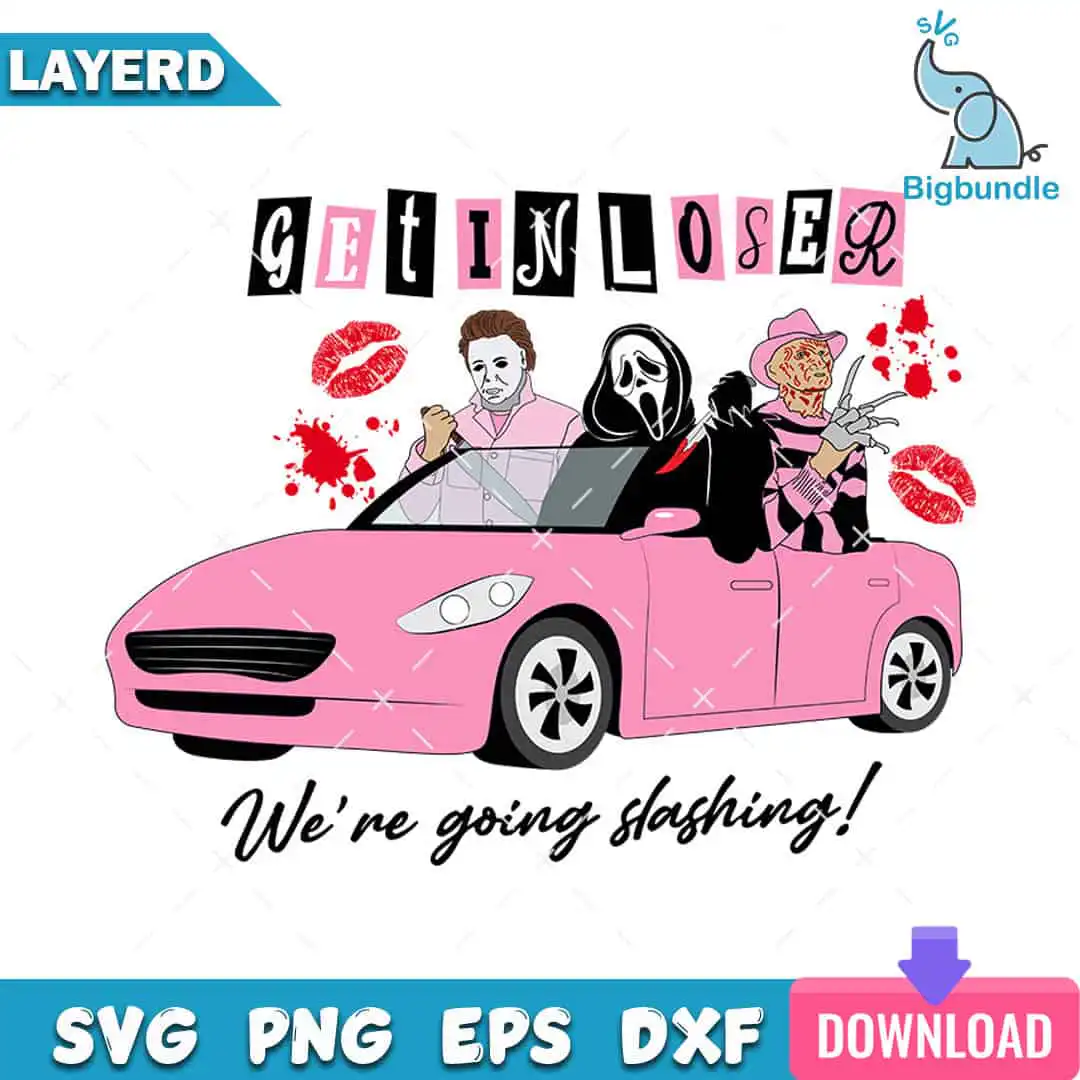
This Mean SVG Halloween design shows a pink convertible carrying three horror movie villains, with GET IN LOSER ransom-style lettering across the artwork. You get the full set of cut files in SVG, PNG, DXF, EPS and PDF, made for shirts, tote bags, mugs, stickers and vinyl decals. The car is drawn in pink and hot pink, with black and white accents and red blood splatters. Inside the convertible sit a Michael Myers-style masked killer, a Ghostface character and a Freddy Krueger-style figure with finger blades. Red lipstick kiss marks and the script line “We’re going slashing!” add a playful, Mean Girls-style twist to the horror theme. The design suits Halloween parties, horror fans and Y2K-style autumn projects, and you can cut it on a Cricut, Silhouette or Brother machine.
Design breakdown
This is one design, cut in 12 layers, with a 7-colour palette: pink, hot pink, black, white, red, purple and teal. The pink convertible body, black and white wheels with black rims, and the three villain figures are separate layers, so you can colour or weed each part on its own. The GET IN LOSER lettering, the “We’re going slashing!” script, red lipstick kiss marks and red blood splatters are cut as their own pieces. The Bigbundle SVG logo is also included as a layer. The cut complexity is high, with fine details around the masks, finger blades and lettering, so cut it at 4 inches or larger for the best results. The file is an SVG on a white background with a landscape orientation.
| Layers | 12 |
|---|---|
| Colours | 7 — pink (#F28CB1), hot pink (#E8457A), black (#000000), white (#FFFFFF), red (#D42A2A), purple (#8A5CC8) |
| Lettering | GET IN LOSER / We’re going slashing! / LAYERD / SVG / PNG / EPS / DXF / DOWNLOAD |
| Background | white |
| Cut complexity | high |
| Orientation | landscape |
What’s included
- SVG
- PNG (300 dpi, transparent)
- DXF
- EPS
Works with
- Cricut Design Space
- Silhouette Studio (Designer Edition)
- Brother ScanNCut
- Adobe Illustrator
- Inkscape
- CorelDRAW
How to use
Download the ZIP file from your order page and unzip it to a folder on your computer. Open the SVG file in Cricut Design Space, Silhouette Studio or Adobe Illustrator, then import it into your project. Ungroup the layers if you want to change colours, and resize the whole design together to keep the proportions. For shirts, use the PNG file with a transparent background for sublimation or print-to-garment work.
Licence
Personal and small-business commercial use. Sell finished physical items; do not resell or redistribute the files themselves.
FAQ
What files are included with this Halloween Mean Girls horror design?
You get SVG, PNG, DXF, EPS and PDF files. The PNG is 300 dpi with a transparent background, so it works well for printing and sublimation.
Can I put this pink convertible design on a 20oz tumbler?
Yes, the PNG file can be wrapped around a 20oz tumbler for sublimation. Check that the printed size fits your tumbler wrap before you press it.
Which machines and programs work with these files?
The files work with Cricut Design Space, Silhouette Studio (Designer Edition), Brother ScanNCut, Adobe Illustrator, Inkscape and CorelDRAW. Any of these will open the SVG file for cutting or editing.
Can I resize the design and sell the finished shirts?
Yes, you can resize the design to fit your project. The licence covers personal and small-business commercial use, so you can sell finished physical items, but you cannot resell or redistribute the files themselves.