

Happy Valentine’s Day Disney Characters Mickey, Minnie and Friends PNG Cartoon Design for
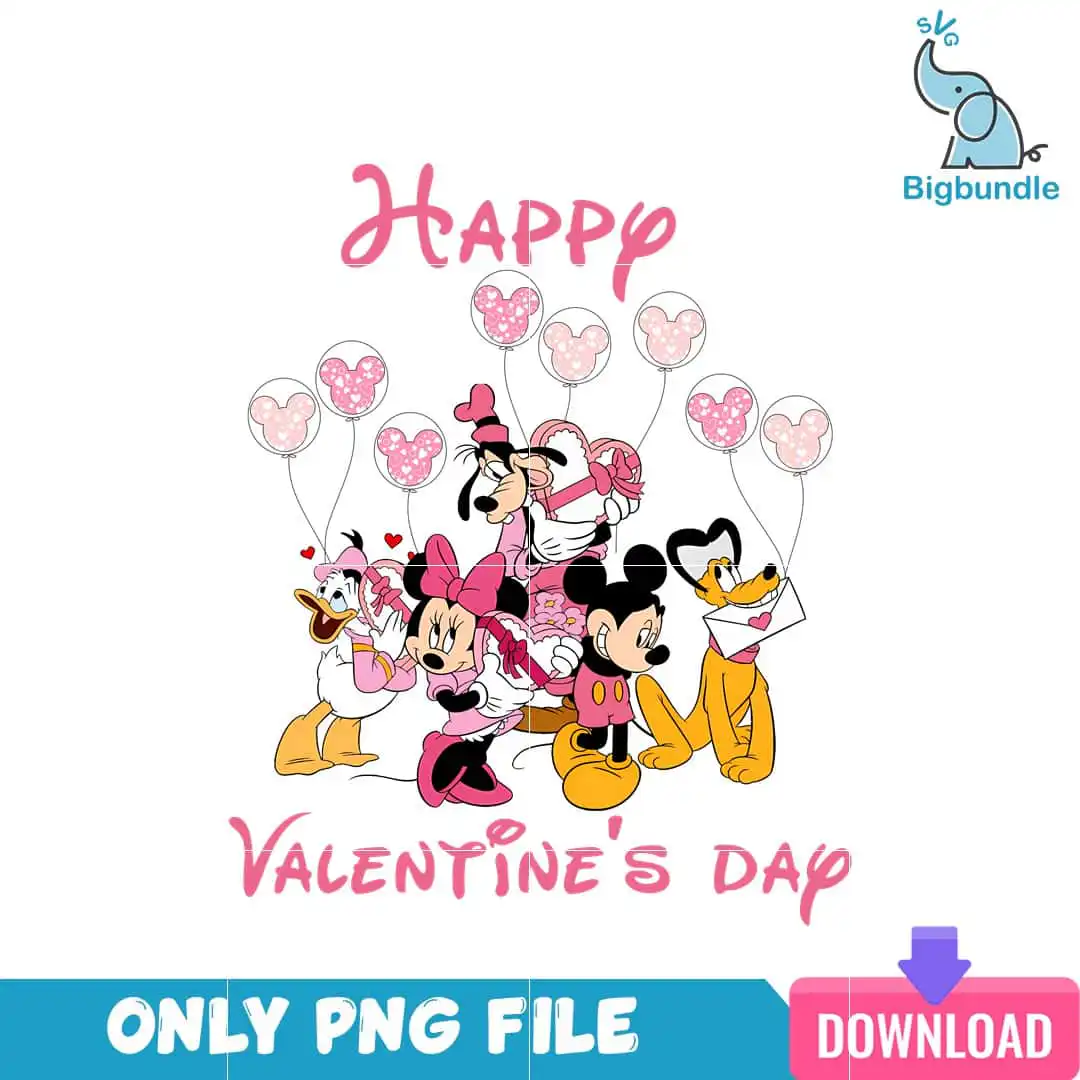
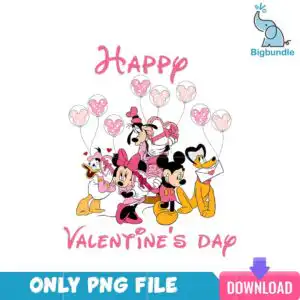
This Happy PNG cartoon design shows Mickey Mouse, Minnie Mouse, Goofy, Donald Duck, Daisy Duck and Pluto in a Valentine’s Day scene, and you get it as a single PNG file with a transparent background. It is made for printing on shirts, mugs, tote bags and stickers, and for Valentine’s crafts. The artwork is built around the lettering “Happy” and “Valentine’s Day”, with Mickey-head balloons, an envelope, a gift box and hearts placed around the characters. The main colours are hot pink and light pink, with golden yellow accents, black outlines and white. Because it is a cartoon clip-art style piece, the characters are drawn in a playful, Disney-inspired way that suits both children and adults. You can use it as one complete design, with no separate pieces to arrange, and the transparent background means it sits cleanly on coloured fabric, cups and paper. The style is cheerful and romantic, with a winter feel that suits February gifting.
Design breakdown
This is one square design on a white background, delivered as a single PNG file with a transparent background at 300 dpi. The artwork uses five colours: hot pink, light pink, golden yellow, black and white. It is cut in 8 layers, with the characters, balloons, envelope, gift box, hearts and the “Happy” and “Valentine’s Day” lettering separated for print or cut work. The cut is high in complexity, with many small outlines around the characters and balloons, so cut it at 4 inches or larger to keep the fine details clear.
| Colours | 5 — hot pink (#E8559A), light pink (#F7B6CF), black (#000000), golden yellow (#F2B705), white (#FFFFFF) |
|---|---|
| Lettering | Happy / Valentine’s Day |
| Background | white |
| Orientation | square |
What’s included
- PNG (300 dpi, transparent background)
Works with
- Sublimation printers (Epson, Sawgrass)
- DTF / print-and-cut workflows
- Canva
- Adobe Photoshop
How to use
Download the ZIP file from your order and unzip it to a folder on your computer. Open your design software, such as Canva, Adobe Photoshop or your sublimation software, and choose Import or Open. Select the PNG file and place it on your canvas. Resize it by holding the corner handles so the proportions stay the same. Then print it on your sublimation printer or send it to your DTF or print-and-cut workflow.
Licence
Personal and small-business commercial use. Sell finished physical items; do not resell or redistribute the files themselves.
FAQ
What files are included with this design?
You get one PNG file at 300 dpi with a transparent background. It contains the Valentine’s Day Disney characters, Mickey-head balloons, and the lettering in one design.
Can I use this Mickey design on a 20oz tumbler?
Yes, the design works on a 20oz tumbler when printed with a sublimation printer and heat-pressed onto a sublimation tumbler. Size it to the wrap area first so the characters and lettering stay centred.
Which printers and software work with this PNG?
It works with Sublimation printers such as Epson and Sawgrass, and with DTF or print-and-cut workflows. You can open it in Canva or Adobe Photoshop to resize and arrange it.
Can I resize the design and sell finished items with it?
Yes, you can resize the PNG for your project. The licence covers personal and small-business commercial use, so you can sell finished physical items, but you may not resell or redistribute the files themselves.