
Jack Skellington Many Halloween Cut Files for Shirts, Mugs and Tumblers
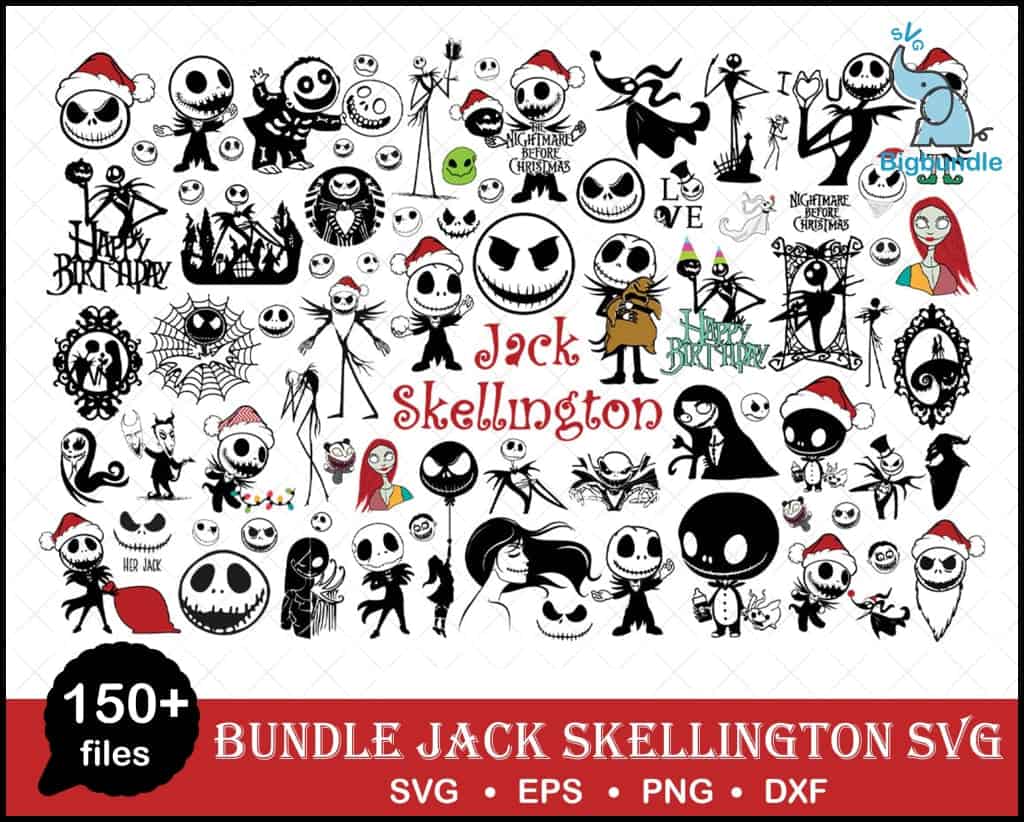
This Jack Skellington bundle many SVG is a multi-design collection of Nightmare Before Christmas silhouettes and line art, made for vinyl decals, t-shirts, mugs and tumblers. You get SVG, PNG (300 dpi, transparent), DXF, EPS and PDF files. The artwork is mostly black on a white background, with red and dark red accents, light blue and green details, and a sheet that shows Jack Skellington faces, full-body figures, Sally, Oogie Boogie and Zero the ghost dog. You will also find pumpkins, spider webs, Santa hats, Christmas lights and the Halloween Town castle. Some designs carry lettering such as “Jack Skellington,” “Nightmare Before Christmas,” “Happy Birthday,” “LOVE” and “Her Jack,” so the set covers Halloween, Christmas and birthday projects. Because the designs are arranged on one collage sheet, you can cut only the pieces you need for each project.
Design breakdown
The preview sheet is a landscape collage on a white background and shows designs including Jack Skellington faces, Sally, Oogie Boogie, Zero the ghost dog and Halloween Town castle silhouette, among others shown in the preview. The artwork uses black, white, red, dark red, light blue and green. The files are built in 3 layers, and the cut detail is high, with fine web lines and small faces that need a larger cut size, so cut the smallest pieces at 4 inches or larger.
| Layers | 3 |
|---|---|
| Colours | 6 — black (#000000), white (#FFFFFF), red (#D32F2F), dark red (#C62828), light blue (#2BA3D8), green (#7CB342) |
| Lettering | Jack Skellington / Nightmare Before Christmas / Happy Birthday / LOVE / Her Jack / SVG / EPS / PNG / DXF / 150+ files |
| Background | white |
| Cut complexity | high |
| Orientation | landscape |
What’s included
- SVG
- PNG (300 dpi, transparent)
- DXF
- EPS
Works with
- Cricut Design Space
- Silhouette Studio (Designer Edition)
- Brother ScanNCut
- Adobe Illustrator
- Inkscape
- CorelDRAW
How to use
Download the zip file from your order and unzip it to a folder on your computer. Open Cricut Design Space, Silhouette Studio or Inkscape, then choose Upload or File and Open to import the SVG. Select the design you want, check its size, and ungroup or separate the layers before you cut. For printing, import the PNG file into your print software and use the transparent background for sublimation or printing.
Licence
Personal and small-business commercial use. Sell finished physical items; do not resell or redistribute the files themselves.
FAQ
What files are included in this Jack Skellington bundle?
You get SVG, PNG (300 dpi, transparent), DXF, EPS and PDF files. Each format suits a different machine or print method, so you can pick the one your software reads best.
Can I use a Jack Skellington design on a 20oz tumbler?
Yes, the designs work on tumblers, and the set also suits mugs and t-shirts. Check the size of the Jack Skellington figure against the tumbler wrap before you cut or print.
Which machines and programs does this work with?
It works with Cricut Design Space, Silhouette Studio (Designer Edition), Brother ScanNCut, Adobe Illustrator, Inkscape and CorelDRAW. The PNG files can also be used in standard print software.
Can I resize the designs and use them for a small business?
Yes, you can resize the files in your cutting software. The licence covers personal and small-business commercial use for finished physical items, but you may not resell or redistribute the files themselves.


