My First Disney Trip Airplane Design with Mickey, Minnie and Friends, Ready for Shirts
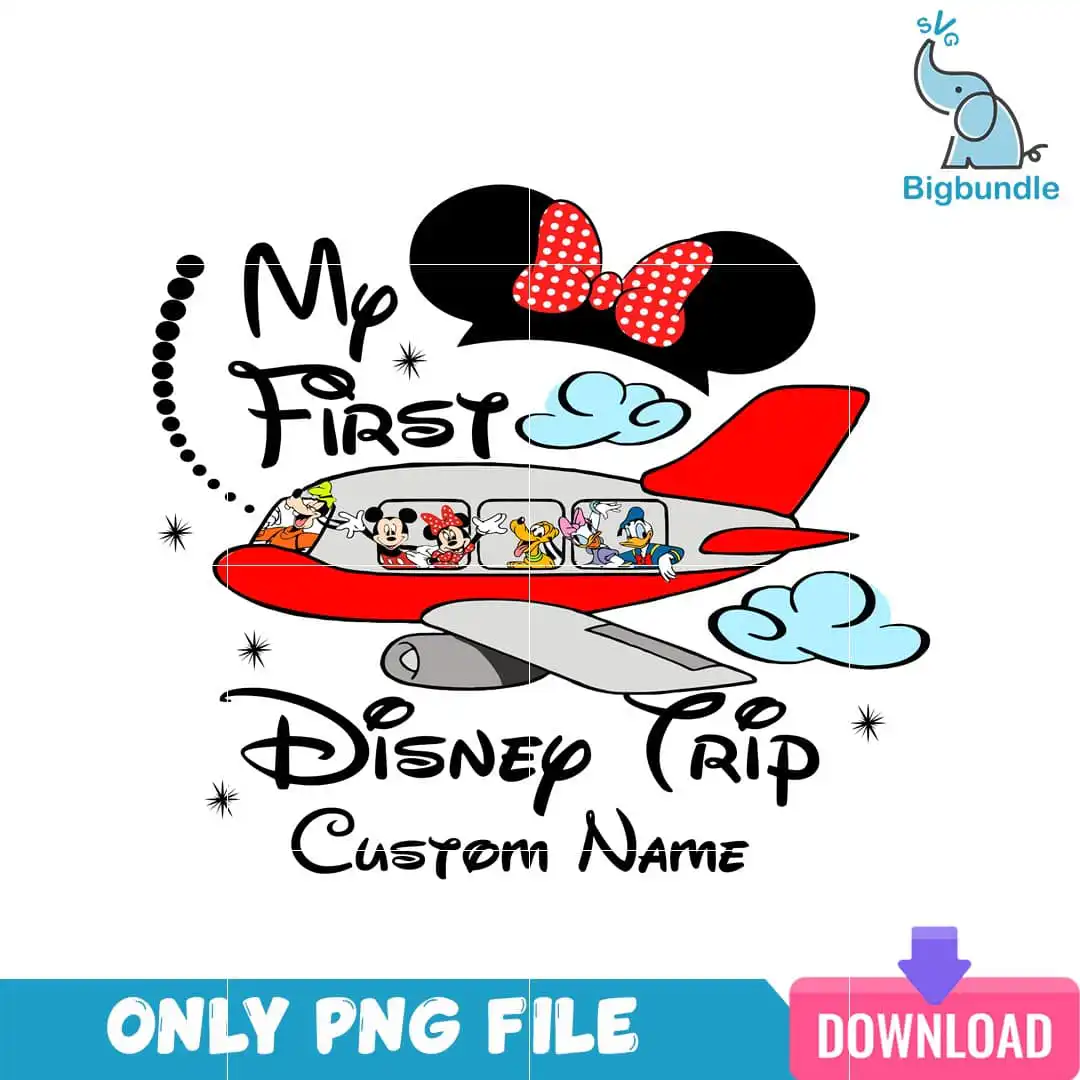
My First Disney Trip is a single cartoon airplane design with the lettering “My First Disney Trip Custom Name” across the artwork, and it is delivered as a PNG file with a transparent background. The design shows Mickey, Minnie, Goofy, Pluto, Daisy and Donald Duck seated in the plane windows, with a dotted flight path, clouds and sparkle stars around the plane. The palette is black, red, white, light blue and grey, so the colours stay clear once pressed. It is made for sublimation printing on shirts, tote bags and mugs, and for vinyl and DIY craft projects. The Custom Name line gives you room to add a family member’s name, which makes it a good keepsake for a family vacation. The lettering is script, and the artwork is set on a white background. Fine details such as the bow and ears silhouette are included, so the design suits a larger print size. You get one design, not a set, and it works as a ready-to-press file for Epson and Sawgrass sublimation printers as well as DTF and print-and-cut workflows.
Design breakdown
The artwork is cut in 6 layers and uses 5 colours: black, red, white, light blue and grey. It includes an airplane, a Minnie Mouse bow and ears silhouette, Mickey Mouse, Minnie Mouse, Goofy, Pluto, Daisy Duck and Donald Duck seated in the plane windows, along with clouds, a dotted flight path and sparkle stars. The lettering reads “My First”, “Disney Trip” and “Custom Name” in script. The cut has medium complexity, so fine details such as the sparkle stars and the bow and ears silhouette are best cut or pressed at 4 inches or larger. The design sits on a transparent background at 300 dpi and is a single square design on one sheet.
| Colours | 5 — black (#000000), red (#E53A2F), white (#FFFFFF), light blue (#A9D8F0), grey (#B7B7B7) |
|---|---|
| Lettering | My First / Disney Trip / Custom Name |
| Background | white |
| Orientation | square |
What’s included
- PNG (300 dpi, transparent background)
Works with
- Sublimation printers (Epson, Sawgrass)
- DTF / print-and-cut workflows
- Canva
- Adobe Photoshop
How to use
Download the order and unzip the folder to a location you can find, such as your desktop. Open the PNG in Canva, Adobe Photoshop or your sublimation software, then import it into your design layout. Resize it to your product, keeping the proportions locked so the lettering and the characters stay sharp. Print on sublimation paper or prepare the file for your DTF or print-and-cut setup, then press or apply it to your item.
Licence
Personal and small-business commercial use. Sell finished physical items; do not resell or redistribute the files themselves.
FAQ
What files do I get with this My First Disney Trip design?
You get one PNG file at 300 dpi with a transparent background. The file is a single design, so there is no bundle of extra artwork.
Can I put this Disney Trip airplane design on a kids’ t-shirt or a tote bag?
Yes, it suits both a kids’ t-shirt and a tote bag. Press it with a sublimation printer on light fabric or print it for a DTF transfer, and check that the design fits your chosen print area.
Which printers and software work with this PNG?
It works with Sublimation printers such as Epson and Sawgrass, DTF and print-and-cut workflows, Canva and Adobe Photoshop. The transparent background means it layers cleanly over your product colours.
Can I resize this design and use it for my small business?
Yes, you can resize it for your items. The licence covers personal and small-business commercial use for selling finished physical items, but you may not resell or redistribute the files themselves.