

Bluey Name PNG Halloween Shirt Design: Vampire Dog Character for Sublimation and Print
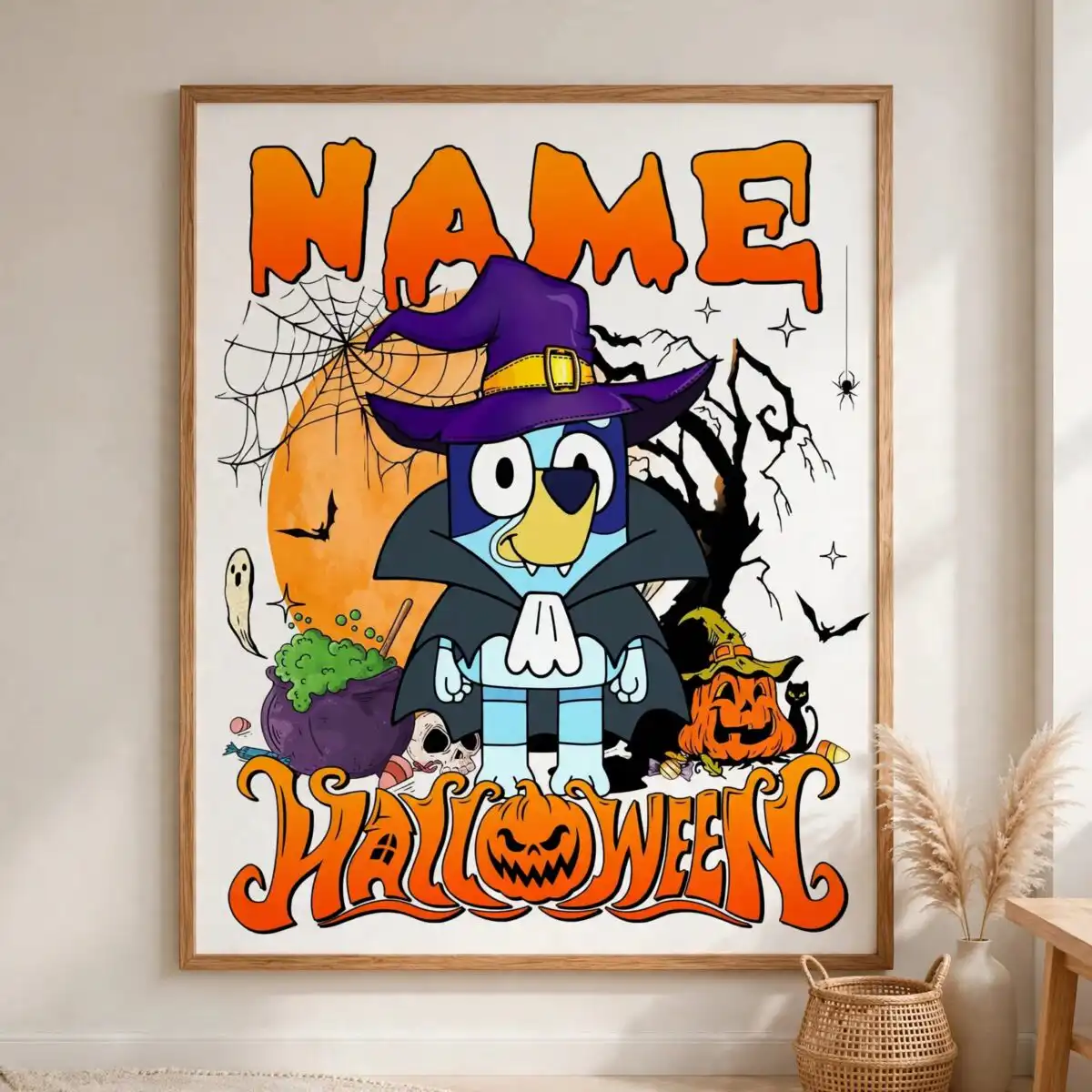
This Bluey Name PNG Halloween design is a single cartoon dog character dressed as a vampire, supplied as one PNG file with a transparent background. It is made for t-shirts, sublimation, tote bags and stickers. The character wears a purple witch hat with a gold buckle and a high-collared vampire cape, and the artwork carries NAME and Halloween lettering in a retro drip style. The palette is bold orange, black, purple and blue, with white and green accents. Around the dog you will find an orange full moon, a spider web with a hanging spider, bats, a bare spooky tree, a bubbling green cauldron, jack-o’-lantern pumpkins, a small ghost, a skull and a black cat. Fangs and a few pieces of candy add to the spooky-fun mood. The NAME field is ready for a child’s name, a family member or a nickname, so you can personalise the piece for your own Halloween. Fans of Bluey will recognise the playful style at once.
Design breakdown
This is one design, a single portrait-oriented artwork on a white background, supplied as a PNG with a transparent background for printing. It is cut in 3 layers and uses six colours: orange, purple, black, blue, white and green. The main elements are the dog character in its vampire costume with purple witch hat and gold buckle, the high-collared cape and fangs, plus the orange full moon, spider web, hanging spider, bats, bare tree, green cauldron, jack-o’-lantern pumpkins, small ghost, skull, black cat and candy. The lettering reads NAME and Halloween in retro drip style. Fine details such as the spider web and the candy are best printed at 4 inches or larger.
| Colours | 6 — orange (#F28C1E), purple (#5B2D8E), black (#2B2B2B), blue (#3A6FD8), white (#FFFFFF), green (#7ED321) |
|---|---|
| Lettering | NAME / Halloween / ONLY PNG FILE / DOWNLOAD / svg |
| Background | white |
| Orientation | portrait |
What’s included
- PNG (300 dpi, transparent background)
Works with
- Sublimation printers (Epson, Sawgrass)
- DTF / print-and-cut workflows
- Canva
- Adobe Photoshop
How to use
Download the zip file from your order and unzip it to a folder on your computer. Open the PNG in Canva, Adobe Photoshop or your sublimation software. Replace NAME with the name you want, or leave it as it is for a ready-made design. Resize the artwork proportionally, keep the transparent background, and send it to your printer or cutter. For a t-shirt, mirror the image if your heat press or transfer method requires it.
Licence
Personal and small-business commercial use. Sell finished physical items; do not resell or redistribute the files themselves.
FAQ
What files do I get with this Bluey Halloween design?
You get one PNG file at 300 dpi with a transparent background. The file is a single design, with no extra variations included.
Can I use this Bluey Halloween design on a 20oz tumbler?
Yes, the artwork can be printed on a 20oz tumbler using sublimation. Resize it to fit the wrap area, and keep the NAME lettering large enough to read at a glance.
Does this PNG work with Sawgrass or Epson sublimation printers?
Yes, the file works with Sublimation printers such as Epson and Sawgrass, and with DTF and print-and-cut workflows. It also opens in Canva and Adobe Photoshop.
Can I resize this design and use it for my small business?
Yes, you can resize it freely. The licence covers personal and small-business commercial use for selling finished physical items, but you may not resell or redistribute the files themselves.


