Scare Bears Horror Movies SVG Cut File for Halloween Shirts, Tumblers and Mugs
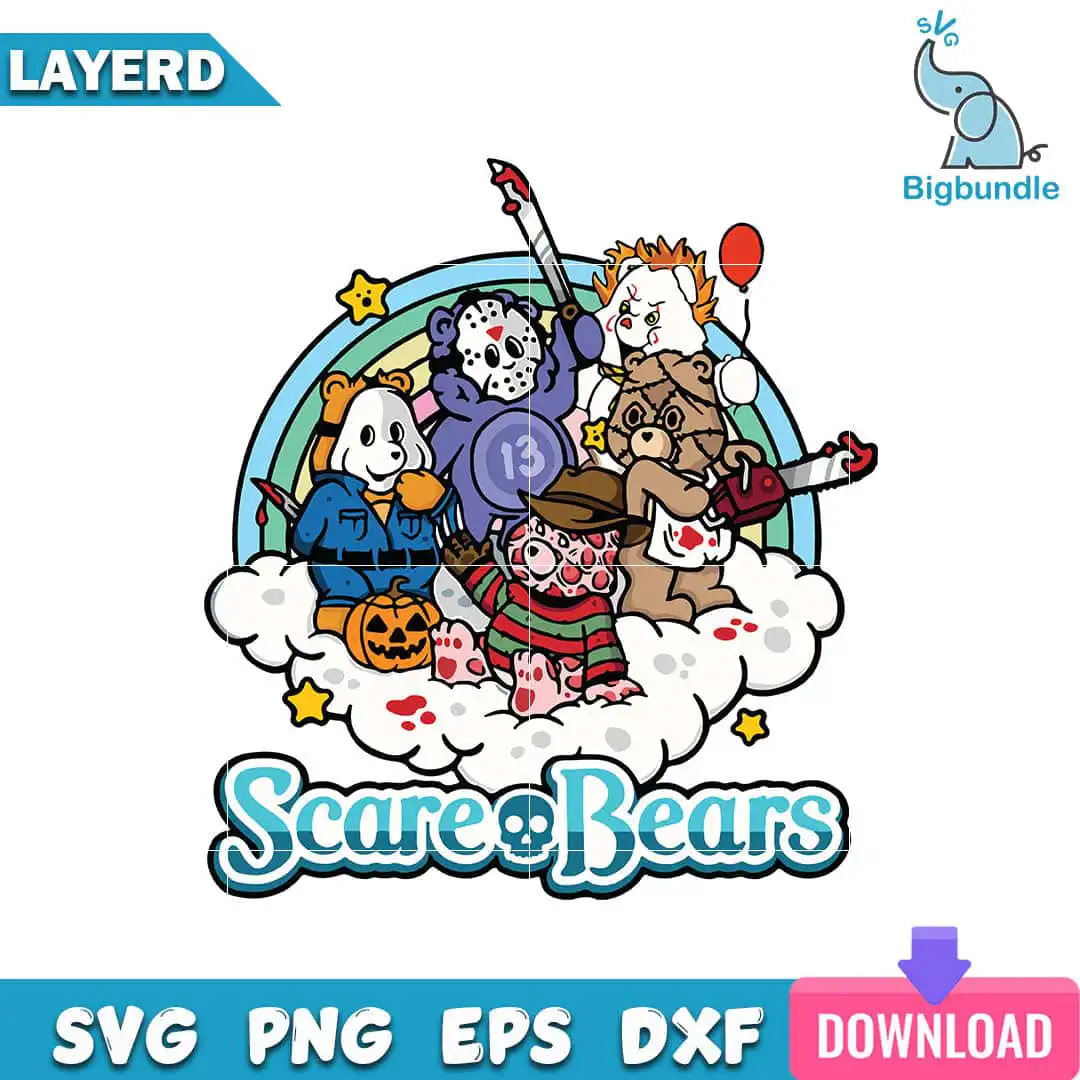
This Scare Bears design is a single Halloween cut file that parodies horror-movie villains as cute teddy bears. You get SVG, PNG, DXF, EPS and PDF files, made for T-shirts, tumblers, mugs, stickers and sublimation. The artwork shows a teddy bear in a hockey mask with a machete, a bear dressed as Pennywise with a red balloon, and a bear in a striped sweater and fedora. Each bear sits on a white cloud under a rainbow arc, with the words “Scare Bears” across the design. The palette runs through teal blue, purple, red, orange and yellow, with mint green, navy and pink for accents. Because the bears are rendered with bold outlines, the design reads clearly at shirt and mug sizes, and the blood splatter spots add a playful gore note without getting in the way.
Design breakdown
The design is cut in 12 layers and includes teddy bears dressed as Jason Voorhees with a hockey mask and machete, Pennywise with a red balloon, Freddy Krueger in a striped sweater and fedora, and a Leatherface-style bear with a chainsaw. Other figures include a bear in a blue jumpsuit holding a knife, a bear with a jack-o’-lantern pumpkin, and a blue bear with a number 13 hockey-style badge. The scene also includes a rainbow arc, a cloud, stars and blood splatter spots, with the lettering “Scare Bears”. The colour palette has 10 colours: teal blue, purple, red, orange, yellow, mint green, brown, pink, white and navy. The design is square on a white background. Fine details such as the masks, balloon strings and star points are best cut at 4 inches or larger.
| Layers | 12 |
|---|---|
| Colours | 10 — teal blue (#2BA7C4), purple (#7B5CC4), red (#C0392B), orange (#E97B2A), yellow (#F4C542), mint green (#8BC9A3) |
| Lettering | Scare Bears |
| Background | white |
| Cut complexity | high |
| Orientation | square |
What’s included
- SVG
- PNG (300 dpi, transparent)
- DXF
- EPS
Works with
- Cricut Design Space
- Silhouette Studio (Designer Edition)
- Brother ScanNCut
- Adobe Illustrator
- Inkscape
- CorelDRAW
How to use
Download the zip file from your order and unzip it to a folder on your computer. For Cricut Design Space or Silhouette Studio, open the app, choose Upload, and import the SVG file. For sublimation or print, use the PNG at 300 dpi with transparent background. Check the sizing on your screen before you cut or print, then weed or press as your project needs.
Licence
Personal and small-business commercial use. Sell finished physical items; do not resell or redistribute the files themselves.
FAQ
What files come with the Scare Bears horror movies SVG?
You receive SVG, PNG, DXF, EPS and PDF files. The PNG is 300 dpi with a transparent background, so it is ready for sublimation and printing.
Can I use this Scare Bears design on a 20oz tumbler?
Yes, the design works on a 20oz tumbler when you use the PNG for sublimation or the SVG for vinyl. Keep the bears at a size that suits the wrap, as the smaller details like the hockey mask and balloon may need room to stay clear.
Which machines and programs does this file work with?
It works with Cricut Design Space, Silhouette Studio (Designer Edition), Brother ScanNCut, Adobe Illustrator, Inkscape and CorelDRAW. The SVG and DXF files suit cutting machines, and the PNG suits printers and sublimation.
Can I resize the design and what am I allowed to make with it?
Yes, you can resize the design in your cutting or design software. The licence covers personal and small-business commercial use, so you can sell finished physical items made with it, but you may not resell or redistribute the files themselves.