

Sesame Street PNG Images: Watercolor Splash Puppet Characters for Shirts, Mugs
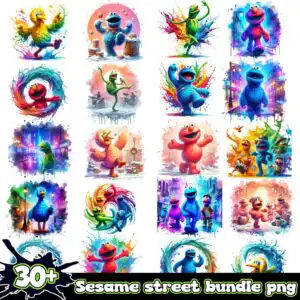
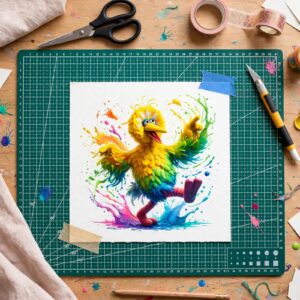
This Sesame Street PNG images set is a grid preview of watercolor-style splash illustrations of puppet-like characters, delivered as transparent PNG files for sublimation, shirts, mugs and tumblers. Inside you will find bright blue, red, yellow, green, purple and orange figures with fur-textured bodies, placed in varied poses and scenes beside paint splashes and swirl rings. The artwork is shown on a white sheet with a bold black ink splatter badge reading “30+” and green-outlined white lettering that says “Sesame Street bundle PNG”. The bright blue and yellow figures sit alongside street lamps, buildings and snowflakes, so you can pick the scenes that suit your project. Each design is saved as a separate PNG at 300 dpi with a transparent background, so the colours print cleanly on light and white blanks.
Design breakdown
This preview sheet shows 20 designs in a grid, and the designs include a yellow bird-like figure, a blue furry round figure, a green lanky figure, a red furry round figure, a purple furry figure and an orange furry figure. Other designs visible in the preview include a drum kit, a cookie and a Christmas wreath, all among the designs shown in the preview. The artwork uses white, bright blue, red, yellow, green, purple, orange and black, with the black ink splatter badge and green-outlined white lettering as the main text elements. The grid sheet is a preview of the artwork, and the figures are cut in 6 layers, so fine details such as swirl rings and snowflakes are best cut at 4 inches or larger.
| Colours | 8 — white (#FFFFFF), bright blue (#1E5FD6), red (#E8413A), yellow (#F7D21E), green (#3DBE4A), purple (#8E3FD1) |
|---|---|
| Lettering | 30+ |
| Background | white |
| Orientation | portrait |
What’s included
- PNG (300 dpi, transparent background)
Works with
- Sublimation printers (Epson, Sawgrass)
- DTF / print-and-cut workflows
- Canva
- Adobe Photoshop
How to use
Download the ZIP file and unzip it to a folder on your computer. Open your design software, such as Canva, Adobe Photoshop or your sublimation printer’s software, and import the PNG files you want to use. Place each design on your blank, check the size, and print using a sublimation printer or send the file to your DTF workflow. Use the grid preview as a guide to choose your designs before you print.
Licence
Personal and small-business commercial use. Sell finished physical items; do not resell or redistribute the files themselves.
FAQ
What files are included with this Sesame Street PNG images set?
The set includes PNG files at 300 dpi with transparent backgrounds. The grid preview shows 20 designs, and each one is delivered as a separate PNG.
Can I use this Sesame Street design on a 20oz tumbler?
Yes, the PNG files can be used as tumbler wraps. Check the size of each design against your tumbler template before you print, because some scenes have fine details.
Which printers and software work with these PNG files?
They work with Sublimation printers such as Epson and Sawgrass, DTF and print-and-cut workflows, Canva and Adobe Photoshop.
Can I resize these PNG files and use them for my small business?
You can resize the PNG files to fit your project. The licence covers personal and small-business commercial use for selling finished physical items, but you may not resell or redistribute the files themselves.


