

Bad Bunny Christmas Themed Sublimation Wrap Designs for 16oz Libbey Glass Cans
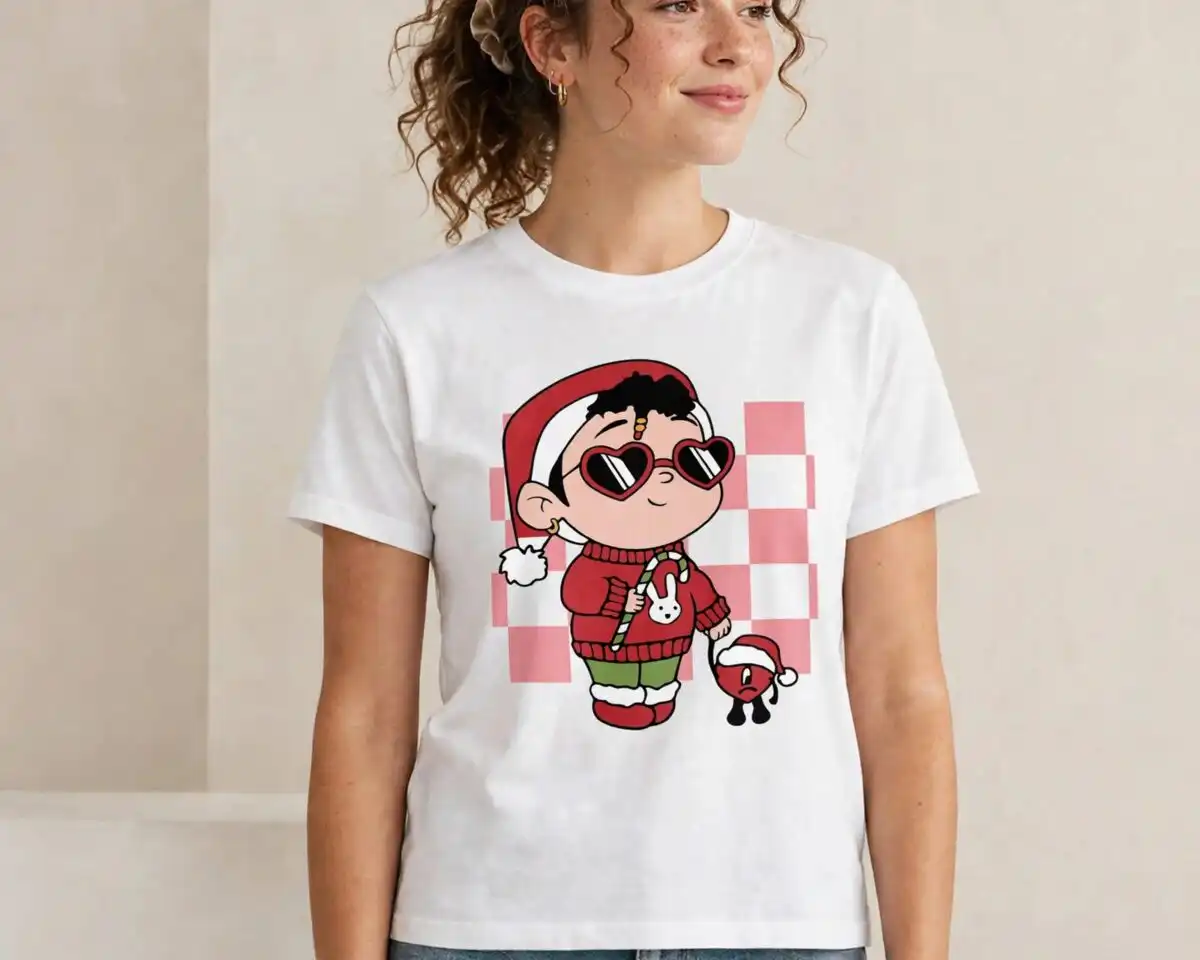
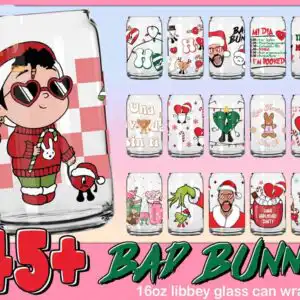
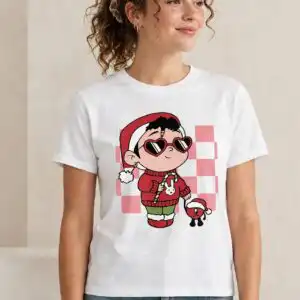
This Bad Bunny Christmas themed sublimation design is a PNG preview sheet of 15 holiday wrap variations, built around a large cartoon Bad Bunny character in a red Santa hat and heart-shaped sunglasses. You get transparent PNG files that you can print for 16oz Libbey glass can wraps, tumblers, mugs and gift tags. The lettering includes BAD BUNNY, ME PORTO BONITO, I’M BOOKED and Feliz Navidad, set against Christmas red, white, pink and holiday green. Other elements include a candy cane, a snowman, string lights, a gingerbread bunny and snowflakes, all on a checkerboard pink-and-white background. The mood is playful, festive and cheerful, with a retro Christmas feel. Use it for gifts for fans or for your own holiday cups.
Design breakdown
The preview sheet lays out 15 distinct wrap designs in a grid, with a large cartoon Bad Bunny character as the main example. The artwork uses Christmas red, white, pink, holiday green, black and cream, with a checkerboard pink-and-white background in several layouts. Other motifs shown in the preview include a candy cane, a snowman, a Grinch, a gingerbread bunny, a hot cocoa mug, an iced coffee cup, a Christmas tree ornament, a bell and snowflakes. Each design is cut in 3 layers, and the cut is low in complexity, so it works well with standard sublimation and print-and-cut workflows. The files are transparent PNGs at 300 dpi, saved on a white background.
| Colours | 6 — Christmas red (#D42B2B), white (#FFFFFF), pink (#F4A6B4), holiday green (#1E7A3C), black (#2B2B2B), cream (#F5E6C8) |
|---|---|
| Lettering | 45+ / BAD BUNNY / 16oz libbey glass can wrap / BAD BUNNY / MI DIA / YHLQMDLG / ME PORTO BONITO / I’M BOOKED / Una Navidad Sin Ti / Navidad / Feliz Navidad / Una Navidad Sin Ti / Mi Dia / Una Navidad Sin Ti |
| Background | white |
| Orientation | square |
What’s included
- PNG (300 dpi, transparent background)
Works with
- Sublimation printers (Epson, Sawgrass)
- DTF / print-and-cut workflows
- Canva
- Adobe Photoshop
How to use
Download the ZIP file from your order and unzip it to a folder on your computer. Open the PNG you want in Canva, Adobe Photoshop or your sublimation software. Resize the image to fit your 16oz Libbey glass can or tumbler template, then print it on sublimation paper using your Epson or Sawgrass printer. Press or wrap it according to your heat-transfer instructions.
Licence
Personal and small-business commercial use. Sell finished physical items; do not resell or redistribute the files themselves.
FAQ
What files are included with this Bad Bunny Christmas themed sublimation design?
You receive PNG files at 300 dpi with transparent backgrounds. The download covers the 15 wrap variations shown on the preview sheet, including the large cartoon Bad Bunny character.
Can I use this Bad Bunny design on a 20oz tumbler?
Yes, the PNG files can be resized to fit a 20oz tumbler template. Check the printed size against your tumbler’s wrap measurements before you print.
Which printers and software work with these PNG files?
The files work with Sublimation printers such as Epson and Sawgrass, and with DTF or print-and-cut workflows. They also open in Canva and Adobe Photoshop.
Can I resize the files and sell the finished mugs or cans?
You can resize the PNGs for your project. The licence covers personal and small-business commercial use, so you can sell finished physical items, but you cannot resell or redistribute the files themselves.


