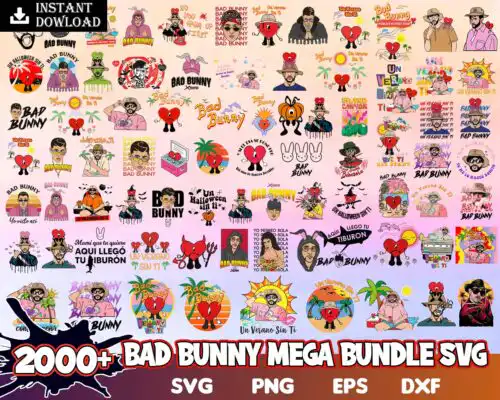
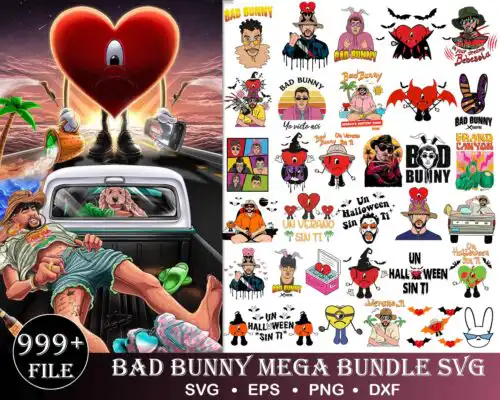
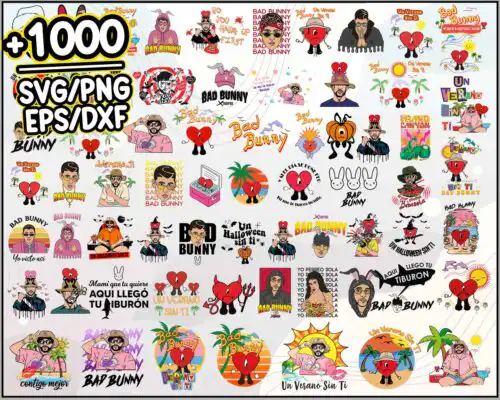
50+ Bad Bunny Halloween, Bad Bunny Horror SVG, Bad Bunny svg, Freddy Kruger svg, Svg files for cricut, Digital download. to Pinterest (opens in a new window)
Bad Bunny SVG files are cut and print graphics for DIY makers, where cut-file designs include SVG, PNG (300 dpi, transparent), DXF, EPS and PDF and PNG-only designs are PNG (300 dpi, transparent background) for sublimation, used to make t-shirts, tumbler wraps, decals, tote bags, hats and party decor. These designs are united by the same artist-inspired theme but vary widely across mixed subjects and mixed styles, so you get everything from clean one-color cuts to textured, layered looks in one place. They are built for year-round making and work well for fans, concert outfits, birthday setups, small business sellers and gift makers who want the same vibe across different products without hunting for separate files.
Choosing the right design
Start by deciding how you will make it. Single-layer designs cut fastest and weed easiest, so they suit small decals, left-chest logos, hats and kids sizes. Layered or distressed versions add depth for large front-of-shirt graphics and hoodies, but check how many colors you want to press. For tumblers and mugs, choose PNG-heavy or PNG-only designs with 300 dpi transparent backgrounds for full-wrap sublimation, and look for less fine detail so the wrap does not lose edges. For HTV, favor bold lines and open space. Before cutting, check each design's file list to confirm whether it includes SVG, DXF, EPS and PDF or is PNG-only, test size at 100% in Cricut Design Space or Silhouette Studio, and mirror for iron-on if needed.
Bad Bunny SVG for shirts vs tumblers which should I pick
Pick bold, single-color or two-color versions for shirts and detailed 300 dpi PNGs for tumblers. Shirts need easy-to-weed vinyl that holds up in the wash, so thick lines and fewer small islands work best. Tumbler wraps and mugs need high-resolution transparent PNGs that cover the curve without pixelation. These designs include both, so check the included files and choose cut files for vinyl and PNG-only for sublimation.
Do I need SVG or PNG for Bad Bunny SVG?
You need SVG for vinyl cutting and PNG for sublimation and print-then-cut. SVG, DXF, EPS and PDF are for blade cutting in Cricut Design Space, Silhouette Studio, Brother ScanNCut and other cutters. PNG at 300 dpi with transparent background is for sublimation printers, DTF and direct print. Cut-file designs in this group include SVG, PNG, DXF, EPS and PDF, while PNG-only designs are for printing, and each design lists its own files.
How to cut layered Bad Bunny SVG on Cricut?
Cut layered Bad Bunny SVG by color in Cricut Design Space using the layers panel and press from the bottom up. Ungroup, assign each color, cut each layer on matching HTV or vinyl, and keep a weeding box around fine text. Use Designer Edition mat settings for Silhouette Studio. Press the base layer for 2-3 seconds to tack, then add top layers with parchment and full press time to avoid shrinking and misalignment.
How to size Bad Bunny SVG for adult youth and baby shirts?
Use 10 to 11 inches wide for adult shirts, 7 to 8 inches for youth, and 4.5 to 5.5 inches for baby onesies. Keep fine details at least 0.2 inches thick so they weed and stay. Size down by keeping proportions locked in Design Space and test on paper first. For left-chest logos, use 3 to 3.5 inches regardless of size. These mixed-style designs scale well, but bold versions are more forgiving at tiny sizes.
It depends on the design. Cut-file designs include SVG, PNG (300 dpi, transparent), DXF, EPS and PDF for cutting and printing. PNG sublimation designs are PNG (300 dpi, transparent background) only, made for sublimation, DTF and print-and-cut. Each design lists its own included files on its product page, so check before you buy.
Which machines work with these Bad Bunny SVG files?
These files work with Cricut Design Space, Silhouette Studio Designer Edition, Brother ScanNCut, Adobe Illustrator, Inkscape, CorelDRAW, sublimation printers like Epson and Sawgrass, DTF and print-and-cut workflows, plus Canva and Adobe Photoshop for PNG use. Use SVG or DXF for cutting and PNG for printing.
Can I sell shirts and tumblers I make with these designs?
Yes. All designs include personal and small-business commercial use. You can sell finished physical items like shirts, tumblers, tote bags and decals that you make yourself. You cannot resell, share or redistribute the digital files themselves as files, bundles or templates.