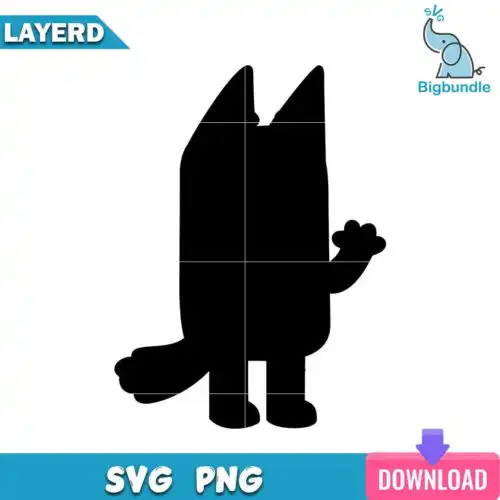
Bingo Bluey SVG files are cut and print designs featuring Bingo from Bluey, with cut-file designs including SVG, PNG (300 dpi, transparent), DXF, EPS and PDF, and PNG-only designs for sublimation and printing, used to make t-shirts, birthday shirts and decor, stickers, tumblers, mugs and party favors. These designs are united by the same character in different poses and actions, from standing and sitting to hugging and playing, so you get lots of ways to use her across projects. Styles are mixed, including solid, outline, and silhouette versions, which makes it easy to match vinyl, print-and-cut, or sublimation. They are made for year-round crafting for birthdays, playdates, classrooms, and everyday gifts.
Choosing the right design
These designs come as single character poses, so you are choosing between styles, not bundles. For small or detailed work like baby onesies, tumbler decals, or stickers, pick outline and silhouette versions because they cut cleaner and weed faster with fewer tiny pieces. For larger statement pieces like adult and youth birthday shirts, tote bags, or party signs, solid and toy-style versions give you more color and presence. If you like layered looks, check that the design includes separate color layers and that your listed files show SVG and PNG; cut-file designs include SVG, DXF, EPS, PDF and PNG, while PNG-only designs are for sublimation and printing and each design lists its own files. Before cutting, check mirror for HTV, size for your blank, and whether you need Designer Edition for Silhouette.
Are Bingo Bluey SVG better for shirts or tumblers?
Both work, but choose the style to match the blank. Outline and silhouette versions are best for tumblers, mugs, cups and small decals because they stay readable at 2-4 inches and weed easily on curved surfaces. Solid and toy versions are best for shirts, sweatshirts, and birthday decor where you have more space for color layers, HTV, or printable vinyl. For sublimation tumblers, use the 300 dpi transparent PNG.
Should I use svg or png for Bingo Bluey SVG?
Use SVG for vinyl cutting and use PNG for printing. SVG is for Cricut Design Space, Silhouette Studio, ScanNCut and other cutters because it keeps crisp edges at any size and lets you separate colors. PNG (300 dpi, transparent) is for sublimation, DTF, print-and-cut, and Canva or Photoshop. Cut-file designs include SVG, PNG, DXF, EPS and PDF, while PNG-only designs are made for sublimation and printing, so check each design's file list before you buy.
How to cut layered Bingo Bluey SVG on Cricut?
You can cut layered versions easily by uploading the SVG and ungrouping by color. Cut-file designs come with layers already separated, so assign each layer a vinyl color in Design Space, mirror only for HTV, and use a weeding tool for small spots. Press bottom layers first with light tack. If you prefer no layering, pick outline or silhouette versions and cut as a single color, then use the included transparent PNG if you want to print instead.
What size should Bingo Bluey SVG be for kids shirts?
For kids shirts, size Bingo at 7-9 inches wide for toddler and youth, 9-10.5 inches for adult. Keep outline and silhouette versions on the smaller end of that range because thin lines get lost when too small, and bump solid versions up slightly for better color coverage. Always measure your blank and do a test cut at 3 inches first. If adding a name, leave 1 inch of space and shrink the character 0.5 inch to avoid crowding.
Cut-file designs include SVG, PNG (300 dpi, transparent), DXF, EPS and PDF for cutters and print workflows. PNG-only designs are made for sublimation and printing and include PNG (300 dpi, transparent background). Not every design includes SVG, DXF or EPS, so check the file list shown with each design to see exactly what is included.
Do these work with Cricut and silhouette?
Yes. The SVG works in Cricut Design Space, Silhouette Studio (Designer Edition for SVG), Brother ScanNCut, Adobe Illustrator, Inkscape, CorelDRAW, Canva and Photoshop. DXF is included for Silhouette basic users. The PNG works with sublimation printers like Epson and Sawgrass, and with DTF and print-and-cut workflows.
Can I sell things I make with Bingo Bluey SVG?
Yes, for personal and small-business commercial use. You can sell finished physical items like shirts, tumblers, stickers and party decor that you make. You cannot resell, share or redistribute the digital files themselves as files, and you cannot claim to be official or licensed. Each design includes the same license terms.