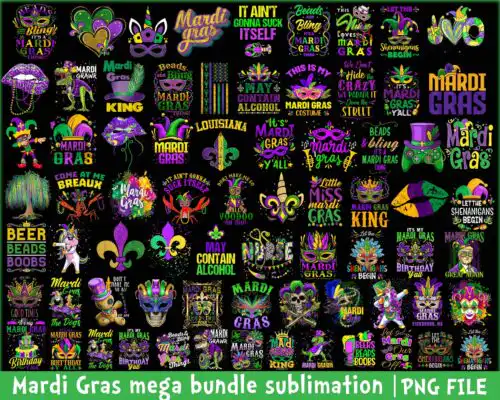
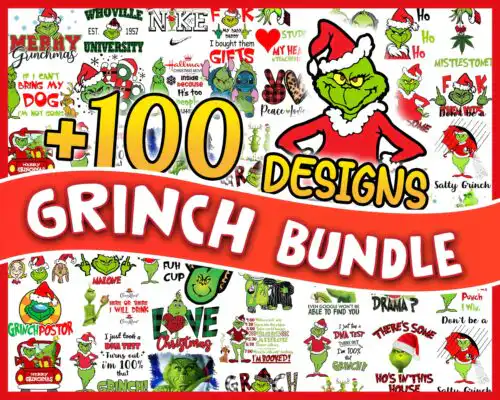
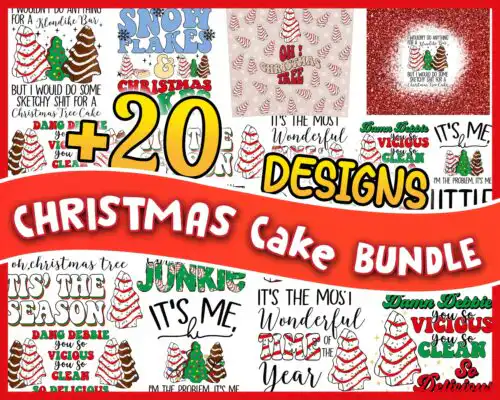
Christmas Bundle SVG files are ready-to-cut and ready-to-print artwork, with cut-file designs including SVG, PNG (300 dpi, transparent), DXF, EPS and PDF and PNG-only designs as PNG (300 dpi, transparent) for sublimation and printing, made for shirts, mugs, tumblers, blankets, hats and party decor. These designs are united by a big, festive mix of cartoon characters and christmas elements in grid layouts, Grinch characters with a mischievous expression often wearing santa hats, plus their brown dog, quotes and themed icons. You will find cartoon, flat, distressed, line-art, retro and quote styles built for christmas and also useful for year-round, birthday and party projects. Each design shows its own files, so you know if you are getting a full cut bundle or a print-only set.
Choosing the right design
Choose by how you plan to make it, not just how it looks. Single-layer designs cut fastest and weed easiest, so they suit small items like mugs, socks and baby onesies and distressed or flat styles that read well at 2-3 inches. Layered versions and large bundles with separate character silhouettes, ear shapes, bows and quote layers give you more control for adult shirts, blankets and signs, but check if layers are grouped by color and if a distressed texture is baked into the art or on a separate layer. For tumblers and cups, pick clean line-art or solid silhouettes without tiny interior cuts. Before cutting, confirm file type in the design, mirror for HTV, size a test cut for small text in quotes, and use the PNG (300 dpi, transparent) when you are doing sublimation, DTF or print-and-cut instead of vinyl.
Which Christmas Bundle SVG is best for shirts vs mugs?
Use single-layer flat or distressed designs for mugs and tumblers and layered bundles for shirts. Mugs and 20oz tumblers need bold shapes without tiny weeding, so cartoon silhouettes, Grinch characters with santa hats and simple quote layouts wrap cleanly. Shirts, blankets and hoodies can handle large bundles and mega bundles with separate bows, ear silhouettes, sayings and themed elements that you can resize and recolor across front, back and sleeves.
Christmas Bundle SVG vs png which should I use
Use SVG, DXF, EPS and PDF when you are cutting vinyl and PNG when you are printing. Cut-file designs in this group include SVG plus PNG (300 dpi, transparent), DXF, EPS and PDF for Cricut, Silhouette, ScanNCut and laser-friendly workflows, while PNG-only designs are 300 dpi transparent files for sublimation, DTF and print-and-cut. Each design lists its own files on its page, so check before you buy if you need a true cut file or a print file.
How to cut layered Christmas Bundle SVG with Cricut?
Layered Christmas Bundle SVG files cut best when you ungroup by color, size once, then cut. Import the SVG into Cricut Design Space or Silhouette Studio Designer Edition, ungroup and hide the PNG preview, resize the whole group to your blank, then cut each color on its own mat with matching vinyl. For small text in quotes, increase tracking slightly, use a fresh blade and weed from the corner, and press HTV at the vinyl brand's temp with a Teflon sheet.
What size should Christmas Bundle SVG be for shirts?
Make adult shirts 10 to 11.5 inches wide, youth 8 to 9.5 inches and baby 5 to 6.5 inches for these christmas bundle designs. That range keeps cartoon characters, Grinch characters, and quote stacks readable without cracking. For left chest or pocket designs, use 3.5 to 4 inches, and for mugs and tumblers, scale to 2.8 to 3.5 inches tall. Always do a quick mat preview to catch overlapping layers before you cut.
What file formats come with Christmas Bundle SVG designs?
Cut-file designs in this group include SVG, PNG (300 dpi, transparent), DXF, EPS and PDF. PNG-only sublimation designs are PNG (300 dpi, transparent background) for printing, not cutting. Each product page lists exactly what is included, so you can confirm if you need SVG and DXF or just PNG.
Will these work with Cricut, Silhouette and sublimation printers?
Yes. Cut files work with Cricut Design Space, Silhouette Studio Designer Edition, Brother ScanNCut, Illustrator, Inkscape and CorelDRAW, and the 300 dpi PNGs work with sublimation printers like Epson and Sawgrass, DTF and print-and-cut, plus Canva and Photoshop for mockups. Check blade type and mirror setting for HTV before cutting.
Can I sell shirts and mugs I make with these Christmas Bundle SVG files?
Yes, for personal and small-business commercial use. You can sell finished physical items like shirts, mugs, tumblers and party decor made with these designs. You cannot resell, share or redistribute the digital files themselves as files, bundles or clipart packs. No official or licensed affiliation is claimed.