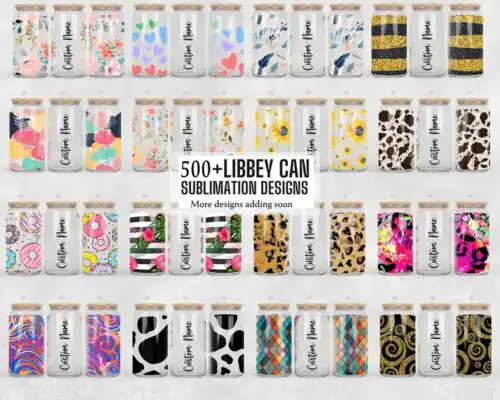
Glass Can Wrap SVG files are wrap-around artwork for 16oz Libbey-style glass cans, supplied as cut-file designs with SVG, PNG, DXF, EPS, PDF and as PNG-only sublimation wraps with 300 dpi transparent backgrounds for full tumbler decorating. These designs are united by Christmas and a green furry character in a Santa hat, drawn in cartoon, flat style that reads cleanly around the curve. They are made for crafters decorating glass cans, tumblers and mugs for holiday gifts, markets and small-business orders. Cut-file designs include SVG, PNG, DXF, EPS and PDF while PNG-only designs are for sublimation and print-and-cut workflows, and each design lists its own included files.
Choosing the right design
These designs fall into two make-types. Single-layer flat graphics cut and press in one go and keep weeding fast, which helps on small 16oz cans where tiny details can lift. Layered versions stack color by color for a raised vinyl look but need careful alignment around the seam. Because this set is all cartoon and flat with bold outlines, the artwork holds up when scaled down and stays readable from across a table, which is ideal for the green furry character and its Christmas elements. Before you choose, check if you want vinyl or sublimation, measure your can height and circumference for the 16oz template you use, and open the file list. If you see SVG, DXF, EPS and PDF you can cut, if you see PNG-only you will print. Test cut small fur texture and hat trim first.
Glass Can Wrap SVG svg vs png which is better
Use SVG for vinyl and DXF cutting and PNG for sublimation. Cut-file designs in this group include SVG, DXF, EPS, PDF and a 300 dpi PNG, so you can cut the flat cartoon shapes on a Cricut or Silhouette. PNG-only designs are 300 dpi with transparent background for sublimation printers, DTF or print-and-cut, where the full-color Christmas artwork wraps the glass without layering.
What size is Glass Can Wrap SVG for 16oz libbey can?
Most Glass Can Wrap SVG for 16oz Libbey-style cans are sized around 9.3 x 4.1 inches for full wrap, with bleed. Use the full width for seamless edge-to-edge coverage and trim the height to your specific can if your tumbler runs short. Flat cartoon designs like these forgive a small stretch, but keep the green character's face away from the seam overlap so the Santa hat stays centered.
Can you cut layered Glass Can Wrap SVG with Cricut?
Yes, you can cut layered Glass Can Wrap SVG with Cricut Design Space, Silhouette Studio Designer Edition and Brother ScanNCut. Ungroup the layers, cut by color on permanent or removable vinyl, and use transfer tape to stack from the largest base layer up. For these flat cartoon designs, cut the green fur base first, then the Santa hat and Christmas accents, and press or apply with a slight overlap to avoid gaps when the glass curves.
How to personalize Glass Can Wrap SVG for christmas gifts?
Add a name, year or short phrase below the main artwork to personalize Glass Can Wrap SVG for Christmas gifts. Keep the personalization in a simple flat font that matches the cartoon style and place it on the back panel opposite the green character so both show when held. Use a contrasting vinyl color or white sublimation text on a dark wrap area, and leave at least 0.25 inch clear from the bottom seal and lid line.
What file formats come with these Glass Can Wrap SVG designs?
It depends on the design type. Cut-file designs include SVG, PNG 300 dpi transparent, DXF, EPS and PDF and work for vinyl cutting and print-and-cut. PNG sublimation designs come as PNG 300 dpi with transparent background for sublimation, DTF and printing in Photoshop, Illustrator, Canva or CorelDRAW. Each design lists its exact files on its product page, so check before you buy.
What machines can I use for Glass Can Wrap SVG?
Cut-file designs work with Cricut Design Space, Silhouette Studio Designer Edition, Brother ScanNCut, Adobe Illustrator, Inkscape and CorelDRAW. PNG sublimation wraps work with Epson and Sawgrass sublimation printers, DTF workflows, Canva and Adobe Photoshop. All PNGs are 300 dpi with transparent backgrounds for clean wrapping on 16oz glass cans, tumblers and mugs.
Can I sell what I make with these Glass Can Wrap SVG?
Yes, personal and small-business commercial use is allowed. You can sell finished physical items like decorated glass cans and tumblers you make yourself. You cannot resell, share or redistribute the digital files themselves as files, bundles or templates. Designs are inspired by a green furry character with a Santa hat and are not official or licensed merchandise.