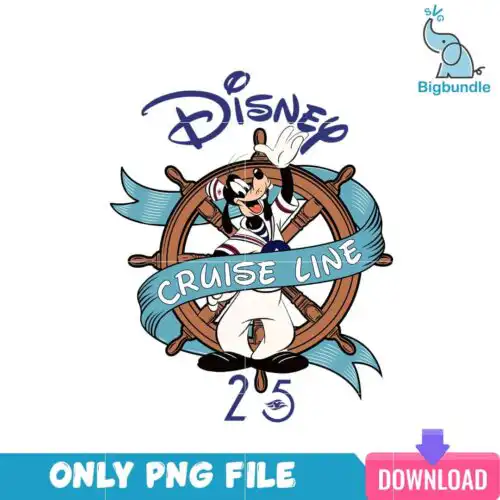
Goofy SVG files are cut and print designs of the classic lanky cartoon dog character, supplied as cut-file designs with SVG, PNG, DXF, EPS, PDF and PNG-only designs with 300 dpi transparent PNG for sublimation, used to make shirts, tumblers, mugs, bags and party decor. These designs are united by the same playful, clumsy personality and expressive poses, but the styles are mixed across the group from clean layered outlines to distressed retro, puff inflated and full-color illustration. Because the occasions are year-round, you will find everyday looks alongside Halloween costumes and Christmas hats, so crafters, parents making family trip shirts, and small shops can all find a version that fits their project.
Choosing the right design
Start by deciding how you want to make it. Layered cut-file designs are best when you want solid vinyl colors you can stack on shirts, totes or wood signs, while full-color PNG designs are made for sublimation and DTF on light mugs, tumblers and polyester shirts. Check the files on each design before you buy – cut-file designs include SVG, PNG, DXF, EPS and PDF, and PNG-only designs are listed as PNG sublimation designs with transparent background. Think about scale: bold, simple silhouettes read well small on baby onesies, hats and treat bags, while detailed scenes with text or texture need more space on adult shirts or 20oz tumblers. For layered versions, mirror and weed the small pieces first and use a light tack mat for Silhouette.
Goofy SVG for shirts or tumblers which should I use
Use layered SVG for vinyl shirts and use transparent PNG for tumblers and mugs. For shirts you want clean-cut layers you can press with HTV, which stays bright wash after wash. For tumblers and sublimation mugs you want the 300 dpi transparent PNG so colors and shading wrap without vinyl edges. These designs include both types, so check the file list on the design you like.
Goofy SVG vs png what is the difference
SVG is a cut file for blades, PNG is a print file for printers. SVG cuts the shape with Cricut, Silhouette or ScanNCut and gives you separate layers for each color. PNG is a high-resolution image with transparent background for sublimation, DTF and print-and-cut. Cut-file designs in this group include SVG, DXF, EPS, PDF and PNG, while PNG-only designs are for printing and do not include cut layers.
How to cut layered Goofy SVG with Cricut?
Upload the SVG to Cricut Design Space and keep layers grouped by color. Size the whole design first, then attach same-color pieces so they stay in place. Cut the base layer, then press or stack each color one at a time, using low heat for a quick tack between layers. These designs have mixed detail levels, so for small cuts turn on intricate cut mode and weed with a fine hook to keep ears and gloves intact.
What size should Goofy SVG be for adult youth and baby shirts?
Size by shirt, not by design: adult 10-11 inches wide, youth 8-9 inches, toddler 6-7 inches, baby 4-5 inches. Keep the height proportional so the long legs and ears do not stretch. These designs vary from tall full-body poses to wide chest graphics, so measure your blank first. For layered vinyl, add a half inch of breathing room around the edges to avoid seams.
It depends on the design. Cut-file designs include SVG, PNG (300 dpi, transparent), DXF, EPS and PDF. PNG sublimation designs are PNG only (300 dpi, transparent background) for printing. Each design page lists exactly what files are included, so you always know before you cut or print.
Will Goofy SVG work with Cricut, Silhouette and sublimation printers?
Yes. SVG, DXF and EPS work with Cricut Design Space, Silhouette Studio Designer Edition, Brother ScanNCut, Illustrator, Inkscape and CorelDRAW. The 300 dpi transparent PNGs work with sublimation printers like Epson and Sawgrass, DTF and print-and-cut workflows, plus Canva and Photoshop for mockups.
Can I sell what I make with Goofy SVG files?
Yes, for small business use. You can sell finished physical items like shirts, mugs, tumblers and decor made with these designs. The licence is personal and small-business commercial use. You may not resell, share or redistribute the digital files themselves as files.
Instant Download Download immediately after successful payment
Secure Payment Experience 100% secure payments, ensuring your transactions are safe.
Outstanding Support Service beyond compare with our exceptional team.
Premium Quality We are meticulous in every detail, ensuring unparalleled excellence.