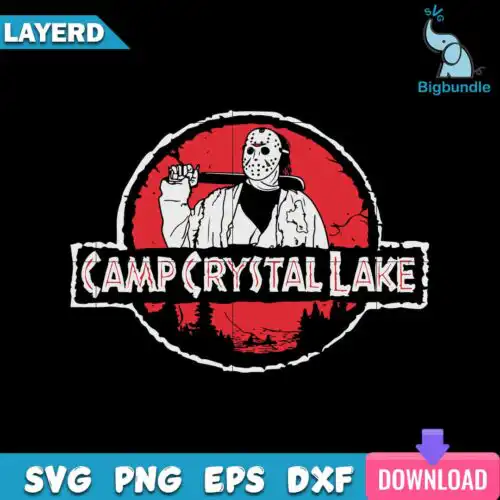
Jason SVG files are horror-themed cut and print designs centered on the classic hockey-mask slasher, with cut-file designs that include SVG, PNG (300 dpi, transparent), DXF, EPS, PDF and PNG-only designs that are PNG (300 dpi, transparent background) for sublimation, made for shirts, tumblers, mugs, signs, stickers and party decor. These designs share the same bold horror attitude but vary widely, from funny Valentine twists and retro slogans to cat-inspired takes and distressed vintage looks. That mix makes them useful year-round, not just for Halloween, for makers who sell at markets, run an Etsy shop, or craft for friends who love horror movies. Each design shows its own included files so you know what you are cutting or printing before you start.
Choosing the right design
These 28 designs are all single designs, but they cut very differently. Start with layout: solid silhouette versions cut fastest and hold up small on baby onesies, chest logos, and tumblers, while detailed layered versions with text or distressed texture need a larger size to keep thin lines from lifting. For apparel, look for thick outlines and centered slogans that read well across adult, youth and baby shirts; save the ultra-detailed or all-over fill versions for larger fronts, tote bags, or wood signs. Before you cut, check the file list on the design you like — cut-file options include SVG, PNG, DXF, EPS, PDF for Cricut, Silhouette and laser workflows, while PNG-only options are built for sublimation, DTF and print-and-cut. Test weed, size up 10-15% for small text, and mirror for HTV.
Jason SVG for shirts vs tumblers which style works
For shirts, pick bold centered designs with thick lines and readable text; for tumblers and mugs, pick compact silhouettes without tiny letters. Shirt graphics need to stay legible after washing and stretching, so distressed fills and big mask shapes work best at 10-12 inches wide. Tumbler wraps and mugs need simpler outlines that wrap without warping, so choose single-color or two-color versions and size to 3-4 inches tall for clean application.
Jason SVG vs png which file should I use
Use SVG when you are cutting vinyl, because it stays sharp at any size and keeps layers editable in Cricut Design Space or Silhouette Studio. Use PNG when you are printing. Cut-file designs in this group include SVG, PNG (300 dpi, transparent), DXF, EPS, PDF, while PNG-only designs are PNG (300 dpi, transparent background) for sublimation, DTF and print-and-cut, and each design lists its own files so check before you buy.
How to cut layered Jason SVG on Cricut or Silhouette?
Layered versions cut best when you separate colors in Design Space or Silhouette Studio (Designer Edition) and cut each color on its own mat. Keep the base mask layer largest, press or layer it first, then add text and detail layers on top. Use a weeding box around small text, set pressure to more for glitter HTV, and use transfer tape for adhesive vinyl. If a design looks thin, size up or use the PNG for print-then-cut instead.
Jason SVG sizing for adult youth baby shirts
Size adult shirts at 11-12 inches wide, youth at 8-9 inches, and baby at 5-6 inches for the same design to keep proportions readable. These horror graphics lose detail below 4 inches, especially around the mask holes and small slogans, so avoid shrinking text-heavy versions for onesies. When you need a tiny left-chest logo, choose the simplest silhouette from the group and use the high-res PNG for crisp edges.
Cut-file designs include SVG, PNG (300 dpi, transparent), DXF, EPS, PDF and work with Cricut Design Space, Silhouette Studio, Brother ScanNCut, Illustrator, Inkscape and CorelDRAW. PNG-only designs are PNG (300 dpi, transparent background) for sublimation printers like Epson and Sawgrass, DTF and print-and-cut workflows, plus Canva and Photoshop. Each design page lists its exact files.
Can I use these Jason SVG files with Cricut and sublimation?
Yes. Cut-file versions cut clean on Cricut, Silhouette, Brother ScanNCut and laser cutters using SVG, DXF or EPS. All designs include a 300 dpi transparent PNG you can use for sublimation, DTF, or print-and-cut on light and dark blanks. For sublimation, mirror the PNG and press per your blank's instructions; for HTV, mirror the SVG and press each color layer.
What can I sell with Jason SVG files?
You can sell finished physical items you make — shirts, hoodies, tumblers, mugs, signs, stickers, party decor and more. Personal and small-business commercial use is allowed. You cannot resell, share, or redistribute the digital files themselves as cut files, clipart, or as part of a digital bundle. The license is for finished goods you craft, not for the artwork files.