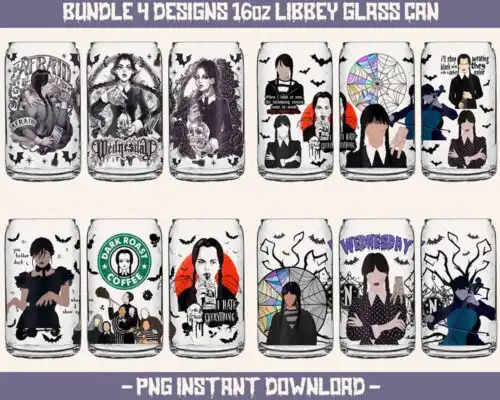
Libbey Glass SVG files are cut and print designs for 16oz glass cans and tumblers, with cut-file designs including SVG, PNG, DXF, EPS and PDF and PNG-only designs made for sublimation with 300 dpi transparent PNGs. These designs are united by a green furry character in a Santa hat with Christmas elements, drawn in cartoon, flat styles for the holiday season. They are made for makers creating festive glass can wraps, Christmas party favors, market stock and personalized holiday gifts that need a bold, recognizable Christmas character at a glance.
Choosing the right design
Choose by how you want to make it. Single-layer flat designs cut fastest and press clean on a small 16oz can curve, while layered versions let you build color with vinyl. Because these are cartoon, flat, they read well at tumbler scale, but keep fine facial details and Santa hat trim above 0.25 inches to avoid weeding issues. For bundles, look for matching face and full-wrap variations so you can mix a simple front with a busy all-over wrap. Before cutting, check what each design includes, cut-file designs include SVG, PNG, DXF, EPS and PDF, while PNG-only designs are for sublimation and printing. Test size on a paper wrap, leave a 0.125 inch bleed for sublimation, and mirror only for HTV.
Are Libbey Glass SVG better for shirts or tumblers?
Libbey Glass SVG are made for tumblers and 16oz glass cans, not shirts. The artwork is sized for a curved glass wrap, with horizontal layouts and clear top and bottom edges that fit the can. If you want the same green furry Christmas art on apparel, choose a version that lists a transparent PNG and size it larger for chest placement.
Do I need svg or png for Libbey Glass SVG?
You need PNG for sublimation and SVG for vinyl. PNG sublimation designs in this group are 300 dpi with transparent backgrounds and are ready to print for glass can wraps. Cut-file designs include SVG, DXF, EPS, PDF and PNG, so you can cut layered vinyl in Cricut Design Space or Silhouette Studio. Each design lists its own files.
How to cut layered Libbey Glass SVG on Cricut?
Cut layered versions by color and assemble before applying. Upload the SVG to Cricut Design Space, ungroup by color, cut each layer on separate vinyl, weed, then layer on transfer tape from largest to smallest. For flat single-color versions, cut once in permanent vinyl. Keep press temperature low for glass can wraps and use cold cup wraps, not heat on the glass.
What size should Libbey Glass SVG be for 16oz can?
Size for a standard 16oz Libbey glass at about 9.3 x 4 inches for a full wrap, or 4 x 4 inches for a centered decal. The green furry character designs here are drawn flat and bold, so they shrink clean to a small front decal without losing the face. Print a paper test wrap first, check seam overlap, then adjust width by 0.1 inch.
What file formats come with these Libbey Glass SVG designs?
It depends on the design. Cut-file designs include SVG, PNG 300 dpi transparent, DXF, EPS and PDF for cutting and printing. PNG-only sublimation designs include a 300 dpi transparent PNG for 16oz glass can wraps. The files included are listed on each design, so check before you buy.
What machines work with Libbey Glass SVG?
They work with Cricut Design Space, Silhouette Studio Designer Edition, Brother ScanNCut, Adobe Illustrator, Inkscape, CorelDRAW, sublimation printers like Epson and Sawgrass, DTF and print-and-cut workflows, plus Canva and Photoshop for PNG wraps.
Can I sell what I make with Libbey Glass SVG?
Yes, for personal and small-business commercial use. You can sell finished physical items like wrapped glass cans, tumblers and gifts made with these designs. You cannot resell, share or redistribute the digital files themselves as files.