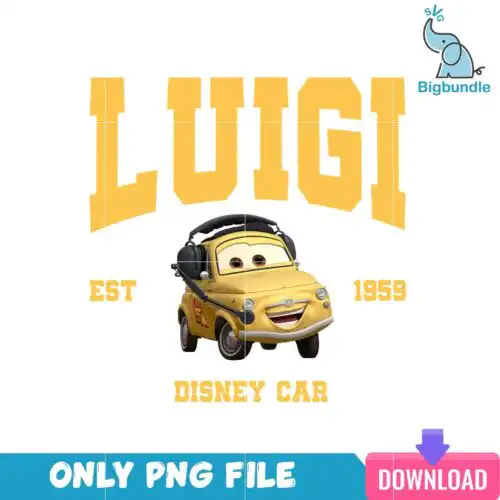
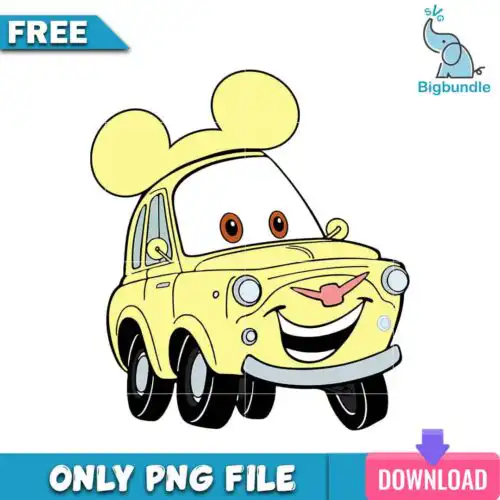
Luigi SVG files are cut and print designs featuring the famous green-hat character, offered as cut-file designs that include SVG, PNG (300 dpi, transparent), DXF, EPS, PDF and as sublimation designs with PNG (300 dpi, transparent background) for shirts, mugs, tumblers, stickers, and party decor. These designs share the same instantly recognizable character but come in mixed subjects and mixed styles, so you get everything from simple silhouettes to playful, detailed looks that work year-round. Made for fans, family crafters, and small shops who want that character vibe for birthday tees, kids' gifts, car decals, and custom drinkware without drawing it from scratch.
Choosing the right design
Choosing comes down to layering, detail level, and where you will use it. Single-layer designs cut fastest, weed easily, and stay readable on small items like baby onesies, mugs, or car decals. Layered versions give you that multi-color look for adult shirts and hoodies but need more prep and careful alignment. If you work small, pick bold outlines and less inner detail so the cutter does not lose lines. For large fronts or tumbler wraps, you can go with more detailed or inflated-style art that needs room to breathe. Always check the file list on each design before you cut: cut-file designs include SVG, PNG, DXF, EPS, PDF, while PNG-only designs are made for sublimation and print-and-cut. Mirror for HTV and size up 10% for puff or glitter vinyl.
Is Luigi SVG better for shirts or tumblers?
Both work, but pick by style. Choose bold, single-color or 2-3 layer Luigi SVG for shirts because they cut clean, layer well with HTV, and hold up after washing. Choose highly detailed or full-color PNG versions for tumblers, mugs, and sublimation blanks because you print instead of layering vinyl, so tiny details will not lift or weed.
Luigi SVG vs png which should I use
Use SVG for vinyl cutting and PNG for printing. Cut-file designs include SVG, PNG (300 dpi, transparent), DXF, EPS, PDF and are built for Cricut Design Space, Silhouette Studio, and other cutters. PNG-only designs are 300 dpi transparent files made for sublimation printers, DTF, and print-and-cut with Canva or Photoshop. Check each design's file list to confirm what is included.
How to cut layered Luigi SVG on Cricut?
Layered Luigi SVG cuts best with grouped colors and proper sizing. Ungroup in Cricut Design Space, cut by color on separate mats, and keep the design at least 4 inches wide for adult shirts so small pieces weed cleanly. Use a light grip mat for regular vinyl and standard blade pressure, then press layers bottom to top with parchment in between to avoid shifting.
What size should Luigi SVG be for adult youth baby shirts?
Size by garment, not by screen. For adult tees, make Luigi SVG 10 to 11 inches wide, for youth 8 to 9 inches, and for baby or toddler 5 to 6 inches so the face stays readable. For pocket or chest logos, scale down to 3.5 to 4 inches. Always do a test cut on paper and measure the actual press area to avoid hitting seams or collars.
Cut-file designs include SVG, PNG (300 dpi, transparent), DXF, EPS, and PDF so you can cut or print. Sublimation designs are PNG (300 dpi, transparent background) only, made for printing. Each design page lists exactly which files you will receive.
Will these work with Cricut and Silhouette?
Yes. The SVG and other cut files work with Cricut Design Space, Silhouette Studio Designer Edition, Brother ScanNCut, Adobe Illustrator, Inkscape, and CorelDRAW. The high-resolution PNGs work with sublimation printers like Epson and Sawgrass, DTF and print-and-cut workflows, plus Canva and Photoshop.
Can I sell what I make with Luigi SVG files?
Yes, for personal and small-business commercial use. You can sell finished physical items like shirts, mugs, and tumblers you make with them. You cannot resell, share, or redistribute the digital files themselves as files, and the designs are not official or licensed products.
Instant Download Download immediately after successful payment
Secure Payment Experience 100% secure payments, ensuring your transactions are safe.
Outstanding Support Service beyond compare with our exceptional team.
Premium Quality We are meticulous in every detail, ensuring unparalleled excellence.