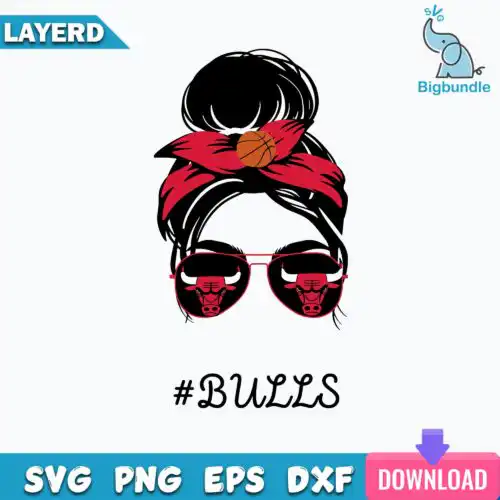
Messy Bun SVG files are messy-bun mom graphics offered as cut-file designs that include SVG, PNG, DXF, EPS and PDF and as PNG-only options at 300 dpi with transparent background for sublimation, made for shirts, tumblers, mugs, tote bags, decals and gifts. What unites these designs is the messy bun silhouette and attitude — mama, mom life, funny sayings, seasonal twists and team-inspired looks — all drawn to work year-round. You will find both bold, clean shapes for vinyl and softer, detailed looks for print, so whether you craft for yourself, for family, or for a small shop, there is a version that fits your project and your press.
Choosing the right design
These designs come in two kinds, so check the file list before you buy: cut-file designs include SVG, PNG, DXF, EPS and PDF, while PNG-only designs are 300 dpi transparent PNGs for sublimation and print-and-cut. For shirts and hoodies, look for single-layer or solid silhouettes that weed fast and press clean. For tumblers, mugs and small decals, choose simpler lines without tiny inner pieces. Layered or distressed looks shine larger on tote bags and sweatshirts. Always check if the bun, glasses, text and bow are separated for easy color layering, test sizing at 3 inches for mugs and 10-11 inches for adult shirts, and mirror for HTV.
What size should Messy Bun SVG be for shirts?
Use 10 to 11 inches wide for adult shirts, 7 to 8 inches for youth, and 4 to 5 inches for baby onesies. These messy bun designs scale clean because most are built as single-color silhouettes, but very detailed hair strands and small text lose sharpness under 3 inches. If you are layering a bow or glasses in a different vinyl color, keep the whole graphic at least 8 inches wide so those pieces stay easy to weed.
Messy Bun SVG vs png which should I use
Use SVG for vinyl and use PNG for sublimation and print. SVG, DXF, EPS and PDF are for cutting machines like Cricut and Silhouette, giving you crisp edges you can resize. PNG at 300 dpi with transparent background is for sublimation printers, DTF and print-then-cut on light materials. Cut-file designs here include both kinds of files; PNG-only designs are for sublimation and printing and each design lists its exact files.
How to cut Messy Bun SVG on Cricut?
Cut it as a standard single-layer vinyl project in Cricut Design Space. Upload the SVG, size it for your blank, choose Everyday Iron-On or permanent vinyl, mirror for HTV, and use standard grip mat with fine-point blade. If the design has separate colors for the bun, face and text, ungroup and cut by color, then layer and press from light to dark. For tiny inner cuts, use washi setting and slow the speed.
Can you add a name to Messy Bun SVG?
Yes, you can add a name in Design Space, Silhouette Studio or Canva. Place your text under or across the bun, weld or unite the letters so they cut as one piece, and keep a small offset if you want it to stand out on dark shirts. These mom designs leave open space around the bun for that reason. For sublimation, just add the name in PNG form and flatten before printing so colors stay true.
What file types come with these messy bun designs?
Cut-file designs include SVG, PNG (300 dpi, transparent), DXF, EPS, PDF, and PNG-only designs are PNG (300 dpi, transparent background) for sublimation and printing. Not every design includes every format. Check the file list on each design before you buy to confirm whether you are getting a full cut-file set or a PNG-only set.
Will these work with Cricut, Silhouette and sublimation printers?
Yes. SVG works with Cricut Design Space, Silhouette Studio Designer Edition, Brother ScanNCut, Illustrator, Inkscape and CorelDRAW. PNG at 300 dpi works with sublimation printers like Epson and Sawgrass, DTF and print-and-cut workflows, plus Canva and Photoshop. Choose SVG for vinyl, choose PNG for sublimation, DTF and printable transfers.
Can I sell shirts and mugs I make with these?
Yes, for personal and small-business commercial use. You can sell finished physical items like shirts, tumblers, mugs and tote bags you make with the files. You cannot resell, share or redistribute the digital files themselves as files, bundles or templates. Each design shows its license in its description.