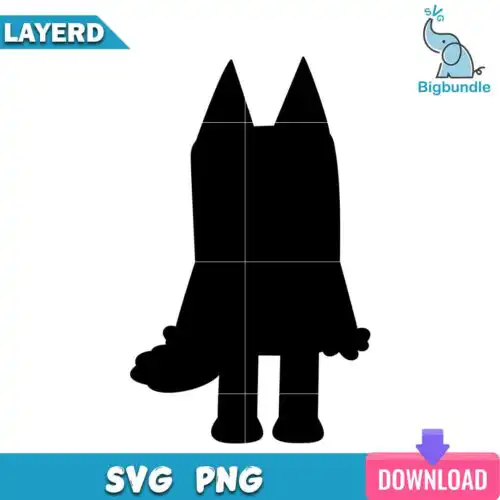
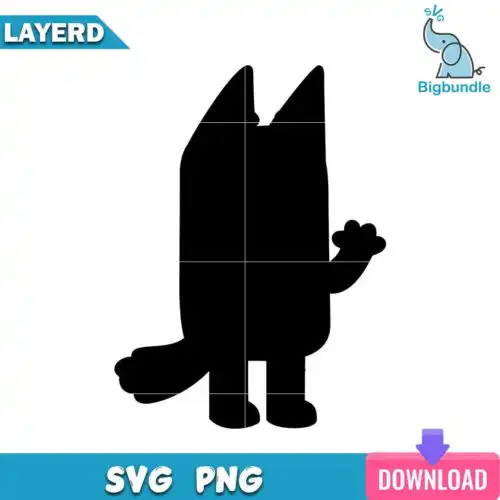
Silhouette SVG files are solid-shape cut files that typically include SVG, PNG (300 dpi), DXF, EPS and PDF for making shirts, decals, mugs, tumblers and other handmade goods. These designs are united by that bold silhouette look — clean outer shapes, readable from across the room, built to cut smoothly without tiny fragile pieces. Subjects and styles are mixed and made for year-round use, so you will find everything from simple minimal shapes to detailed character-inspired silhouettes in one place. They are for makers who want a quick, reliable cut that still looks finished on both soft and hard blanks. Cut-file designs include SVG, PNG, DXF, EPS and PDF, while PNG-only designs are for sublimation and printing, and each design lists its own files.
Choosing the right design
Think about how you will use these designs before you pick. Single-layer silhouettes cut the fastest and weed the easiest, which makes them ideal for small decals, chest logos, baby onesies and bulk orders. Layered or stacked versions give you color separation for larger shirt backs, tote bags and nursery wall art, but you will want to check how many layers are included. Very fine inner details look great at 10 inches wide but can close up on a 2-inch tumbler decal — choose bolder, chunkier silhouettes for mugs, cups and car decals. Before cutting, check the file list on the design you like, mirror for HTV, size up and do a quick test cut in your software. Most of these work with Cricut Design Space, Silhouette Studio, Brother ScanNCut, Illustrator, Inkscape and print workflows like sublimation and DTF.
Are Silhouette SVG designs better for shirts or tumblers?
Both work, but choose weight for the blank. Single-layer, solid Silhouette SVG styles are best for tumblers, mugs and car decals because they stay readable at small sizes and weed cleanly. For shirts, hoodies and totes, you can go bigger and use layered or bolder filled versions that hold up after washing. If you press a lot of curved tumblers, stick to simple silhouettes with no tiny islands.
Should I use SVG or PNG for Silhouette SVG?
Use SVG for vinyl and use PNG for printing. SVG, DXF and EPS keep the solid silhouette as a true cut line for Cricut and Silhouette machines, so you get crisp edges at any size. PNG at 300 dpi with a transparent background is for sublimation, DTF and print-then-cut when you want that solid shape printed instead of layered in vinyl. Check the file list, since cut-file designs include SVG and print-only designs are PNG.
How to cut layered Silhouette SVG with Cricut or Silhouette?
Layered Silhouette SVG files cut one color at a time. Upload the SVG, ungroup to see each color layer, size the whole group together, then cut each layer on its own mat in the right HTV or vinyl color. Mirror the design for heat-transfer vinyl, weed the negative space, and press from the bottom layer up using a short tack press between layers. Keep registration marks visible for alignment.
What size should Silhouette SVG be for adult youth baby shirts?
Size by blank, not just by age. For adults, 10 to 11 inches wide for front chest, 11.5 to 12 for full back. For youth, 8 to 9 inches for front. For baby onesies and toddler tees, keep silhouettes to 4.5 to 6 inches so fine points do not get lost. If the silhouette has small inner cutouts, go a half inch larger or pick a bolder version for infant sizes.
What file formats come with Silhouette SVG designs?
It depends on the design design. Cut-file designs include SVG, PNG at 300 dpi with transparent background, DXF, EPS and PDF. PNG-only designs are made for sublimation, DTF and other print workflows and come as a 300 dpi transparent PNG. Always check the files listed on the individual design before you buy.
Will Silhouette SVG work with Cricut and Silhouette Studio?
Yes. These files work with Cricut Design Space, Silhouette Studio Designer Edition, Brother ScanNCut, Adobe Illustrator, Inkscape, CorelDRAW, Canva and Photoshop, plus sublimation printers and DTF or print-and-cut workflows. SVG is for cutting, DXF is an alternative for Silhouette Basic, and PNG is for printing.
Can I use Silhouette SVG for items I sell?
Yes, for personal and small-business commercial use. You can sell finished physical items like shirts, decals, mugs and tumblers made with the files. You cannot resell, share or redistribute the digital files themselves as cut files, clip art or print files. Licence details are included with each design.
Instant Download Download immediately after successful payment
Secure Payment Experience 100% secure payments, ensuring your transactions are safe.
Outstanding Support Service beyond compare with our exceptional team.
Premium Quality We are meticulous in every detail, ensuring unparalleled excellence.