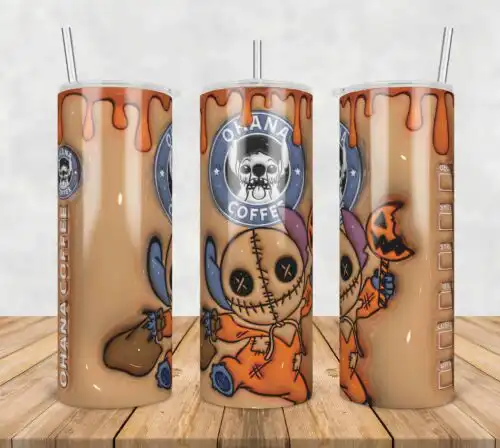
Stitch SVG files are cartoon-style cut files featuring the little green alien-like creature, available as SVG, PNG, DXF, EPS, and PDF, made for shirts, mugs, tumblers, and Christmas decor. These designs are united by that playful character — sometimes alone in a Santa hat and scarf holding a switch, sometimes as a group of four in Christmas hats with text, always surrounded by Christmas elements — all drawn in a simple cartoon, flat style. They are built for holiday makers who want funny, instantly recognizable Christmas looks for family matching tees, kids' pajamas, holiday mugs, stockings, and party decor.
Choosing the right design
Choosing between these comes down to layout and detail level. For single-character looks with a Santa hat, scarf, and Christmas elements, you get a clean center chest graphic that cuts fast and presses clean. The four-creature versions with text make fuller front designs and are better for adult tees and sweatshirts where you have more space. Flat, single-color silhouettes work best for small items like baby onesies, mugs, and ornaments. More detailed layered versions with text suit larger shirts and tote bags. Before you cut, check if your pick is a cut-file design or a PNG-only design — cut-file designs include SVG, PNG, DXF, EPS, and PDF, while PNG-only designs are for sublimation and printing — and each design lists its own files. Also check if text is separate so you can recolor or remove it.
Which Stitch SVG is best for shirts vs mugs and tumblers?
Shirts need the group poses or text layouts, mugs and tumblers need the single green creature with Santa hat. These designs are all Christmas cartoon and flat, so pick a wide, four-creature composition for shirt fronts and a compact single-creature graphic for curved surfaces. For mugs, avoid heavy text below the art — it wraps and distorts — and choose a flat version with clean edges for easy weeding.
Stitch SVG vs png which should I use
Use SVG for vinyl cutting and PNG for printing. SVG, DXF, EPS, and PDF are vector cut files for Cricut and Silhouette, while the included 300 dpi transparent PNG is for sublimation, DTF, and print-and-cut. Cut-file designs include SVG, PNG, DXF, EPS, PDF and PNG-only designs are for sublimation and printing, so check each design's file list. If you only need a shirt with a printer, the PNG alone is enough.
How to cut layered Stitch SVG on Cricut?
Cut layered Stitch SVG designs by color, one layer at a time, then stack with heat-transfer vinyl. Ungroup in Cricut Design Space, hide all but one color, cut, and repeat for green, red, black, and white. Use a weeding border around text, mirror for HTV, press the base layer 5 seconds to tack, then add details. Keep the flat cartoon style at 11 inches wide for adult shirts to keep tiny hat details from lifting.
What size Stitch SVG for adult youth and baby shirts?
Use 11-12 inches wide for adult, 8-9 inches for youth, and 5-6 inches for baby. These Christmas cartoon designs are simple and flat, so they scale down well, but the four-creature versions lose readability under 8 inches. For baby onesies, choose the single green alien-like creature in a Santa hat and scarf — fewer layers, faster press, and less vinyl on soft fabric. Always test placement 3 inches below the collar.
Cut-file designs include SVG, PNG (300 dpi, transparent), DXF, EPS, PDF, and PNG for sublimation. PNG-only designs are for sublimation and printing and include just PNG (300 dpi, transparent background). Each design page lists its exact files, so you know before you download.
Do these work with Cricut, Silhouette, and sublimation printers?
Yes. Cut-file versions work with Cricut Design Space, Silhouette Studio Designer Edition, Brother ScanNCut, Adobe Illustrator, Inkscape, CorelDRAW, and Canva. The 300 dpi transparent PNG works with sublimation printers like Epson and Sawgrass, DTF and print-and-cut workflows, and Photoshop for mugs, tumblers, and shirts.
Can I sell shirts I make with Stitch SVG files?
Yes, for personal and small-business commercial use. You can sell finished physical items like shirts, mugs, and decor you make with them. You cannot resell, share, or redistribute the digital files themselves as cut files, and you cannot claim to be official or licensed.