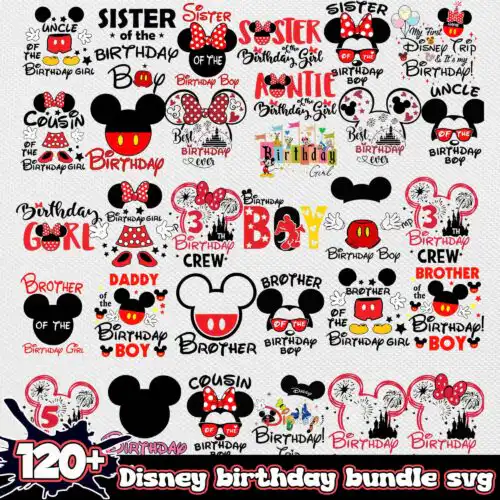
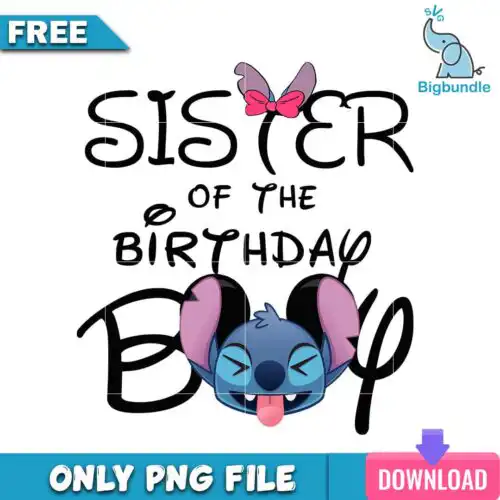
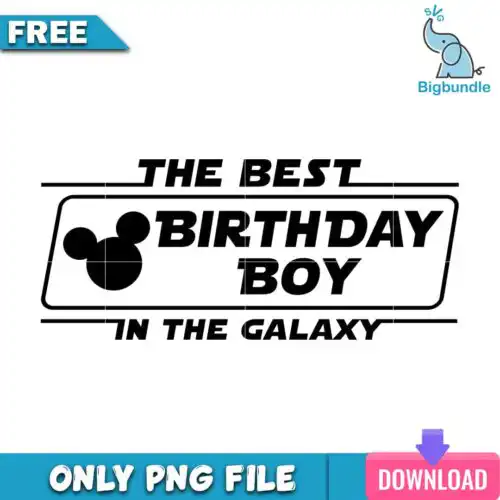
Disney Birthday SVG files are cut and print graphics for birthday shirts, party decor, tumblers and gifts, offered as SVG cut-file designs that include SVG, PNG (300 dpi, transparent), DXF, EPS, PDF and as PNG-only designs that include PNG (300 dpi, transparent background) for sublimation and print-and-cut. These designs are united by birthday celebration — birthday girl, birthday boy, birthday squad and mom, dad, brother, sister of the birthday girl or boy — with mixed subjects including Stitch and classic Mickey and Minnie inspired looks in mixed styles for year-round birthdays. They are made for families and friends who want coordinated looks across single designs, from kids and adults to the whole crew, for handmade items to wear, gift and decorate with.
Choosing the right design
These are single designs, not bundles, and they come in two kinds, so check the file list on each design. Cut-file designs include SVG, PNG, DXF, EPS, PDF for vinyl and paper, while PNG-only designs are 300 dpi transparent PNGs made for sublimation, DTF and print-and-cut. For shirts, choose single-layer bold text designs — they weed faster, press cleanly at small sizes and stay legible for brother, sister, mom and dad roles. For large fronts, back designs or photo props, layered Stitch or mouse-inspired graphics give more impact. If you plan small items like tumblers, mugs or onesies, avoid tiny layered details and pick cleaner silhouettes with thicker lines. Before cutting, mirror HTV, test size on a shirt template for adult, youth and baby scaling, and confirm which format your workflow needs.
Are Disney Birthday SVG better for shirts or tumblers?
They work for both, but pick by detail. For shirts use bold family role designs like birthday girl, birthday boy, squad, mom, dad, brother, sister because single-layer text presses fast and stays readable after washing. For tumblers and mugs choose simpler Stitch or Mickey and Minnie inspired graphics with thicker lines, so small wraps do not lose detail and weed cleanly on curved surfaces.
Do I need svg or png for Disney Birthday SVG?
You need SVG for vinyl cutting and PNG for printing. Cut-file designs include SVG, DXF, EPS, PDF plus PNG for Cricut Design Space, Silhouette Studio, Brother ScanNCut, Illustrator, Inkscape and CorelDRAW. PNG-only designs are 300 dpi transparent PNGs for sublimation printers like Epson and Sawgrass, DTF, Canva and Photoshop. Each design lists its own included files, so choose by your method.
How to cut layered Disney Birthday SVG with Cricut?
Ungroup layers in Design Space, then cut by color. Cut the base layer first, weed, and press with light tack to keep placement, then add top layers with a short press to avoid over-heating. For single-layer family text designs you can cut once in HTV. Use Designer Edition for Silhouette if you need DXF. Always do a test cut at your final size to check small letters in birthday squad and mom of the birthday girl wordings.
What size should Disney Birthday SVG be for adult and kids shirts?
Size by shirt, not by file. For adults use 10-11 inches wide for front chest, 11-12 for back; youth 8-9 inches; toddler and baby 5-6 inches. Family matching sets look best when birthday girl or boy is largest and mom, dad, brother, sister roles are scaled 0.5-1 inch smaller. Reduce intricate Stitch or mouse details by 10% for baby sizes to keep weeding easy and letters readable.
What file formats come with Disney Birthday SVG designs?
SVG cut-file designs include SVG, PNG (300 dpi, transparent), DXF, EPS, PDF. PNG sublimation designs include PNG (300 dpi, transparent background) only for sublimation, DTF and print-and-cut. Works with Cricut Design Space, Silhouette Studio Designer Edition, Brother ScanNCut, Illustrator, Inkscape, CorelDRAW, Canva, Photoshop and sublimation printers. Each design page lists its exact files.
Can I use Disney Birthday SVG with Cricut and silhouette?
Yes. Cut-file versions work with Cricut Design Space, Silhouette Studio Designer Edition, Brother ScanNCut, Adobe Illustrator, Inkscape and CorelDRAW. PNG versions work for sublimation, DTF and print-and-cut workflows, including Photoshop, Canva and Epson or Sawgrass printers. If you only have Silhouette Basic, use the DXF included in cut-file designs.
What can I make and sell with Disney Birthday SVG?
Personal and small-business commercial use is allowed. You can sell finished physical items you make, like shirts, onesies, tumblers, party banners and gift bags. You cannot resell, share or redistribute the digital files themselves as files, and you cannot claim official or licensed status. Disney-inspired fan art style designs are not official.