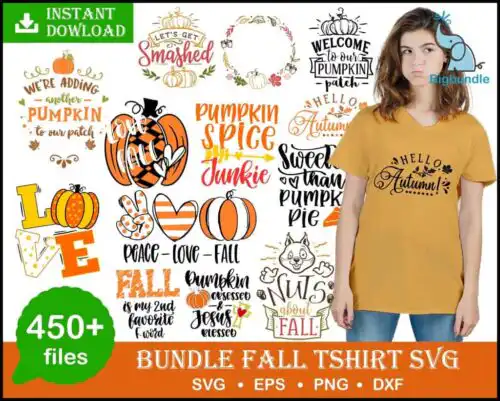
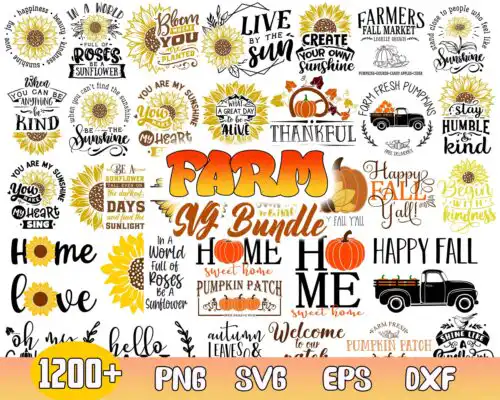
Thanksgiving SVG files are cut and print-ready artwork for fall crafting, where cut-file designs include SVG, PNG (300 dpi, transparent), DXF, EPS and PDF and PNG-only designs are 300 dpi transparent PNG for sublimation and printing, used to make shirts, tumblers, mugs, signs, tote bags and home decor. These designs are united by a repeating pattern of pumpkins and gourds paired with a fall-themed quote, drawn in retro and cartoon styles that read well at a glance. They are built for autumn and thanksgiving making — cozy family shirts, Friendsgiving tables, kitchen decor, and gifts that celebrate gratitude, harvest and the season together.
Choosing the right design
Start with construction. Single-layer designs cut and weed fastest and work for one-color HTV, small chest logos, baby onesies and mugs. If a file shows layered colors or a retro shadow, check the file list for separate layers so you can cut by color or print-then-cut. Match style to surface: bold cartoon pumpkins and thick retro lettering hold up on tumbler wraps, tote bags and wood signs viewed from a distance, while smaller quote details need larger sizing for shirts. Before you cut, measure your blank, mirror HTV, and test the quote at actual size. For sublimation, use the transparent PNG at 300 dpi and size without stretching. Each design lists its own included files, so confirm whether it is a full cut-file set or PNG-only for printing.
Thanksgiving SVG for shirts vs tumblers
Use bold retro pumpkins and thick fall quotes for shirts, and simpler cartoon pumpkin clusters for tumblers and mugs. Shirts give you more width for a repeating pattern of pumpkins and gourds, while curved tumblers need less fine text to avoid distortion. If you are pressing youth or baby sizes, pick a version with fewer small gourds and larger lettering so it weeds cleanly.
Do I need svg or png for Thanksgiving SVG?
You need SVG for vinyl cutting and PNG for sublimation or print-and-cut. Cut-file designs in this group include SVG, PNG, DXF, EPS and PDF for Cricut, Silhouette, ScanNCut and laser workflows, while PNG-only designs are 300 dpi transparent PNG for Epson, Sawgrass, DTF and Canva printing. Check each design's file list to see which type it is before you buy.
How to cut layered Thanksgiving SVG on Cricut?
Layered versions cut by color in Cricut Design Space or Silhouette Studio Designer Edition. Ungroup the retro or cartoon layers, assign each fall color, cut HTV mirrored and press light to dark, or use print-then-cut with the included PNG for detailed pumpkin and gourd patterns. For single-layer quotes, use one color, weed around the small inner spaces of letters, and size at least 9 inches wide for adult shirts to keep the quote readable.
What size should Thanksgiving SVG be for shirts?
Make adult Thanksgiving SVG designs 10 to 11 inches wide, youth 8 to 9 inches, and baby 5 to 6 inches wide. That keeps the pumpkin and gourd pattern intact and the fall quote legible. If the quote has small script, go slightly larger for HTV to avoid losing details when weeding, and shrink slightly for PNG sublimation since it prints fine lines better than vinyl cuts.
It depends on the design type. Cut-file designs include SVG, PNG (300 dpi, transparent), DXF, EPS and PDF. PNG sublimation designs are PNG only at 300 dpi with a transparent background for printers, DTF and print-and-cut. Every design page lists exactly which files are included, so you know before you cut or press.
Will these work with my Cricut and Silhouette?
Yes. Cut-file designs work with Cricut Design Space, Silhouette Studio Designer Edition, Brother ScanNCut, Adobe Illustrator, Inkscape and CorelDRAW. PNG designs work with sublimation printers like Epson and Sawgrass, DTF and print-and-cut workflows, plus Canva and Photoshop. Just match the file type to your method.
Can I sell shirts and tumblers I make with these?
Yes, for personal and small-business commercial use. You can sell finished physical items like shirts, tumblers, mugs and signs made with these pumpkin, gourd and fall-quote designs. You cannot resell, share or redistribute the digital files themselves as files, blanks or templates.