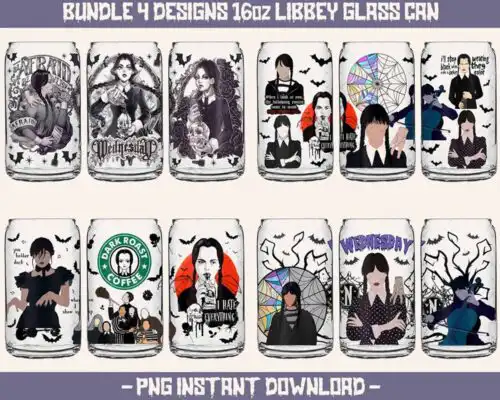
Wednesday SVG files are cut and print designs for Wednesday Addams fans, available as SVG cut files with PNG, DXF, EPS, PDF and as PNG sublimation wraps with transparent backgrounds for shirts, tumblers, libbey glass cans, stickers, and home decor. These designs are united by that dark, deadpan Wednesday aesthetic — quotes, portraits, silhouettes, and gothic motifs that work year-round, not just for Halloween. They are made for makers who love that Netflix Addams Family vibe and want versatile artwork for personal projects and small-business physical products, with styles ranging from clean single-layer cuts to detailed layered and illustrated looks.
Choosing the right design
Choosing between these Wednesday designs comes down to project and machine. If you cut vinyl, look for single-layer or clearly layered SVGs — they weed faster and cut cleanly at small sizes for kids shirts, hats, and decals. For large detailed graphics on dark shirts or tumbler wraps, go for the PNG sublimation versions at 300 dpi. Check each design's file list before buying: cut-file designs include SVG, PNG, DXF, EPS, PDF, while PNG-only designs are for sublimation and print workflows. For layered looks, preview colors in Design Space or Silhouette Studio first, cut by color, and size up at least 10 inches wide for shirts so fine lines don't lift. Test press settings on scrap material.
Are Wednesday SVG better for shirts or tumblers?
Both work, just pick the right file type. For shirts, Wednesday SVG cut files in SVG and DXF are best for HTV and layered vinyl, while PNG at 300 dpi is best for sublimation and DTF on light or polyester shirts. For tumblers and libbey glass cans, choose the PNG wrap designs sized for 20oz skinny tumblers or 16oz glass cans. They are already laid out as full wraps with transparent backgrounds, so you don't have to resize a shirt graphic.
Wednesday SVG vs png what is the difference
SVG is for cutting, PNG is for printing. Wednesday SVG cut files include SVG, DXF, EPS, PDF plus a PNG preview for vinyl cutting with Cricut, Silhouette, and ScanNCut. PNG-only Wednesday designs are 300 dpi with transparent background for sublimation, DTF, and print-and-cut. If your design says PNG sublimation, it won't include SVG or DXF. Each design lists exactly what files are included, so check that list for your workflow.
How to cut layered Wednesday SVG with Cricut?
Ungroup the layers in Cricut Design Space and cut by color on the matching vinyl. These Wednesday designs often come layered, so keep the mat clean, use a sharp fine-point blade, and use transfer tape for alignment. Size the design at least 9-10 inches wide for adult shirts so small details don't tear when weeding. For tiny baby or youth sizes, choose the single-layer version if available — fewer layers means less lifting and easier pressing.
What size Wednesday SVG for adult youth baby shirts?
Use 10-11 inches wide for adult shirts, 8-9 inches for youth, and 5-6 inches for baby onesies. These Wednesday designs have fine lines and text, so scaling down too much makes weeding difficult. If you are pressing a PNG for sublimation, print the PNG at 100% with bleed off and match it to your shirt size, not the cut size. Always do a test cut on vinyl scraps or print on regular paper first to check proportions on your blank.
It depends on the design type. Cut-file designs include SVG, PNG (300 dpi, transparent), DXF, EPS, and PDF and work with Cricut Design Space, Silhouette Studio Designer Edition, Brother ScanNCut, Illustrator, Inkscape, and CorelDRAW. PNG sublimation designs are PNG only at 300 dpi with transparent background for sublimation printers like Epson and Sawgrass, DTF, and Canva or Photoshop print workflows. Each design lists its own included files.
Can I use Wednesday SVG with Cricut and Silhouette?
Yes. The SVG cut files work with Cricut Design Space and Silhouette Studio Designer Edition and above, DXF works with Silhouette basic and other cutters, and the PNG versions work for print-and-cut, sublimation, and DTF. You can also open them in Adobe Illustrator, Inkscape, CorelDRAW, Canva, and Photoshop for resizing and color changes.
Can I sell what I make with Wednesday SVG files?
Yes for finished physical items under personal and small-business commercial use. You can sell shirts, tumblers, mugs, stickers, and other physical products you make with these designs. You cannot resell, share, or redistribute the digital files themselves as-is, as part of a bundle, or as a template. Check each design for any additional license notes.